

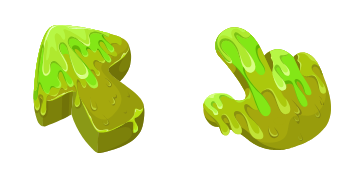
حزمة المؤشرات المخصصة المجانية Slime Texture
Slime Texture free custom cursor set - cute cursor charm with texture-day energy.
Salmon Texture cute cursor look - free custom cursor packed with quiet texture.
Try this cursor
Move across the preview to feel both cursor styles.

Give your pointer a theme without drowning it: Salmon Texture is a cute cursor with balanced texture detail. This free custom cursor fits Chrome and Edge, and works on Windows 10/11 with Custom Cursor for the same pointer mood across apps.
Rounded accents keep Salmon Texture friendly without muddy edges. Fan-made only - not tied to any official brand or product line. Texture and patterned pointer fans will feel right at home.
Continue exploring with the Santa Claus Costume Cursor Pack and the Santa Cursor Pack.
Install Salmon Texture and give your mouse a sharper everyday companion.
Customize your embed code and preview it in real time below.
Live preview
<style type="text/css">
body {
  cursor: url(https://cdn.cutecursors.com/db/salmon_texture_cursor/arrow.png) 4 4, auto;
}
a, button, .clickable {
  cursor: url(https://cdn.cutecursors.com/db/salmon_texture_cursor/hand.png) 4 4, pointer;
}
</style>
<a href="https://cutecursors.com//category/texture/salmon-texture-cursor" title="Get free Salmon Texture cursors for your website.">
  Salmon Texture Cursors
</a>/* components/CuteCursor.jsx */
"use client";
import { useEffect } from "react";
const CURSOR = "https://cdn.cutecursors.com/db/salmon_texture_cursor/arrow.png";
const POINTER = "https://cdn.cutecursors.com/db/salmon_texture_cursor/hand.png";
export default function CuteCursor() {
useEffect(() => {
const style = document.createElement("style");
style.innerHTML = `
body { cursor: url(${CURSOR}) 4 4, auto; }
a, button, .clickable { cursor: url(${POINTER}) 4 4, pointer; }
`;
document.head.appendChild(style);
return () => style.remove();
}, []);
return null;
}
/* Usage: render <CuteCursor /> once, e.g. in your root layout or App:
<CuteCursor />
Salmon Texture cursors by https://cutecursors.com//category/texture/salmon-texture-cursor */-- Salmon Texture custom cursor for Roblox
-- LocalScript (place it in StarterPlayer > StarterPlayerScripts)
--
-- 1) Download the cursor images (buttons above) or grab them here:
-- Cursor: https://cdn.cutecursors.com/db/salmon_texture_cursor/arrow.png
-- Pointer: https://cdn.cutecursors.com/db/salmon_texture_cursor/hand.png
-- 2) Upload them in Roblox Creator Hub as Decals (Create > Decals).
-- 3) Replace the IDs below with your uploaded Image asset IDs.
local UserInputService = game:GetService("UserInputService")
local Players = game:GetService("Players")
local CURSOR_ICON = "rbxassetid://CURSOR_ASSET_ID"
local POINTER_ICON = "rbxassetid://POINTER_ASSET_ID"
-- Set the default cursor
UserInputService.MouseIcon = CURSOR_ICON
-- Optional: switch to the pointer icon while hovering GUI buttons
local function hookButton(button)
button.MouseEnter:Connect(function()
UserInputService.MouseIcon = POINTER_ICON
end)
button.MouseLeave:Connect(function()
UserInputService.MouseIcon = CURSOR_ICON
end)
end
local playerGui = Players.LocalPlayer:WaitForChild("PlayerGui")
for _, gui in ipairs(playerGui:GetDescendants()) do
if gui:IsA("GuiButton") then
hookButton(gui)
end
end
playerGui.DescendantAdded:Connect(function(gui)
if gui:IsA("GuiButton") then
hookButton(gui)
end
end)
-- Salmon Texture cursors: https://cutecursors.com//category/texture/salmon-texture-cursor
Salmon Texture cute cursor look - free custom cursor packed with quiet texture.
Hit the 'Add to Browser' button to get the 'Salmon Texture' pack.
On the Chrome Web Store, smash that ‘Add to Chrome’ button and confirm.
Pro-tip: Pin the 'Cute Cursors' extension to your toolbar for quick access.
Open the extension, find the 'Salmon Texture' pack, and click to activate. Easy peasy!
Explore other cursor packs from our collection
Slime Texture free custom cursor set - cute cursor charm with texture-day energy.
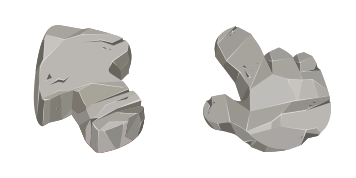
Stone Texture free custom cursor pack - cute cursor ready for Chrome or Edge.
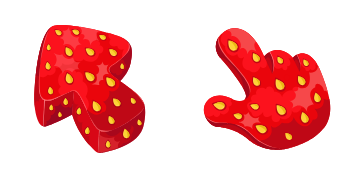
Add a Strawberry cute cursor to your mouse - free custom cursor download.
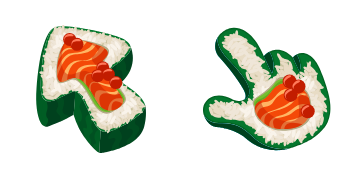
Sushi Texture free custom cursor - cute cursor style for calm textured browsing.

Red-White Polka Dot cursor with a matching Polka Dot Hand pointer - free cute dark outline custom cursor.

Fingerprint cursor - cute minimalist texture pack for everyday clicks.

Watermelon Texture cursor - chunky red flesh, black seeds, and striped green rind.

Dragon Fruit Texture cursor - white pitaya seeds on a hot pink chunky arrow.
Our universe of cursors is huge. Dive into hundreds of unique collections and find the one that truly represents you.
Explore All Collections
Idle
{
  "status": "idle"
}