

حزمة المؤشرات المخصصة المجانية Infinite
Infinite cute cursor for fans - free custom cursor with friendly color tones.
New Year Champagne custom cursor charm - free cute cursor for bright browsing days.
Try this cursor
Move across the preview to feel both cursor styles.

A splash of personality on every click: the New Year Champagne cute cursor turns a plain tip into something you actually notice. This free custom cursor works in Chrome and Edge, and on Windows 10/11 with Custom Cursor when you want the same look beyond the browser.
Bold color blocks stay sharp at small sizes for New Year Champagne. The pack is fan-made custom cursor art and not an official release. Colorful object and mood pointer fans will feel right at home.
Continue exploring with the On the Contrary Cursor Pack and the On the Other Side Cursor Pack.
Pick up the New Year Champagne pack and make every scroll feel a little more colorful.
Customize your embed code and preview it in real time below.
Live preview
<style type="text/css">
body {
  cursor: url(https://cdn.cutecursors.com/db/new_yearchampagne_cute_cursors_cute_cursor/arrow.png) 4 4, auto;
}
a, button, .clickable {
  cursor: url(https://cdn.cutecursors.com/db/new_yearchampagne_cute_cursors_cute_cursor/hand.png) 4 4, pointer;
}
</style>
<a href="https://cutecursors.com//category/colors/new-yearchampagne-cute-cursors-cute-cursor" title="Get free New Year champagne cursors for your website.">
  New Year champagne Cursors
</a>/* components/CuteCursor.jsx */
"use client";
import { useEffect } from "react";
const CURSOR = "https://cdn.cutecursors.com/db/new_yearchampagne_cute_cursors_cute_cursor/arrow.png";
const POINTER = "https://cdn.cutecursors.com/db/new_yearchampagne_cute_cursors_cute_cursor/hand.png";
export default function CuteCursor() {
useEffect(() => {
const style = document.createElement("style");
style.innerHTML = `
body { cursor: url(${CURSOR}) 4 4, auto; }
a, button, .clickable { cursor: url(${POINTER}) 4 4, pointer; }
`;
document.head.appendChild(style);
return () => style.remove();
}, []);
return null;
}
/* Usage: render <CuteCursor /> once, e.g. in your root layout or App:
<CuteCursor />
New Year champagne cursors by https://cutecursors.com//category/colors/new-yearchampagne-cute-cursors-cute-cursor */-- New Year champagne custom cursor for Roblox
-- LocalScript (place it in StarterPlayer > StarterPlayerScripts)
--
-- 1) Download the cursor images (buttons above) or grab them here:
-- Cursor: https://cdn.cutecursors.com/db/new_yearchampagne_cute_cursors_cute_cursor/arrow.png
-- Pointer: https://cdn.cutecursors.com/db/new_yearchampagne_cute_cursors_cute_cursor/hand.png
-- 2) Upload them in Roblox Creator Hub as Decals (Create > Decals).
-- 3) Replace the IDs below with your uploaded Image asset IDs.
local UserInputService = game:GetService("UserInputService")
local Players = game:GetService("Players")
local CURSOR_ICON = "rbxassetid://CURSOR_ASSET_ID"
local POINTER_ICON = "rbxassetid://POINTER_ASSET_ID"
-- Set the default cursor
UserInputService.MouseIcon = CURSOR_ICON
-- Optional: switch to the pointer icon while hovering GUI buttons
local function hookButton(button)
button.MouseEnter:Connect(function()
UserInputService.MouseIcon = POINTER_ICON
end)
button.MouseLeave:Connect(function()
UserInputService.MouseIcon = CURSOR_ICON
end)
end
local playerGui = Players.LocalPlayer:WaitForChild("PlayerGui")
for _, gui in ipairs(playerGui:GetDescendants()) do
if gui:IsA("GuiButton") then
hookButton(gui)
end
end
playerGui.DescendantAdded:Connect(function(gui)
if gui:IsA("GuiButton") then
hookButton(gui)
end
end)
-- New Year champagne cursors: https://cutecursors.com//category/colors/new-yearchampagne-cute-cursors-cute-cursor
New Year Champagne custom cursor charm - free cute cursor for bright browsing days.
Hit the 'Add to Browser' button to get the 'New Year champagne' pack.
On the Chrome Web Store, smash that ‘Add to Chrome’ button and confirm.
Pro-tip: Pin the 'Cute Cursors' extension to your toolbar for quick access.
Open the extension, find the 'New Year champagne' pack, and click to activate. Easy peasy!
Explore other cursor packs from our collection
Infinite cute cursor for fans - free custom cursor with friendly color tones.

Bring home Jason Statham cute cursor - free custom cursor with bright tip energy.
A fresh Keanu Reeves cute cursor - free custom cursor pack with soft outlines.

Kevin Hart color tip as a cute cursor - free custom cursor for fans.
Kim Kardashian free custom cursor - soft cute cursor vibes for daily clicks.
King cute cursor companion - free custom cursor for light desktop moods.
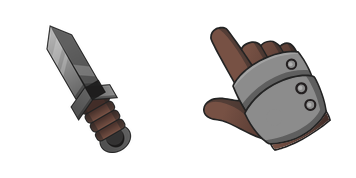
Refresh your tip with Knight cute cursor - free custom cursor style.

A fresh Knowledge Day Pencil cute cursor - free custom cursor pack with soft outlines.
Our universe of cursors is huge. Dive into hundreds of unique collections and find the one that truly represents you.
Explore All Collections
قم بتثبيته الآن مجانًا من متجر Chrome الإلكتروني الرسمي
Idle
{
  "status": "idle"
}