

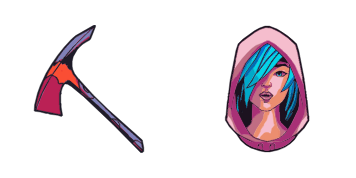
حزمة المؤشرات المخصصة المجانية Iris Skin Pop
Iris Skin Pop glossy cute cursor - free custom cursor for Fortnite fans.
Free custom cursor: Frost Broker cute cursor with a glossy Fortnite look.
Try this cursor
Move across the preview to feel both cursor styles.

Load out your mouse with Frost Broker, a bright cute cursor for everyday browsing. Grab this free custom cursor for Chrome and Edge, and on Windows 10/11 with Custom Cursor when you want the same look across apps.
Rounded, tidy details keep Frost Broker clear without crowding the pointer. It is fan-made cursor art only and is not tied to any Epic Games official merchandise.
More island looks wait in the Frosted Flurry Cursor Pack, the Galaxy Cursor Pack, and the Hazard Cursor Pack.
Grab the Frost Broker cursor and bring some battle-pass fun to every scroll.
Customize your embed code and preview it in real time below.
Live preview
<style type="text/css">
body {
  cursor: url(https://cdn.cutecursors.com/cdn-changecursor/packs/frost-broker-fortnite-cursor/arrow.png) 4 4, auto;
}
a, button, .clickable {
  cursor: url(https://cdn.cutecursors.com/cdn-changecursor/packs/frost-broker-fortnite-cursor/hand.png) 4 4, pointer;
}
</style>
<a href="https://cutecursors.com//category/fortnite/frost-broker-fortnite-cursor" title="Get free Frost Broker Fortnite cursors for your website.">
  Frost Broker Fortnite Cursors
</a>/* components/CuteCursor.jsx */
"use client";
import { useEffect } from "react";
const CURSOR = "https://cdn.cutecursors.com/cdn-changecursor/packs/frost-broker-fortnite-cursor/arrow.png";
const POINTER = "https://cdn.cutecursors.com/cdn-changecursor/packs/frost-broker-fortnite-cursor/hand.png";
export default function CuteCursor() {
useEffect(() => {
const style = document.createElement("style");
style.innerHTML = `
body { cursor: url(${CURSOR}) 4 4, auto; }
a, button, .clickable { cursor: url(${POINTER}) 4 4, pointer; }
`;
document.head.appendChild(style);
return () => style.remove();
}, []);
return null;
}
/* Usage: render <CuteCursor /> once, e.g. in your root layout or App:
<CuteCursor />
Frost Broker Fortnite cursors by https://cutecursors.com//category/fortnite/frost-broker-fortnite-cursor */-- Frost Broker Fortnite custom cursor for Roblox
-- LocalScript (place it in StarterPlayer > StarterPlayerScripts)
--
-- 1) Download the cursor images (buttons above) or grab them here:
-- Cursor: https://cdn.cutecursors.com/cdn-changecursor/packs/frost-broker-fortnite-cursor/arrow.png
-- Pointer: https://cdn.cutecursors.com/cdn-changecursor/packs/frost-broker-fortnite-cursor/hand.png
-- 2) Upload them in Roblox Creator Hub as Decals (Create > Decals).
-- 3) Replace the IDs below with your uploaded Image asset IDs.
local UserInputService = game:GetService("UserInputService")
local Players = game:GetService("Players")
local CURSOR_ICON = "rbxassetid://CURSOR_ASSET_ID"
local POINTER_ICON = "rbxassetid://POINTER_ASSET_ID"
-- Set the default cursor
UserInputService.MouseIcon = CURSOR_ICON
-- Optional: switch to the pointer icon while hovering GUI buttons
local function hookButton(button)
button.MouseEnter:Connect(function()
UserInputService.MouseIcon = POINTER_ICON
end)
button.MouseLeave:Connect(function()
UserInputService.MouseIcon = CURSOR_ICON
end)
end
local playerGui = Players.LocalPlayer:WaitForChild("PlayerGui")
for _, gui in ipairs(playerGui:GetDescendants()) do
if gui:IsA("GuiButton") then
hookButton(gui)
end
end
playerGui.DescendantAdded:Connect(function(gui)
if gui:IsA("GuiButton") then
hookButton(gui)
end
end)
-- Frost Broker Fortnite cursors: https://cutecursors.com//category/fortnite/frost-broker-fortnite-cursor
Free custom cursor: Frost Broker cute cursor with a glossy Fortnite look.
Hit the 'Add to Browser' button to get the 'Frost Broker Fortnite' pack.
On the Chrome Web Store, smash that ‘Add to Chrome’ button and confirm.
Pro-tip: Pin the 'Cute Cursors' extension to your toolbar for quick access.
Open the extension, find the 'Frost Broker Fortnite' pack, and click to activate. Easy peasy!
Explore other cursor packs from our collection
Iris Skin Pop glossy cute cursor - free custom cursor for Fortnite fans.
soft Jellie cute cursor - free custom cursor with island style.
Jellie cute cursor - free custom cursor with Fortnite island vibes.
Grab the Joker Skin cute cursor - a free custom cursor pack for fans.
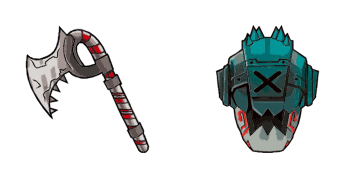
Meet the Kane cute cursor - free custom cursor ready for every click.
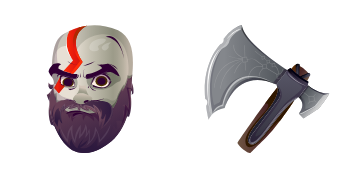
Kratos free custom cursor - cute cursor flair for Fortnite fans.

Lil Whip cute cursor for fans - free custom cursor with sharp island style.
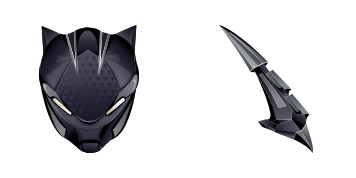
Lynx: cute cursor pack and free custom cursor for Fortnite fans.
Our universe of cursors is huge. Dive into hundreds of unique collections and find the one that truly represents you.
Explore All Collections
Idle
{
  "status": "idle"
}