


حزمة المؤشرات المخصصة المجانية Bonnie the Rabbit
Try Bonnie the Rabbit cute cursor - free custom cursor with clean FNaF energy.
Five Nights at Freddy free custom cursor - cute cursor flair for FNaF fans.
Try this cursor
Move across the preview to feel both cursor styles.

Clock in with Five Nights at Freddy - a free cute cursor that keeps FNaF flair close. Grab this free custom cursor for Chrome and Edge, and on Windows 10/11 with Custom Cursor when you want the same look across apps.
Bold, simple lines let Five Nights at Freddy stay crisp on light and dark pages. It is fan-made cursor art only and is not tied to any official Five Nights at Freddy's product line.
Nearby picks include the Five Nights at Freddy Cursor Pack, the FNaF Crying Child Cursor Pack, and the Freddy Fazbear Cursor Pack.
Install Five Nights at Freddy and give your mouse a playful FNaF upgrade today.
Customize your embed code and preview it in real time below.
Live preview
<style type="text/css">
body {
  cursor: url(https://cdn.cutecursors.com/images/cursors/5d61a9edad401.png) 4 4, auto;
}
a, button, .clickable {
  cursor: url(https://cdn.cutecursors.com/images/pointers/5d61a9edad422.png) 4 4, pointer;
}
</style>
<a href="https://cutecursors.com//category/five-nights-at-freddy/five-nightsatfreddy-cute-cursors" title="Get free Five Nights at Freddy cursors for your website.">
  Five Nights at Freddy Cursors
</a>/* components/CuteCursor.jsx */
"use client";
import { useEffect } from "react";
const CURSOR = "https://cdn.cutecursors.com/images/cursors/5d61a9edad401.png";
const POINTER = "https://cdn.cutecursors.com/images/pointers/5d61a9edad422.png";
export default function CuteCursor() {
useEffect(() => {
const style = document.createElement("style");
style.innerHTML = `
body { cursor: url(${CURSOR}) 4 4, auto; }
a, button, .clickable { cursor: url(${POINTER}) 4 4, pointer; }
`;
document.head.appendChild(style);
return () => style.remove();
}, []);
return null;
}
/* Usage: render <CuteCursor /> once, e.g. in your root layout or App:
<CuteCursor />
Five Nights at Freddy cursors by https://cutecursors.com//category/five-nights-at-freddy/five-nightsatfreddy-cute-cursors */-- Five Nights at Freddy custom cursor for Roblox
-- LocalScript (place it in StarterPlayer > StarterPlayerScripts)
--
-- 1) Download the cursor images (buttons above) or grab them here:
-- Cursor: https://cdn.cutecursors.com/images/cursors/5d61a9edad401.png
-- Pointer: https://cdn.cutecursors.com/images/pointers/5d61a9edad422.png
-- 2) Upload them in Roblox Creator Hub as Decals (Create > Decals).
-- 3) Replace the IDs below with your uploaded Image asset IDs.
local UserInputService = game:GetService("UserInputService")
local Players = game:GetService("Players")
local CURSOR_ICON = "rbxassetid://CURSOR_ASSET_ID"
local POINTER_ICON = "rbxassetid://POINTER_ASSET_ID"
-- Set the default cursor
UserInputService.MouseIcon = CURSOR_ICON
-- Optional: switch to the pointer icon while hovering GUI buttons
local function hookButton(button)
button.MouseEnter:Connect(function()
UserInputService.MouseIcon = POINTER_ICON
end)
button.MouseLeave:Connect(function()
UserInputService.MouseIcon = CURSOR_ICON
end)
end
local playerGui = Players.LocalPlayer:WaitForChild("PlayerGui")
for _, gui in ipairs(playerGui:GetDescendants()) do
if gui:IsA("GuiButton") then
hookButton(gui)
end
end
playerGui.DescendantAdded:Connect(function(gui)
if gui:IsA("GuiButton") then
hookButton(gui)
end
end)
-- Five Nights at Freddy cursors: https://cutecursors.com//category/five-nights-at-freddy/five-nightsatfreddy-cute-cursors
Five Nights at Freddy free custom cursor - cute cursor flair for FNaF fans.
Hit the 'Add to Browser' button to get the 'Five Nights at Freddy' pack.
On the Chrome Web Store, smash that ‘Add to Chrome’ button and confirm.
Pro-tip: Pin the 'Cute Cursors' extension to your toolbar for quick access.
Open the extension, find the 'Five Nights at Freddy' pack, and click to activate. Easy peasy!
Explore other cursor packs from our collection
Try Bonnie the Rabbit cute cursor - free custom cursor with clean FNaF energy.

Drop the Fox Foxy cute cursor - a free custom cursor for your desktop.

Pigpatch matte cute cursor - free custom cursor for FNaF fans.

Try Toy Freddy cute cursor - free custom cursor with clean FNaF energy.
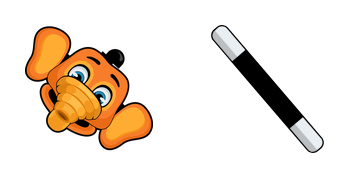
Install the Orville Elephant cute cursor - free custom cursor packed with vibe.
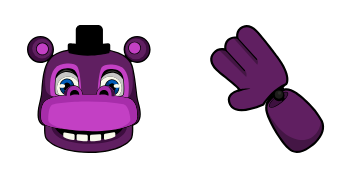
Mr. Hippo free custom cursor - cute cursor flair for FNaF fans.

Toy Chica Character cute cursor - free custom cursor with FNaF pizzeria vibes.

Grab the Toy Freddy Character cute cursor - a free custom cursor pack for fans.
Our universe of cursors is huge. Dive into hundreds of unique collections and find the one that truly represents you.
Explore All Collections
قم بتثبيته الآن مجانًا من متجر Chrome الإلكتروني الرسمي
Idle
{
  "status": "idle"
}