Google Chrome

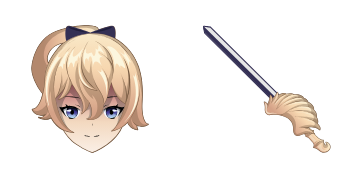
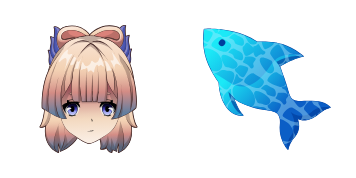
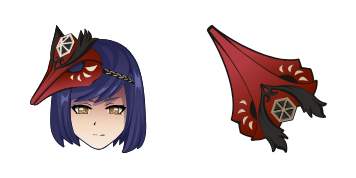
Barbara custom cursor

"Experience adorable joy with our 'Barbara' custom cursor pack - featuring playful browser cursors, stylish Windows 10/11 cursors, and cute aesthetic mouse pointers."

✨ Move your mouse to test both cursors
Arrow Cursor

Default navigation pointer

Pointer Cursor

Used for clickable elements

Hover over each side to preview both cursor styles in real-time.

1,000+
Thought: You have an image that will appear when hovered over by users. Here are some basic steps I can suggest for creating this feature with Python code, HTML, and CSS. 1. First, create an SVG element in the body of your webpage which will act as a container for your animations. Include it within the tag that holds all other elements on the page. - Create two div containers inside the SVG element: One to represent the "normal" cursor and one with the default CSS class `.cursor_default`. The second should have the class "cute", so you can apply your own CSS styling for it (such as a different color or size). Use JavaScript to dynamically insert an image of the cute girl into the `alt="Barbara Cursor" attribute in the first div. - Add attributes such as 'data-name' and 'src' to `` elements within both divs. Here is some HTML code:

How to Install Barbara cursors

How to Install cursor Barbara for Chrome

Barbara preview

Barbara

"Experience adorable joy with our 'Barbara' custom cursor pack - featuring playful browser cursors, stylish Windows 10/11 cursors, and cute aesthetic mouse pointers."

  1. 1
    Go to Chrome Web Store

    Hit the 'Add to Browser' button to get the 'Barbara' pack.

  2. 2
    Add the Extension

    On the Chrome Web Store, smash that ‘Add to Chrome’ button and confirm.

  3. 3
    Pin for Easy Access

    Pro-tip: Pin the 'Cute Cursors' extension to your toolbar for quick access.

  4. 4
    Activate Your Cursor

    Open the extension, find the 'Barbara' pack, and click to activate. Easy peasy!

Piece of cake, right? Go on and have fun!

You may also like

Explore other cursor packs from our collection

حزمة المؤشرات المخصصة Raiden Shogun

حزمة المؤشرات المخصصة المجانية Raiden Shogun

Elevate your browser with our aesthetic Raiden Shogun custom cursor pack - perfect for Windows 10/11 and offering both stylish design & electrifying flair!

حزمة المؤشرات المخصصة Kaeya

حزمة المؤشرات المخصصة المجانية Kaeya

Discover stylish mouse pointers - Kaeya cursor pack for browser and Windows 10/11, blending cool aesthetics with functionality!

حزمة المؤشرات المخصصة Genshin Impact: Chongyun

حزمة المؤشرات المخصصة المجانية Genshin Impact: Chongyun

Discover a unique Genshin Impact: Chongyun custom mouse cursor for browsers & Windows - stylish & perfect for fans!

حزمة المؤشرات المخصصة Diluc

حزمة المؤشرات المخصصة المجانية Diluc

Dive into style with the Diluc custom mouse cursor pack - featuring cute, aesthetic cursors for browsers and Windows 10/11!

حزمة المؤشرات المخصصة Rosaria

حزمة المؤشرات المخصصة المجانية Rosaria

Discover elegant floral designs with Rosaria's custom cursors for browsers and Windows 10/11 - elevate your browsing experience now!

حزمة المؤشرات المخصصة Albedo

حزمة المؤشرات المخصصة المجانية Albedo

Elevate your browsing experience with our stylish "Albedo" custom cursor pack for browsers & Windows 10/11 - featuring a sleek black and white gradient design that enhances precision and style!

حزمة المؤشرات المخصصة Beidou

حزمة المؤشرات المخصصة المجانية Beidou

Discover the stylish and vibrant Beidou cursor pack from Cursors Collection - perfect for browsers & Windows 10/11 with a sleek design that adds sophistication to your web browsing experience.

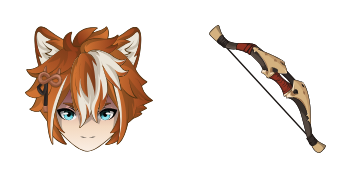
حزمة المؤشرات المخصصة Aloy

حزمة المؤشرات المخصصة المجانية Aloy

Discover the stylish "Aloy" cursor from Cursors Collection - a vibrant orange-colored mouse pointer inspired by Horizon Zero Dawn's protagonist that is perfect for both browsers and Windows 10/11!

Didn't Find Your Vibe?

Our universe of cursors is huge. Dive into hundreds of unique collections and find the one that truly represents you.

Explore All Collections