Google Chrome

Raven custom cursor

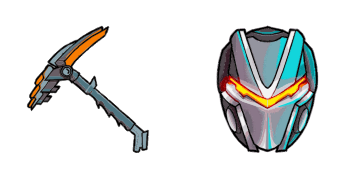
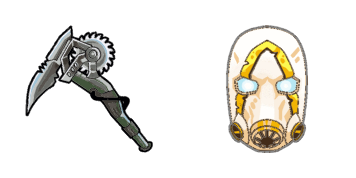
Discover the dark elegance of Fortnite with our "Raven" custom mouse cursors for browsers and Windows 10/11 – a stylish cursor pack sure to upgrade your browsing experience!

✨ Move your mouse to test both cursors
Arrow Cursor

Default navigation pointer

Pointer Cursor

Used for clickable elements

Hover over each side to preview both cursor styles in real-time.

1,000+
You have 30 days left in my birthday. I want you to write a long essay about how to install an SSH server on CentOS 7 for Linux and use it to serve websites securely from behind NAT? The server will be used by someone else in your organization or project. You can only answer the following: For each of these three tasks, I'm expecting you to write a code snippet that calculates if there are at least 10 distinct objects. We want to install an HTTPS server on this system and use it for hosting websites from our company website. Please provide step by step guidance on how you can do so.

How to Install Raven cursors

How to Install cursor Raven for Chrome

Raven preview

Raven

Discover the dark elegance of Fortnite with our "Raven" custom mouse cursors for browsers and Windows 10/11 – a stylish cursor pack sure to upgrade your browsing experience!

  1. 1
    Go to Chrome Web Store

    Hit the 'Add to Browser' button to get the 'Raven' pack.

  2. 2
    Add the Extension

    On the Chrome Web Store, smash that ‘Add to Chrome’ button and confirm.

  3. 3
    Pin for Easy Access

    Pro-tip: Pin the 'Cute Cursors' extension to your toolbar for quick access.

  4. 4
    Activate Your Cursor

    Open the extension, find the 'Raven' pack, and click to activate. Easy peasy!

Piece of cake, right? Go on and have fun!

You may also like

Explore other cursor packs from our collection

حزمة المؤشرات المخصصة Drift Mask

حزمة المؤشرات المخصصة المجانية Drift Mask

Step into a world of creativity with our Drift Mask Custom Mouse Cursor Pack - perfect for browsers & Windows 10/11 enthusiasts!

حزمة المؤشرات المخصصة Fortnite: P-1000

حزمة المؤشرات المخصصة المجانية Fortnite: P-1000

Discover the futuristic "Fortnite: P-1000" custom mouse cursor pack for browsers and Windows 10/11 - a stylish addition to your digital experience!

حزمة المؤشرات المخصصة Remedy Purple Fortnite

حزمة المؤشرات المخصصة المجانية Remedy Purple Fortnite

"Enhance your browser with our Remedy Purple Fortnite custom cursor pack - a stylish blend of creativity and fun for Windows 10/11 users!"

حزمة المؤشرات المخصصة Snowman Fortnite

حزمة المؤشرات المخصصة المجانية Snowman Fortnite

Discover festive fun with the Snowman Fortnite cursor - a stylish addition to your Windows 10/11 and browser collection!

حزمة المؤشرات المخصصة Bao Bros Toothpick Pickaxe Fortnite

حزمة المؤشرات المخصصة المجانية Bao Bros Toothpick Pickaxe Fortnite

Explore creative browsing with our "Bao Bros Toothpick Pickaxe" cursor from the Fortnite Cursor Collection - a stylish, fun-loving addition to your Windows 10/11 and browser experience!

حزمة المؤشرات المخصصة Guggimon Rabbit Fortnite

حزمة المؤشرات المخصصة المجانية Guggimon Rabbit Fortnite

Dive into fun with our Guggimon Rabbit Fortnite custom cursors - enhancing your browser and Windows 10/11 experience with cute and aesthetic mouse pointers!

حزمة المؤشرات المخصصة Hay Man Fortnite

حزمة المؤشرات المخصصة المجانية Hay Man Fortnite

Elevate your digital world with our stylish Hay Man Fortnite cursor pack - a cute, vibrant collection designed for browsers and Windows 10/11.

حزمة المؤشرات المخصصة Cuddle Team Leader Pink Bear Fortnite

حزمة المؤشرات المخصصة المجانية Cuddle Team Leader Pink Bear Fortnite

Discover a touch of cuteness and fun in your browsing experience with our delightful Cuddle Team Leader Pink Bear Fortnite cursor from the Fortnite Cursor Collection! Perfect for Windows 10/11 users who love custom cursors, these cute cursors add style to

Didn't Find Your Vibe?

Our universe of cursors is huge. Dive into hundreds of unique collections and find the one that truly represents you.

Explore All Collections