


حزمة المؤشرات المخصصة المجانية Cute Lion
Roar softly with a Cute Lion cute cursor - free custom cursor pack for fans.
Quiet steps with a Deer cute cursor - free custom cursor for calm desktops.
Try this cursor
Move across the preview to feel both cursor styles.

Gentle antlers and soft browns: the Deer cute cursor gives your pointer a quiet forest pause. This free custom cursor fits Chrome and Edge, and Windows 10/11 through Custom Cursor when you want a calmer click companion.
Lines stay light so the deer never feels heavy on the tip. It is fan-made custom cursor art, not an official wildlife product.
Keep walking the trail with the Deer Cute Animal Cursor Pack, the Sweethouse Happy Deer Cursor Pack, or the Cute Foxy Cursor Pack.
Get the Deer cursor pack and let soft woodland steps guide your browsing.
Explore other cursor packs from our collection
Roar softly with a Cute Lion cute cursor - free custom cursor pack for fans.
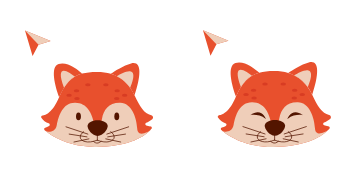
Soft ears with Cute Foxy - a cute cursor pack and free custom cursor download.

Curl up with a Cute Hedgehog cute cursor - free custom cursor for soft desktops.

Forest calm in Deer Cute Animal - a cute cursor and free custom cursor set.

Big soft ears with Elephant Cute Animal - cute cursor, free custom cursor pack.

Quick charm from Fox Cute Animal - free cute cursor and custom cursor download.

Tree nap vibes with Koala Cute Animal - cute cursor, free custom cursor pack.

Friendly roar from Lion Cute Animal - cute cursor and free custom cursor set.

Quiet steps with a Deer cute cursor - free custom cursor for calm desktops.
Hit the 'Add to Browser' button to get the 'Deer' pack.
On the Chrome Web Store, smash that ‘Add to Chrome’ button and confirm.
Pro-tip: Pin the 'Cute Cursors' extension to your toolbar for quick access.
Open the extension, find the 'Deer' pack, and click to activate. Easy peasy!
Our universe of cursors is huge. Dive into hundreds of unique collections and find the one that truly represents you.
Explore All Collections
قم بتثبيته الآن مجانًا من متجر Chrome الإلكتروني الرسمي
Idle
{
  "status": "idle"
}