


حزمة المؤشرات المخصصة المجانية Juggernaut
Juggernaut cute cursor set - free custom cursor with healing-ward calm.
Riki cute cursor set - free custom cursor with cloaked click energy.
Try this cursor
Move across the preview to feel both cursor styles.

Cloaked click energy for your tip: Riki brings a sneaky cute cursor to everyday browsing. Use this free custom cursor in Chrome and Edge, and on Windows 10/11 with Custom Cursor when you want the same stealth tip on apps.
Compact shapes stay clear at pointer size. Fan-made only - not an official licensed set.
Keep sneaking with the Anti-Mage Cursor Pack, the Faceless Void Cursor Pack, and the Terrorblade Cursor Pack.
Install Riki and tuck cloaked charm into every mouse move.
Explore other cursor packs from our collection
Juggernaut cute cursor set - free custom cursor with healing-ward calm.

Lina cute cursor set - free custom cursor with dragon-slave spark.

Omniknight cute cursor set - free custom cursor with purification glow.
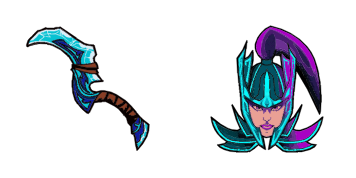
Phantom Assassin cute cursor set - free custom cursor with coup de grace vibe.

Pudge cute cursor set - free custom cursor with fresh-meat click fun.

Queen of Pain cute cursor set - free custom cursor with blink-dagger style.

Spectre cute cursor set - free custom cursor with dispersion mist flair.
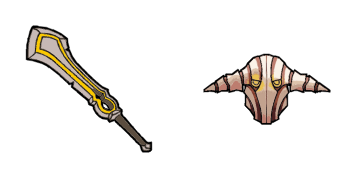
Sven cute cursor set - free custom cursor with god-strength grit.

Riki cute cursor set - free custom cursor with cloaked click energy.
Hit the 'Add to Browser' button to get the 'Riki' pack.
On the Chrome Web Store, smash that ‘Add to Chrome’ button and confirm.
Pro-tip: Pin the 'Cute Cursors' extension to your toolbar for quick access.
Open the extension, find the 'Riki' pack, and click to activate. Easy peasy!
Our universe of cursors is huge. Dive into hundreds of unique collections and find the one that truly represents you.
Explore All Collections
قم بتثبيته الآن مجانًا من متجر Chrome الإلكتروني الرسمي
Idle
{
  "status": "idle"
}