


حزمة المؤشرات المخصصة المجانية Eijiro Kirishima
Hardening hero grit with the Eijiro Kirishima cute cursor - a free custom cursor pack.
One For All heart with the Izuku Midoriya cute cursor - a free custom cursor pack for fans.
Try this cursor
Move across the preview to feel both cursor styles.

Freckles, green curls, and pure resolve: the Izuku Midoriya cute cursor brings Deku to your pointer. The Izuku Midoriya cute cursor is a free custom cursor for Chrome and Edge, and it also runs on Windows 10/11 with the Custom Cursor app.
Bright greens keep the aspiring hero warm and easy to track. It is fan-made cursor art and is not an official My Hero Academia or Studio Bones product.
Chase the hero dream with the My Hero Academia Izuku Midoriya & Glove Cursor Pack, the Katsuki Bakugo Cursor Pack, and the Ochako Uraraka Cursor Pack.
Download the Izuku Midoriya cursor pack and let a hopeful hero ride your mouse.
Explore other cursor packs from our collection
Hardening hero grit with the Eijiro Kirishima cute cursor - a free custom cursor pack.

Endeavor's fire with the Enji Todoroki cute cursor - a free custom cursor pack for fans.

Dark Shadow drama with the Fumikage Tokoyami cute cursor - a free custom cursor pack.

Explosive Katsuki Bakugo cute cursor - a free custom cursor pack packed with hero attitude.

Gentle Koji Koda cute cursor - a free custom cursor pack with Anivoice hero charm.
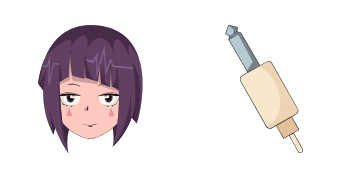
Earphone Jack beats with the Kyoka Jiro cute cursor - a free custom cursor pack for fans.

Dupli-Arms strength with the Mezou Shouji cute cursor - a free custom cursor pack for fans.

Acid-pop Mina Ashido cute cursor - a free custom cursor pack full of Pinky energy.

One For All heart with the Izuku Midoriya cute cursor - a free custom cursor pack for fans.
Hit the 'Add to Browser' button to get the 'Izuku Midoriya' pack.
On the Chrome Web Store, smash that ‘Add to Chrome’ button and confirm.
Pro-tip: Pin the 'Cute Cursors' extension to your toolbar for quick access.
Open the extension, find the 'Izuku Midoriya' pack, and click to activate. Easy peasy!
Our universe of cursors is huge. Dive into hundreds of unique collections and find the one that truly represents you.
Explore All Collections
قم بتثبيته الآن مجانًا من متجر Chrome الإلكتروني الرسمي
Idle
{
  "status": "idle"
}