Google Chrome

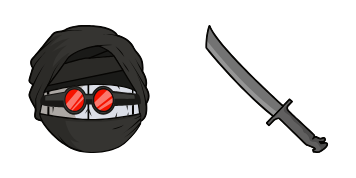
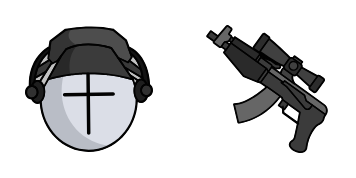
Jebus custom cursor

Discover Jebus, a stylish and cute custom browser and Windows 10/11 cursor pack designed for aesthetic mouse pointers that add personality to your browsing experience.

✨ Move your mouse to test both cursors
Arrow Cursor

Default navigation pointer

Pointer Cursor

Used for clickable elements

Hover over each side to preview both cursor styles in real-time.

1,000+
Once upon a time, in a small coastal town in France called Lumbreville, lived an individual named Sarah. She was known for her quick wit and even quicker mind but she had one of the most complex ethical dilemmas: A school that exclusively admitted those students who could afford to pay exorbitant tuition fees. In this scenario, you are a research assistant working at an educational technology company aiming to develop a new line of interactive browser tools for developers. Your job is to analyze the requirements and design some potential features for these tools that should allow themeself-teachers to seamlessly switch between different cursors depending on their task or workflow, while ensuring they can be used in any environment without compromising accessibility, usability, and cross-browser compatibility. Assume the following:

How to Install Jebus cursors

How to Install cursor Jebus for Chrome

Jebus preview

Jebus

Discover Jebus, a stylish and cute custom browser and Windows 10/11 cursor pack designed for aesthetic mouse pointers that add personality to your browsing experience.

  1. 1
    Go to Chrome Web Store

    Hit the 'Add to Browser' button to get the 'Jebus' pack.

  2. 2
    Add the Extension

    On the Chrome Web Store, smash that ‘Add to Chrome’ button and confirm.

  3. 3
    Pin for Easy Access

    Pro-tip: Pin the 'Cute Cursors' extension to your toolbar for quick access.

  4. 4
    Activate Your Cursor

    Open the extension, find the 'Jebus' pack, and click to activate. Easy peasy!

Piece of cake, right? Go on and have fun!

You may also like

Explore other cursor packs from our collection

حزمة المؤشرات المخصصة Naruto

حزمة المؤشرات المخصصة المجانية Naruto

Naruto Custom Cursor Pack: browser cursors & Windows 10/11 aesthetic mouse pointers featuring Uzumaki clan symbol – now download free!

حزمة المؤشرات المخصصة Breach

حزمة المؤشرات المخصصة المجانية Breach

Discover edgy style with our custom Breach cursor pack-perfect for Windows 10/11 and browsers-adding individuality to your online presence!

حزمة المؤشرات المخصصة Bomb

حزمة المؤشرات المخصصة المجانية Bomb

Boost your browser's style with our "Bomb" custom cursor pack – aesthetic, stylish, and fun for Windows 10/11!

حزمة المؤشرات المخصصة DDLC Yuri & Natsuki

حزمة المؤشرات المخصصة المجانية DDLC Yuri & Natsuki

"Enhance your browser with the stylish Yuri & Natsuki cursor pack from Anime Cursor Collection - perfect for both browsers and Windows 10/11."

حزمة المؤشرات المخصصة Cat-Bee

حزمة المؤشرات المخصصة المجانية Cat-Bee

"Discover the stylish Cat-Bee cursor from Cursors Collection - a fun and cute addition to your browser that's easy to install on any website."

حزمة المؤشرات المخصصة Bleach

حزمة المؤشرات المخصصة المجانية Bleach

"Experience a new level of browsing with our stylish Bleach cursor pack! Perfect for anime fans and anyone looking to add some flair to their browser or Windows 10/11 experience."

حزمة المؤشرات المخصصة Death Note Near & Dice

حزمة المؤشرات المخصصة المجانية Death Note Near & Dice

"Discover cute and aesthetic cursors from the Anime Cursor Collection - perfect for Windows 10/11 browsers. Explore stylish cursor pack with Death Note Near & Dice, bringing suspenseful world to your browsing experience!"

حزمة المؤشرات المخصصة One-Punch Man

حزمة المؤشرات المخصصة المجانية One-Punch Man

Dive into your favorite web pages with Anime Cursor Collection's stylish One-Punch Man cursor pack - perfect for browsers, Windows 10/11, and gaming aesthetics!

Didn't Find Your Vibe?

Our universe of cursors is huge. Dive into hundreds of unique collections and find the one that truly represents you.

Explore All Collections