Google Chrome

Genshin Impact: Hu Tao custom cursor

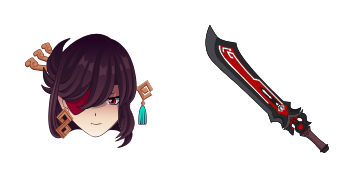
Discover stylish mouse pointers with our "Genshin Impact: Hu Tao" cursor pack - a playful and vibrant addition to your browser and Windows 10/11 experience!

✨ Move your mouse to test both cursors
Arrow Cursor

Default navigation pointer

Pointer Cursor

Used for clickable elements

Hover over each side to preview both cursor styles in real-time.

1,000+
You Here is the current number of people who have visited her webpage over the last week: 2. The website has experienced an increase in traffic due to its recent marketing campaign that targeted users aged between 18-35 and promoted social media sharing features which resulted in a spike during evening hours, with Tuesday being the most popular day for visits at 7 PM local time. In addition, there's been an uptick of returning visitors who were not only interested in Cursors Collection but also those who left earlier on weekdays to explore other sections like "Customization Options", "Tips and Tricks" or the recently updated blog posts discussing advanced cursor themes. Design a logo for a new business that specializes in creating customized mouse pointers with unique designs, taking into account your brand's image of professionalism but also considering modern design trends. The logo should be minimalistic and elegant, conveying both sophistication and simplicity. It must include the name "Cursors Cursor" along with an emblematic font; it must convey a sense of customization and personalization to reflect our unique offerings in the marketplace. Avoid using overly complicated or ornate designs—keep it simple yet chic. Solution: You

How to Install Genshin Impact: Hu Tao cursors

How to Install cursor Genshin Impact: Hu Tao for Chrome

Genshin Impact: Hu Tao preview

Genshin Impact: Hu Tao

Discover stylish mouse pointers with our "Genshin Impact: Hu Tao" cursor pack - a playful and vibrant addition to your browser and Windows 10/11 experience!

  1. 1
    Go to Chrome Web Store

    Hit the 'Add to Browser' button to get the 'Genshin Impact: Hu Tao' pack.

  2. 2
    Add the Extension

    On the Chrome Web Store, smash that ‘Add to Chrome’ button and confirm.

  3. 3
    Pin for Easy Access

    Pro-tip: Pin the 'Cute Cursors' extension to your toolbar for quick access.

  4. 4
    Activate Your Cursor

    Open the extension, find the 'Genshin Impact: Hu Tao' pack, and click to activate. Easy peasy!

Piece of cake, right? Go on and have fun!

You may also like

Explore other cursor packs from our collection

Lumine Custom Cursor Pack

Lumine Free Custom Cursor Pack

Discover stylish and sleek custom mouse cursors for web browsers & Windows 10/11 with our "Lumine" collection - a modern glowing blue circle around cursor that makes your browsing experience smooth and futuristic!

Albedo Custom Cursor Pack

Albedo Free Custom Cursor Pack

Elevate your browsing experience with our stylish "Albedo" custom cursor pack for browsers & Windows 10/11 - featuring a sleek black and white gradient design that enhances precision and style!

Sayu Custom Cursor Pack

Sayu Free Custom Cursor Pack

Dive into fun browsing experiences with our Sayu custom cursor pack - perfect for browsers and Windows 10/11. Installation is easy! Add whimsy to your screen today.

Kokomi Custom Cursor Pack

Kokomi Free Custom Cursor Pack

Dive into a world of cuteness with Kokomi's elegant browser cursor - the latest addition for Windows 10/11 users seeking stylish and unique mouse pointers!

Noelle Custom Cursor Pack

Noelle Free Custom Cursor Pack

Discover the elegant Noelle from Cursors Collection - a stylish, easy-to-navigate mouse pointer ideal for Windows 10/11 & browsers with unique flair!

Kaeya Custom Cursor Pack

Kaeya Free Custom Cursor Pack

Discover stylish mouse pointers - Kaeya cursor pack for browser and Windows 10/11, blending cool aesthetics with functionality!

Rosaria Custom Cursor Pack

Rosaria Free Custom Cursor Pack

Discover elegant floral designs with Rosaria's custom cursors for browsers and Windows 10/11 - elevate your browsing experience now!

Aloy Custom Cursor Pack

Aloy Free Custom Cursor Pack

Discover the stylish "Aloy" cursor from Cursors Collection - a vibrant orange-colored mouse pointer inspired by Horizon Zero Dawn's protagonist that is perfect for both browsers and Windows 10/11!

Didn't Find Your Vibe?

Our universe of cursors is huge. Dive into hundreds of unique collections and find the one that truly represents you.

Explore All Collections