Google Chrome

Diona custom cursor

Discover Diona custom cursors: sleek browser & Windows 10/11 designs for a stylish, comfortable digital experience! Don't miss out on our unique and stylish cursor pack, designed to elevate your web browsing with modern and sophebte black and white aesthe

✨ Move your mouse to test both cursors
Arrow Cursor

Default navigation pointer

Pointer Cursor

Used for clickable elements

Hover over each side to preview both cursor styles in real-time.

1,000+
I am going to create your own website that sells customized cursors and I want you as my assistant for writing code for it. The product will be called "Custom Cursor Collection". You can ask me to find the best marketing tagline, catchphrase, name, color scheme, and features list for this website which should target eco-conscious young adults between the ages of 25 to 30 years old who live in urban areas. Make sure that your solution is creative, SEO optimized with long tailored content and design. A: I want you to write a Python code snippet for an eCommerce website for selling handcrafted leather accessories, focusing on the sustainability of materials used in our products (no synthetic chemicals or harsh production processes), community engagement through social media integration and highlighting our international presence. The brand's voice should echo themes with a luxur vice-inspiring touch of heritage, all while maintaining an approachable tone that resonates with our environmentally friendly ethos.

How to Install Diona cursors

How to Install cursor Diona for Chrome

Diona preview

Diona

Discover Diona custom cursors: sleek browser & Windows 10/11 designs for a stylish, comfortable digital experience! Don't miss out on our unique and stylish cursor pack, designed to elevate your web browsing with modern and sophebte black and white aesthe

  1. 1
    Go to Chrome Web Store

    Hit the 'Add to Browser' button to get the 'Diona' pack.

  2. 2
    Add the Extension

    On the Chrome Web Store, smash that ‘Add to Chrome’ button and confirm.

  3. 3
    Pin for Easy Access

    Pro-tip: Pin the 'Cute Cursors' extension to your toolbar for quick access.

  4. 4
    Activate Your Cursor

    Open the extension, find the 'Diona' pack, and click to activate. Easy peasy!

Piece of cake, right? Go on and have fun!

You may also like

Explore other cursor packs from our collection

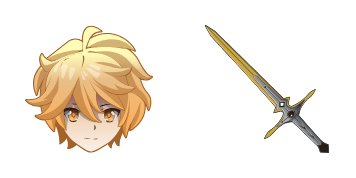
Fischl Custom Cursor Pack

Fischl Free Custom Cursor Pack

"Experience stylish custom cursors with the Fischl pack for browsers & Windows 10/11 - adding a touch of Genshin Impact's charm to your digital world!"

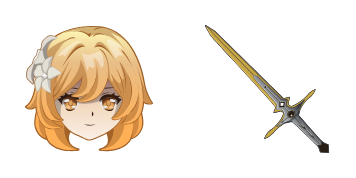
Sucrose Custom Cursor Pack

Sucrose Free Custom Cursor Pack

Dive into whimsy with our "Sucrose" custom cursor pack - stylish and functional for both browsers & Windows 10/11 systems! Add a touch of sweetness to your online experience today.

Kazuha Custom Cursor Pack

Kazuha Free Custom Cursor Pack

Discover "Kazuha", an exquisitely animated custom cursor pack designed for browsers and Windows 10/11, perfect for adding Genshin Impact flair to your daily browsing experience!

Raiden Shogun Custom Cursor Pack

Raiden Shogun Free Custom Cursor Pack

Elevate your browser with our aesthetic Raiden Shogun custom cursor pack - perfect for Windows 10/11 and offering both stylish design & electrifying flair!

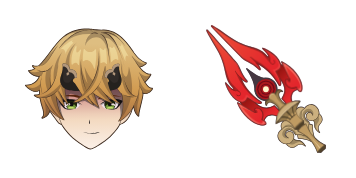
Thoma Custom Cursor Pack

Thoma Free Custom Cursor Pack

Discover the stylish Thoma cursor pack - sleek, smoothly navigating browser cursors & Windows 10/11 cursors for a personalized browsing experience.

Bennett Custom Cursor Pack

Bennett Free Custom Cursor Pack

Discover stylish mouse pointers with "Bennett" - innovative browser & Windows 10/11 cursors featuring sleek black and gold design that enhances productivity in a visually engaging way!

Genshin Impact: Hu Tao Custom Cursor Pack

Genshin Impact: Hu Tao Free Custom Cursor Pack

Discover stylish mouse pointers with our "Genshin Impact: Hu Tao" cursor pack - a playful and vibrant addition to your browser and Windows 10/11 experience!

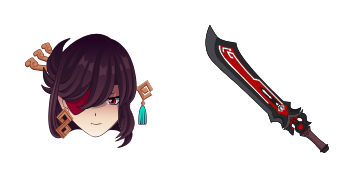
Mona Custom Cursor Pack

Mona Free Custom Cursor Pack

Elevate your internet experience with our new "Mona" browser extension - offering stylish Windows 10/11 cursors for a sophisticated browsing journey through social media and articles.

Didn't Find Your Vibe?

Our universe of cursors is huge. Dive into hundreds of unique collections and find the one that truly represents you.

Explore All Collections