


Diluc cursor
Diluc cute cursor pack - free custom cursor with dark-wine Pyro edge.
Ningguang cute cursor pack - free custom cursor with Jade Chamber glow.
Try this cursor
Move across the preview to feel both cursor styles.

Jade Chamber glow on your pointer: Ningguang brings a luxe cute cursor with Geo poise. Install this free custom cursor in Chrome and Edge, or on Windows 10/11 with Custom Cursor when you want the same look on the full desktop.
Gold accents stay sharp without hiding the tip. Fan-made only - not affiliated with any official Genshin brand.
Rule nearby with the Keqing Cursor Pack, the Beidou Cursor Pack, and the Ganyu Cursor Pack.
Get Ningguang and tuck Liyue elegance into your mouse path.
Customize your embed code and preview it in real time below.
Live preview
<style type="text/css">
body {
  cursor: url(https://cdn.cutecursors.com/db/ningguang_cursor/arrow.png) 4 4, auto;
}
a, button, .clickable {
  cursor: url(https://cdn.cutecursors.com/db/ningguang_cursor/hand.png) 4 4, pointer;
}
</style>
<a href="https://cutecursors.com//category/genshin-impact/ningguang-cursor" title="Get free Ningguang cursors for your website.">
  Ningguang Cursors
</a>/* components/CuteCursor.jsx */
"use client";
import { useEffect } from "react";
const CURSOR = "https://cdn.cutecursors.com/db/ningguang_cursor/arrow.png";
const POINTER = "https://cdn.cutecursors.com/db/ningguang_cursor/hand.png";
export default function CuteCursor() {
useEffect(() => {
const style = document.createElement("style");
style.innerHTML = `
body { cursor: url(${CURSOR}) 4 4, auto; }
a, button, .clickable { cursor: url(${POINTER}) 4 4, pointer; }
`;
document.head.appendChild(style);
return () => style.remove();
}, []);
return null;
}
/* Usage: render <CuteCursor /> once, e.g. in your root layout or App:
<CuteCursor />
Ningguang cursors by https://cutecursors.com//category/genshin-impact/ningguang-cursor */-- Ningguang custom cursor for Roblox
-- LocalScript (place it in StarterPlayer > StarterPlayerScripts)
--
-- 1) Download the cursor images (buttons above) or grab them here:
-- Cursor: https://cdn.cutecursors.com/db/ningguang_cursor/arrow.png
-- Pointer: https://cdn.cutecursors.com/db/ningguang_cursor/hand.png
-- 2) Upload them in Roblox Creator Hub as Decals (Create > Decals).
-- 3) Replace the IDs below with your uploaded Image asset IDs.
local UserInputService = game:GetService("UserInputService")
local Players = game:GetService("Players")
local CURSOR_ICON = "rbxassetid://CURSOR_ASSET_ID"
local POINTER_ICON = "rbxassetid://POINTER_ASSET_ID"
-- Set the default cursor
UserInputService.MouseIcon = CURSOR_ICON
-- Optional: switch to the pointer icon while hovering GUI buttons
local function hookButton(button)
button.MouseEnter:Connect(function()
UserInputService.MouseIcon = POINTER_ICON
end)
button.MouseLeave:Connect(function()
UserInputService.MouseIcon = CURSOR_ICON
end)
end
local playerGui = Players.LocalPlayer:WaitForChild("PlayerGui")
for _, gui in ipairs(playerGui:GetDescendants()) do
if gui:IsA("GuiButton") then
hookButton(gui)
end
end
playerGui.DescendantAdded:Connect(function(gui)
if gui:IsA("GuiButton") then
hookButton(gui)
end
end)
-- Ningguang cursors: https://cutecursors.com//category/genshin-impact/ningguang-cursor
Ningguang cute cursor pack - free custom cursor with Jade Chamber glow.
Hit the 'Add to Browser' button to get the 'Ningguang' pack.
On the Chrome Web Store, smash that ‘Add to Chrome’ button and confirm.
Pro-tip: Pin the 'Cute Cursors' extension to your toolbar for quick access.
Open the extension, find the 'Ningguang' pack, and click to activate. Easy peasy!
Explore other cursor packs from our collection
Diluc cute cursor pack - free custom cursor with dark-wine Pyro edge.
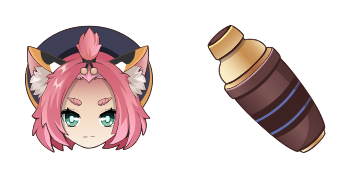
Diona cute cursor set - free custom cursor with Cat's Tail cocktail charm.

Eula cute cursor pack - free custom cursor with Spindrift vengeance flair.

Ganyu cute cursor pack - free custom cursor with soft Cryo qilin grace.
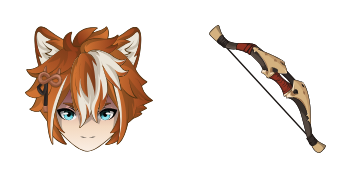
Gorou cute cursor pack - free custom cursor with Watatsumi general fluff.
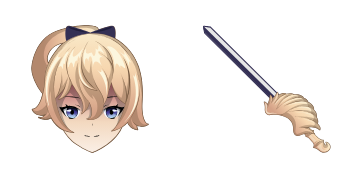
Jean cute cursor pack - free custom cursor with Acting Grand Master calm.

Kamisato Ayaka cute cursor pack - free custom cursor with frosty elegance.
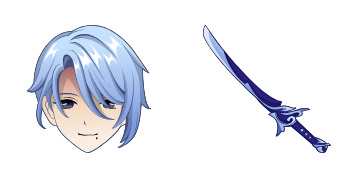
Kamisato Ayato cute cursor set - free custom cursor with cool clan poise.
Our universe of cursors is huge. Dive into hundreds of unique collections and find the one that truly represents you.
Explore All Collections
Install it now for free from the official Chrome Web Store
Idle
{
  "status": "idle"
}