Google Chrome

Dynamike custom cursor

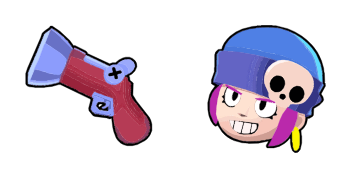
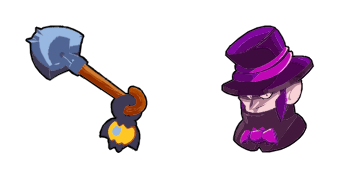
Experience fun with our custom mouse cursor pack "Dynamike" - featuring stylish Brawl Stars icons for Windows 10/11 and browsers! Perfectly designed to keep your browsing engaging and enjoyable.

✨ Move your mouse to test both cursors
Arrow Cursor

Default navigation pointer

Pointer Cursor

Used for clickable elements

Hover over each side to preview both cursor styles in real-time.

1,000+
You are asked: Solution 1: The "dumb" in this case would be a user who wants to install an extension from Chrome for Windows. They want you to help them with their task. You have the following constraints and instructions: - Incorporate two more complexities involving both programming knowledge (like C++ or Java) and advanced mathematical calculations. - Explain in detail how a cursor's movement is calculated using physics, considering all relevant physical properties such as mass and acceleration due to gravity, friction, air resistance, etc., also including the effects of external factors like magnetic fields or other forces on its trajectory. Let' cuedecimator help me with this task. You are required to use C++, Python, and Java for a simulated simulation of this system, as well as include advanced programming concepts in your explanation

How to Install Dynamike cursors

How to Install cursor Dynamike for Chrome

Dynamike preview

Dynamike

Experience fun with our custom mouse cursor pack "Dynamike" - featuring stylish Brawl Stars icons for Windows 10/11 and browsers! Perfectly designed to keep your browsing engaging and enjoyable.

  1. 1
    Go to Chrome Web Store

    Hit the 'Add to Browser' button to get the 'Dynamike' pack.

  2. 2
    Add the Extension

    On the Chrome Web Store, smash that ‘Add to Chrome’ button and confirm.

  3. 3
    Pin for Easy Access

    Pro-tip: Pin the 'Cute Cursors' extension to your toolbar for quick access.

  4. 4
    Activate Your Cursor

    Open the extension, find the 'Dynamike' pack, and click to activate. Easy peasy!

Piece of cake, right? Go on and have fun!

You may also like

Explore other cursor packs from our collection

Overwatch Custom Cursor Pack

Overwatch Free Custom Cursor Pack

Discover stylish and aesthetic mouse pointers with our custom cursor pack "Overwatch", designed to enhance your Windows 10/11 browsing experience!

SIMS Custom Cursor Pack

SIMS Free Custom Cursor Pack

Discover the SIMS Cursor Pack: Stylish, cute cursors for browsers & Windows 10/11 games like The Sims! Enjoy interactive fun with your virtual world.

Temple Run Games Custom Cursor Pack

Temple Run Games Free Custom Cursor Pack

Discover the thrilling Temple Run Games cursor from our stylish cursor pack! Enjoy aesthetic mouse pointers with smooth animations for an exciting browsing adventure on Windows 10/11 and browsers.

Hitman Custom Cursor Pack

Hitman Free Custom Cursor Pack

Experience stealth and sophistication with our impressive Hitman cursor collection - perfect for browsers on Windows 10/11. This stylish cursor pack features a red dot with black border like Agent 47's sniper rifle, adding uniqueness to your browsing expe

Plants vs. Zombies Basic Zombie Custom Cursor Pack

Plants vs. Zombies Basic Zombie Free Custom Cursor Pack

Dive into the zombie apocalypse on your computer screen! The Plants vs. Zombies Basic Zombie animated cursor from the Games Cursor Collection is here to entertain you with its stylish design and cute aesthetic for both browsers and Windows 10/11.

Aim CS:GO Custom Cursor Pack

Aim CS:GO Free Custom Cursor Pack

Dive into your browsing experience with our "Aim CS:GO" custom mouse cursors - perfect for gamers seeking stylish Windows 10/11 aesthetics and cute browser designs!

BTD6 Kylie & Boomerang Custom Cursor Pack

BTD6 Kylie & Boomerang Free Custom Cursor Pack

Discover the fun with BTD6's cute and stylish "Kylie & Boomerang" cursors for your browser or Windows 10/11 - a must-have from Sweezy Cursors!

Just Shapes & Beats Specter Boss & Scythe Custom Cursor Pack

Just Shapes & Beats Specter Boss & Scythe Free Custom Cursor Pack

Elevate your browsing experience with our unique "Just Shapes & Beats Specter Boss & Scythe" animated cursor from the Games Cursor Collection - a stylish and cute addition to both browser and Windows 10/11 cursors!

Didn't Find Your Vibe?

Our universe of cursors is huge. Dive into hundreds of unique collections and find the one that truly represents you.

Explore All Collections