Google Chrome

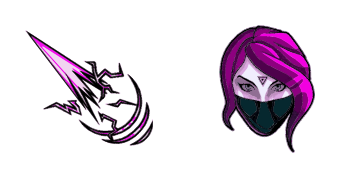
Assassin Creed custom cursor

Discover stylish Assassin's Creed cursors for browsers and Windows 10/11 - add a gaming twist to your web surfing with this personalized cursor pack!

✨ Move your mouse to test both cursors
Arrow Cursor

Default navigation pointer

Pointer Cursor

Used for clickable elements

Hover over each side to preview both cursor styles in real-time.

1,000+

Assassin's Creed: A Stylish Cursor Pack for Your Browsers

Are you ready to level up your web surfing with a dash of gaming flair? Introducing our Assassin's Creed cursor pack, featuring the iconic symbol of the Assassins. These custom cursors are designed for those who appreciate stylish and personalized mouse pointers. With these unique designs available in both Chrome and Edge extensions, your browsing experience is about to become more exciting than ever.

The inspiration behind our Assassin's Creed cursor pack comes from the popular video game franchise of the same name. Known for its captivating storyline and immersive world, the Assassins have always been a favorite among gamers. We wanted to bring that gaming experience into your everyday web browsing by creating cute, kawaii, and aesthetic mouse pointers inspired by these iconic characters.

Our cursor pack includes various designs for you to choose from – whether you prefer the stealthy assassin's hand or the intricate rosettes found in ancient Templar hideouts. These animated cursors add a fun and personalized touch to your desktop, making each browsing session an experience like no other.

This fanart.

How to Install Assassin Creed cursors

How to Install cursor Assassin Creed for Chrome

Assassin Creed preview

Assassin Creed

Discover stylish Assassin's Creed cursors for browsers and Windows 10/11 - add a gaming twist to your web surfing with this personalized cursor pack!

  1. 1
    Go to Chrome Web Store

    Hit the 'Add to Browser' button to get the 'Assassin Creed' pack.

  2. 2
    Add the Extension

    On the Chrome Web Store, smash that ‘Add to Chrome’ button and confirm.

  3. 3
    Pin for Easy Access

    Pro-tip: Pin the 'Cute Cursors' extension to your toolbar for quick access.

  4. 4
    Activate Your Cursor

    Open the extension, find the 'Assassin Creed' pack, and click to activate. Easy peasy!

Piece of cake, right? Go on and have fun!

You may also like

Explore other cursor packs from our collection

Anti-Mage Custom Cursor Pack

Anti-Mage Free Custom Cursor Pack

Discover stylish and cute cursors with our "Anti-Mage" pack - perfect for browsers and Windows 10/11! Unleash your gaming enthusiasm with this sleek black design featuring signature blades from Cursors Collection's Dota 2.

Lina Custom Cursor Pack

Lina Free Custom Cursor Pack

Discover stylish mouse pointers with our custom cursor pack "Lina," featuring sleek designs perfect for browsers and Windows 10/11! Add a personal touch to your computer experience today.

Ooblets Shrumbo Custom Cursor Pack

Ooblets Shrumbo Free Custom Cursor Pack

Discover the adorable charm of Ooblets Shrumbo Animated Cursor - perfect for dancing through the digital world with delightful animation and charming design!

Assasins Creed Games Custom Cursor Pack

Assasins Creed Games Free Custom Cursor Pack

Dive into gameplay like never before! Boost your web surfing with our stylish Assassin's Creed Games cursors for browsers and Windows 10/11 - perfect additions to any gamer's collection!

Slope Ball Games Custom Cursor Pack

Slope Ball Games Free Custom Cursor Pack

Discover "Slope Ball Games" - a stylish, custom cursor pack designed for browsers and Windows 10/11 that adds excitement to your browsing experience!

Frank Custom Cursor Pack

Frank Free Custom Cursor Pack

Dive into a world of whimsy with Frank cursor pack - cute, stylish cursors for browsers and Windows 10/11 that add personality to your online experience!

Club Penguin Rory & Jackhammer Custom Cursor Pack

Club Penguin Rory & Jackhammer Free Custom Cursor Pack

"Dive into the world of Club Penguin with Rory and Jackhammer - a custom cursor pack featuring hilarious animations for browsers and Windows 10/11 devices!"

Henry Stickmin Dmitri Johannes Petrov Custom Cursor Pack

Henry Stickmin Dmitri Johannes Petrov Free Custom Cursor Pack

Dive into the captivating world of "Henry Stickmin Dmitri Johannes Petrov" - our free custom cursor for browsers and Windows 10/11 adds a unique touch to your mouse pointer experience. Experience Dmitri's charm as you navigate with style!

Didn't Find Your Vibe?

Our universe of cursors is huge. Dive into hundreds of unique collections and find the one that truly represents you.

Explore All Collections