

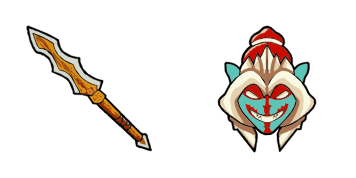
Huskar cursor
Huskar cute cursor set - free custom cursor with berserker spear flair.
Riki cute cursor pack - free custom cursor with smoke-screen stealth.
Try this cursor
Move across the preview to feel both cursor styles.

Smoke-screen stealth on your mouse: Riki is a quiet cute cursor packed with backstab charm. This free custom cursor pack runs in Chrome and Edge, and works on Windows 10/11 with Custom Cursor when you want the same look on desktop.
Soft purple tones keep the tip easy to find without clutter. It is fan-made art, not an official game merchandise release.
Stealth neighbors include the Phantom Assassin Cursor Pack, the Bloodseeker Cursor Pack, and the Spectre Cursor Pack.
Get Riki and let a tiny smoke trail follow your clicks.
Explore other cursor packs from our collection
Huskar cute cursor set - free custom cursor with berserker spear flair.

Invoker cute cursor set - free custom cursor with quas-wex-exort charm.

Juggernaut cute cursor set - free custom cursor with healing-ward calm.

Lina cute cursor set - free custom cursor with dragon-slave spark.

Omniknight cute cursor set - free custom cursor with purification glow.
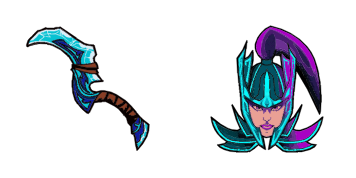
Phantom Assassin cute cursor set - free custom cursor with coup de grace vibe.

Pudge cute cursor set - free custom cursor with fresh-meat click fun.
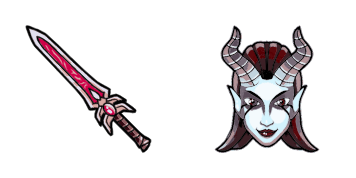
Queen of Pain cute cursor set - free custom cursor with blink-dagger style.

Riki cute cursor pack - free custom cursor with smoke-screen stealth.
Hit the 'Add to Browser' button to get the 'Riki' pack.
On the Chrome Web Store, smash that ‘Add to Chrome’ button and confirm.
Pro-tip: Pin the 'Cute Cursors' extension to your toolbar for quick access.
Open the extension, find the 'Riki' pack, and click to activate. Easy peasy!
Our universe of cursors is huge. Dive into hundreds of unique collections and find the one that truly represents you.
Explore All Collections
Install it now for free from the official Chrome Web Store
Idle
{
  "status": "idle"
}