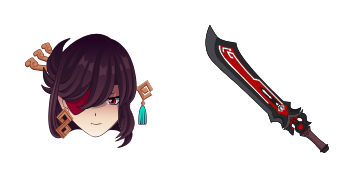
Google Chrome

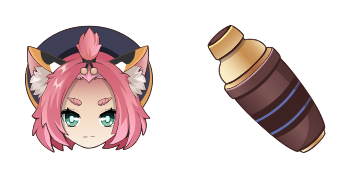
Fischl custom cursor

"Experience stylish custom cursors with the Fischl pack for browsers & Windows 10/11 - adding a touch of Genshin Impact's charm to your digital world!"

✨ Move your mouse to test both cursors
Arrow Cursor

Default navigation pointer

Pointer Cursor

Used for clickable elements

Hover over each side to preview both cursor styles in real-time.

1,000+
You You have got two options: one that you will use the Cursor Factory to produce custom cursors at high speed using a variety of pre-made designs for Windows 10. The product is expected to be sold in bundled with your website on eBay, and you want to ensure it's compatibility across multiple devices and operating systems like Windows, macOS, and Linux. You have some code that generates cursors but the design should not only follow a trend of using random shapes and colors; rather, it must adhere to the following constraints: - The cursor theme is based on your own branding system with the Fischl character'vee and use modern and minimalist design. - Use emoji or special characters as markers for color values, make sure that you only mention cursors in the "cursors" section, and ensure consistency between Windows and Mac OS versions

How to Install Fischl cursors

How to Install cursor Fischl for Chrome

Fischl preview

Fischl

"Experience stylish custom cursors with the Fischl pack for browsers & Windows 10/11 - adding a touch of Genshin Impact's charm to your digital world!"

  1. 1
    Go to Chrome Web Store

    Hit the 'Add to Browser' button to get the 'Fischl' pack.

  2. 2
    Add the Extension

    On the Chrome Web Store, smash that ‘Add to Chrome’ button and confirm.

  3. 3
    Pin for Easy Access

    Pro-tip: Pin the 'Cute Cursors' extension to your toolbar for quick access.

  4. 4
    Activate Your Cursor

    Open the extension, find the 'Fischl' pack, and click to activate. Easy peasy!

Piece of cake, right? Go on and have fun!

You may also like

Explore other cursor packs from our collection

Qiqi Custom Cursor Pack

Qiqi Free Custom Cursor Pack

Add style to your digital world with Qiqi custom cursor pack! Perfect for both browsers and Windows 10/11, featuring a playful panda mouse pointer that adds color and fun to every click.

Bennett Custom Cursor Pack

Bennett Free Custom Cursor Pack

Discover stylish mouse pointers with "Bennett" - innovative browser & Windows 10/11 cursors featuring sleek black and gold design that enhances productivity in a visually engaging way!

Sayu Custom Cursor Pack

Sayu Free Custom Cursor Pack

Dive into fun browsing experiences with our Sayu custom cursor pack - perfect for browsers and Windows 10/11. Installation is easy! Add whimsy to your screen today.

Mona Custom Cursor Pack

Mona Free Custom Cursor Pack

Elevate your internet experience with our new "Mona" browser extension - offering stylish Windows 10/11 cursors for a sophisticated browsing journey through social media and articles.

Shenhe Custom Cursor Pack

Shenhe Free Custom Cursor Pack

Elevate your web experience with Shenhe custom cursor pack - stylish browser cursors designed for Windows 10/11 that blend functionality and aesthetics seamlessly!

Kazuha Custom Cursor Pack

Kazuha Free Custom Cursor Pack

Discover "Kazuha", an exquisitely animated custom cursor pack designed for browsers and Windows 10/11, perfect for adding Genshin Impact flair to your daily browsing experience!

Thoma Custom Cursor Pack

Thoma Free Custom Cursor Pack

Discover the stylish Thoma cursor pack - sleek, smoothly navigating browser cursors & Windows 10/11 cursors for a personalized browsing experience.

Beidou Custom Cursor Pack

Beidou Free Custom Cursor Pack

Discover the stylish and vibrant Beidou cursor pack from Cursors Collection - perfect for browsers & Windows 10/11 with a sleek design that adds sophistication to your web browsing experience.

Didn't Find Your Vibe?

Our universe of cursors is huge. Dive into hundreds of unique collections and find the one that truly represents you.

Explore All Collections