Google Chrome

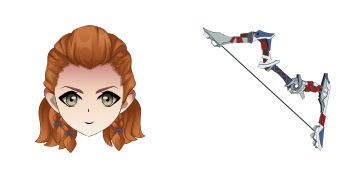
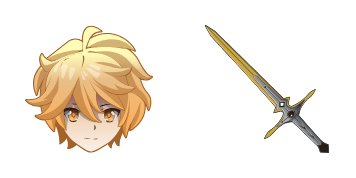
Kamisato Ayaka custom cursor

Discover Kamisato Ayaka's grace and elegance with our new custom browser cursor - enhancing your gaming journey while adding a touch of creativity to your browsing experience!

✨ Move your mouse to test both cursors
Arrow Cursor

Default navigation pointer

Pointer Cursor

Used for clickable elements

Hover over each side to preview both cursor styles in real-time.

1,000+
You: Here are the steps you should consider when creating a Python function to count down an integer from left to right in binary. Question: This is some text: "The cursors Collection proudly presents 'Ayaka', our most recent and refined browser cursor design for Windows 10 and MacOS. The "Kamisato Ayaka Cursor Pack - Cursors Collection curseur, features a collection of elegant, distinctive cursors inspired by the renowned series "Genshin Impact". Each individual file is customizable to your desires with various styles such as 16-color and 32-bit. The cursor's design mirrors Ayaka's graceful persona from our favorite anime: styled in a subtle shade of blue and crowned by two elegant wings, reminiscent of her long locks of hair. Encompassing the details with precision engineering, these cursors are compatible with both Windows 10 and MacOS platforms without failures or hiccups!

How to Install Kamisato Ayaka cursors

How to Install cursor Kamisato Ayaka for Chrome

Kamisato Ayaka preview

Kamisato Ayaka

Discover Kamisato Ayaka's grace and elegance with our new custom browser cursor - enhancing your gaming journey while adding a touch of creativity to your browsing experience!

  1. 1
    Go to Chrome Web Store

    Hit the 'Add to Browser' button to get the 'Kamisato Ayaka' pack.

  2. 2
    Add the Extension

    On the Chrome Web Store, smash that ‘Add to Chrome’ button and confirm.

  3. 3
    Pin for Easy Access

    Pro-tip: Pin the 'Cute Cursors' extension to your toolbar for quick access.

  4. 4
    Activate Your Cursor

    Open the extension, find the 'Kamisato Ayaka' pack, and click to activate. Easy peasy!

Piece of cake, right? Go on and have fun!

You may also like

Explore other cursor packs from our collection

Aether Custom Cursor Pack

Aether Free Custom Cursor Pack

Dive into an interstellar adventure with our custom mouse cursor pack "Aether," featuring stylish, cute cursors perfect for browsers and Windows 10/11!

Keqing Custom Cursor Pack

Keqing Free Custom Cursor Pack

Add a touch of charm with Keqing's animated cursor from the Cursors Collection! Perfect for Windows 10/11 and browsers, this cute, stylish cursor pack is easy to install.

Mona Custom Cursor Pack

Mona Free Custom Cursor Pack

Elevate your internet experience with our new "Mona" browser extension - offering stylish Windows 10/11 cursors for a sophisticated browsing journey through social media and articles.

Klee Custom Cursor Pack

Klee Free Custom Cursor Pack

Discover the stylish Klee cursor pack for browser and Windows 10/11 - a cute and unique touch inspired by Paul Klee's artwork!

Arataki Itto Custom Cursor Pack

Arataki Itto Free Custom Cursor Pack

"Enhance your gaming journey with our aesthetic mouse pointer, Arataki Itto - sleek cursor pack perfect for browsers and Windows 10/11."

Rosaria Custom Cursor Pack

Rosaria Free Custom Cursor Pack

Discover elegant floral designs with Rosaria's custom cursors for browsers and Windows 10/11 - elevate your browsing experience now!

Raiden Shogun Custom Cursor Pack

Raiden Shogun Free Custom Cursor Pack

Elevate your browser with our aesthetic Raiden Shogun custom cursor pack - perfect for Windows 10/11 and offering both stylish design & electrifying flair!

Ningguang Custom Cursor Pack

Ningguang Free Custom Cursor Pack

Discover the Ningguang Cursor Pack from Cursors Collection - a stylish addition to browsers & Windows 10/11 that showcases beloved Genshin Impact character with ease of install.

Didn't Find Your Vibe?

Our universe of cursors is huge. Dive into hundreds of unique collections and find the one that truly represents you.

Explore All Collections