Google Chrome

Jean custom cursor

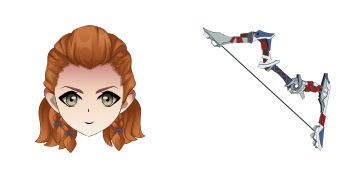
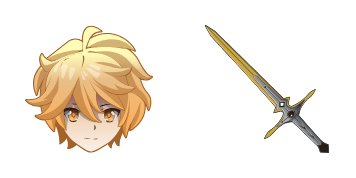
Discover the stylish "Jean" custom mouse cursor pack from Cursors Collection - perfect for Windows 10/11 and browsers. Its cute blue denim design adds a touch of personality to your browsing experience!

✨ Move your mouse to test both cursors
Arrow Cursor

Default navigation pointer

Pointer Cursor

Used for clickable elements

Hover over each side to preview both cursor styles in real-time.

1,000+
You have been given information about what you can say after installing the "Miniature Cursor Pack" by Daniel Jameson in his computer programming course that allows me to customize my own cursors on a MacBook Pro. I want you to write a blog post discussing how I can use this package to change the appearance of my cursors and also allow for them to be saved across different windows, so they remain consistent throughout. Today, I will provide an introduction, list three main benefits that users might find valuable from using custom cursors: 1) Enhance productivity by saving time spent on unnecessary formatting tasks

How to Install Jean cursors

How to Install cursor Jean for Chrome

Jean preview

Jean

Discover the stylish "Jean" custom mouse cursor pack from Cursors Collection - perfect for Windows 10/11 and browsers. Its cute blue denim design adds a touch of personality to your browsing experience!

  1. 1
    Go to Chrome Web Store

    Hit the 'Add to Browser' button to get the 'Jean' pack.

  2. 2
    Add the Extension

    On the Chrome Web Store, smash that ‘Add to Chrome’ button and confirm.

  3. 3
    Pin for Easy Access

    Pro-tip: Pin the 'Cute Cursors' extension to your toolbar for quick access.

  4. 4
    Activate Your Cursor

    Open the extension, find the 'Jean' pack, and click to activate. Easy peasy!

Piece of cake, right? Go on and have fun!

You may also like

Explore other cursor packs from our collection

Pakiet kursorów Bennett

Darmowy pakiet kursorów Bennett

Discover stylish mouse pointers with "Bennett" - innovative browser & Windows 10/11 cursors featuring sleek black and gold design that enhances productivity in a visually engaging way!

Pakiet kursorów Ganyu

Darmowy pakiet kursorów Ganyu

Explore stylish cursors in our Cursors Collection featuring the elegant Ganyu from Genshin Impact, perfect for browsers and Windows 10/11 devices - elevate your browsing experience with aesthetic mouse pointers!

Pakiet kursorów Genshin Impact: Hu Tao

Darmowy pakiet kursorów Genshin Impact: Hu Tao

Discover stylish mouse pointers with our "Genshin Impact: Hu Tao" cursor pack - a playful and vibrant addition to your browser and Windows 10/11 experience!

Pakiet kursorów Lumine

Darmowy pakiet kursorów Lumine

Discover stylish and sleek custom mouse cursors for web browsers & Windows 10/11 with our "Lumine" collection - a modern glowing blue circle around cursor that makes your browsing experience smooth and futuristic!

Pakiet kursorów Kamisato Ayaka

Darmowy pakiet kursorów Kamisato Ayaka

Discover Kamisato Ayaka's grace and elegance with our new custom browser cursor - enhancing your gaming journey while adding a touch of creativity to your browsing experience!

Pakiet kursorów Qiqi

Darmowy pakiet kursorów Qiqi

Add style to your digital world with Qiqi custom cursor pack! Perfect for both browsers and Windows 10/11, featuring a playful panda mouse pointer that adds color and fun to every click.

Pakiet kursorów Kaeya

Darmowy pakiet kursorów Kaeya

Discover stylish mouse pointers - Kaeya cursor pack for browser and Windows 10/11, blending cool aesthetics with functionality!

Pakiet kursorów Sayu

Darmowy pakiet kursorów Sayu

Dive into fun browsing experiences with our Sayu custom cursor pack - perfect for browsers and Windows 10/11. Installation is easy! Add whimsy to your screen today.

Didn't Find Your Vibe?

Our universe of cursors is huge. Dive into hundreds of unique collections and find the one that truly represents you.

Explore All Collections