

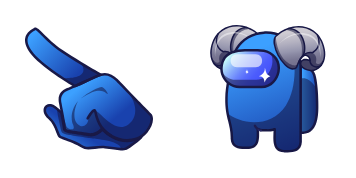
حزمة المؤشرات المخصصة المجانية Sheep Character
Sheep Character Among Us cute cursor - free custom cursor with fluffy cloud-crew calm.
Yellow Twerk animated Among Us cute cursor - free custom cursor with dance-crew energy.
Try this cursor
Move across the preview to feel both cursor styles.

Animated dance bounce on yellow: Yellow Twerk Among Us brings a wild cute cursor to everyday browsing. Use this free custom cursor in Chrome and Edge, plus Windows 10/11 through Custom Cursor when you want the same dance tip on desktop apps.
Light motion keeps the tip playful without losing focus while you click. Fan-made artwork - not an official studio or brand release.
Keep the party going with the Jester Character Cursor Pack, the Robot Skin Cursor Pack, and the Lollipop Cursor Pack.
Install Yellow Twerk and let a tiny dance bounce ride every click.
Customize your embed code and preview it in real time below.
Live preview
<style type="text/css">
body {
  cursor: url(https://cdn.cutecursors.com/cdn-sweezy/packs/among-us-yellow-twerk-animated-cursor/arrow.png) 4 4, auto;
}
a, button, .clickable {
  cursor: url(https://cdn.cutecursors.com/cdn-sweezy/packs/among-us-yellow-twerk-animated-cursor/hand.png) 4 4, pointer;
}
</style>
<a href="https://cutecursors.com//category/among-us/among-us-yellow-twerk-animated-cursor" title="Get free Yellow Twerk cursors for your website.">
  Yellow Twerk Cursors
</a>/* components/CuteCursor.jsx */
"use client";
import { useEffect } from "react";
const CURSOR = "https://cdn.cutecursors.com/cdn-sweezy/packs/among-us-yellow-twerk-animated-cursor/arrow.png";
const POINTER = "https://cdn.cutecursors.com/cdn-sweezy/packs/among-us-yellow-twerk-animated-cursor/hand.png";
export default function CuteCursor() {
useEffect(() => {
const style = document.createElement("style");
style.innerHTML = `
body { cursor: url(${CURSOR}) 4 4, auto; }
a, button, .clickable { cursor: url(${POINTER}) 4 4, pointer; }
`;
document.head.appendChild(style);
return () => style.remove();
}, []);
return null;
}
/* Usage: render <CuteCursor /> once, e.g. in your root layout or App:
<CuteCursor />
Yellow Twerk cursors by https://cutecursors.com//category/among-us/among-us-yellow-twerk-animated-cursor */-- Yellow Twerk custom cursor for Roblox
-- LocalScript (place it in StarterPlayer > StarterPlayerScripts)
--
-- 1) Download the cursor images (buttons above) or grab them here:
-- Cursor: https://cdn.cutecursors.com/cdn-sweezy/packs/among-us-yellow-twerk-animated-cursor/arrow.png
-- Pointer: https://cdn.cutecursors.com/cdn-sweezy/packs/among-us-yellow-twerk-animated-cursor/hand.png
-- 2) Upload them in Roblox Creator Hub as Decals (Create > Decals).
-- 3) Replace the IDs below with your uploaded Image asset IDs.
local UserInputService = game:GetService("UserInputService")
local Players = game:GetService("Players")
local CURSOR_ICON = "rbxassetid://CURSOR_ASSET_ID"
local POINTER_ICON = "rbxassetid://POINTER_ASSET_ID"
-- Set the default cursor
UserInputService.MouseIcon = CURSOR_ICON
-- Optional: switch to the pointer icon while hovering GUI buttons
local function hookButton(button)
button.MouseEnter:Connect(function()
UserInputService.MouseIcon = POINTER_ICON
end)
button.MouseLeave:Connect(function()
UserInputService.MouseIcon = CURSOR_ICON
end)
end
local playerGui = Players.LocalPlayer:WaitForChild("PlayerGui")
for _, gui in ipairs(playerGui:GetDescendants()) do
if gui:IsA("GuiButton") then
hookButton(gui)
end
end
playerGui.DescendantAdded:Connect(function(gui)
if gui:IsA("GuiButton") then
hookButton(gui)
end
end)
-- Yellow Twerk cursors: https://cutecursors.com//category/among-us/among-us-yellow-twerk-animated-cursor
Yellow Twerk animated Among Us cute cursor - free custom cursor with dance-crew energy.
Hit the 'Add to Browser' button to get the 'Yellow Twerk' pack.
On the Chrome Web Store, smash that ‘Add to Chrome’ button and confirm.
Pro-tip: Pin the 'Cute Cursors' extension to your toolbar for quick access.
Open the extension, find the 'Yellow Twerk' pack, and click to activate. Easy peasy!
Explore other cursor packs from our collection
Sheep Character Among Us cute cursor - free custom cursor with fluffy cloud-crew calm.
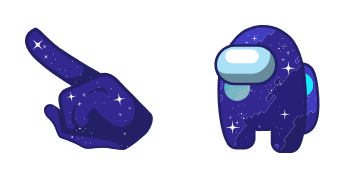
Space Character Among Us cute cursor - free custom cursor with zero-g crew sparkle.
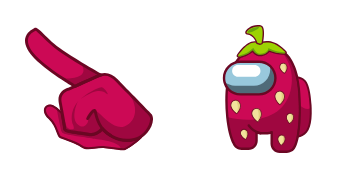
Strawberry Character Among Us cute cursor - free custom cursor with berry-sweet charm.
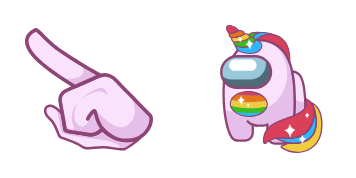
Unicorn Character Among Us cute cursor - free custom cursor with pastel horn sparkle.
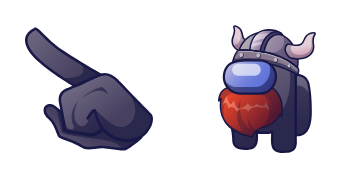
Viking Character Among Us cute cursor - free custom cursor with horned-helmet crew grit.

Angel and Devil Among Us cute cursor - free custom cursor for dual-mood clicks.

Deadpool Skin Among Us cute cursor - free custom cursor for red-mask crew clicks.

Punk Skin and Panic Imp Pet cute cursor - free custom cursor with loud crew attitude.
Our universe of cursors is huge. Dive into hundreds of unique collections and find the one that truly represents you.
Explore All Collections
قم بتثبيته الآن مجانًا من متجر Chrome الإلكتروني الرسمي
Idle
{
  "status": "idle"
}