


حزمة المؤشرات المخصصة المجانية Salmon Texture
Salmon Texture cute cursor look - free custom cursor packed with quiet texture.
Disco Ball Texture cursor - mirror facets throwing party rainbow light.
Try this cursor
Move across the preview to feel both cursor styles.

Tiny mirror facets catch pink-cyan-gold party lights across a thick disco arrow, while the chunky 3D hand mirrors the same glitterball shine. The Disco Ball Texture cute cursor is a free custom cursor for Chrome and Edge, and it also works on Windows 10/11 through the Custom Cursor app.
Dance-floor texture for loud desktops. Installs in Chrome, Edge, and the Windows Custom Cursor app. It is fan-made cursor art with no official affiliation.
Stay on the beat with the Disco Ball Texture cursor.
Explore other cursor packs from our collection
Salmon Texture cute cursor look - free custom cursor packed with quiet texture.

Give clicks a Santa twist - cute cursor and free custom cursor vibes.

Click softer with Santa Claus Costume - cute cursor and free custom cursor pack.

Slime Texture free custom cursor set - cute cursor charm with texture-day energy.
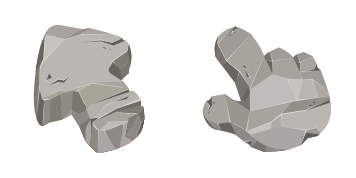
Stone Texture free custom cursor pack - cute cursor ready for Chrome or Edge.
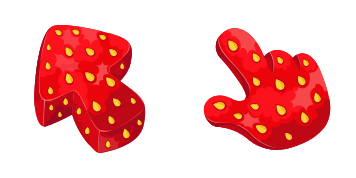
Add a Strawberry cute cursor to your mouse - free custom cursor download.

Sushi Texture free custom cursor - cute cursor style for calm textured browsing.

Red-White Polka Dot cursor with a matching Polka Dot Hand pointer - free cute dark outline custom cursor.

Disco Ball Texture cursor - mirror facets throwing party rainbow light.
Hit the 'Add to Browser' button to get the 'Disco Ball Texture' pack.
On the Chrome Web Store, smash that ‘Add to Chrome’ button and confirm.
Pro-tip: Pin the 'Cute Cursors' extension to your toolbar for quick access.
Open the extension, find the 'Disco Ball Texture' pack, and click to activate. Easy peasy!
Our universe of cursors is huge. Dive into hundreds of unique collections and find the one that truly represents you.
Explore All Collections
قم بتثبيته الآن مجانًا من متجر Chrome الإلكتروني الرسمي
Idle
{
  "status": "idle"
}