


حزمة المؤشرات المخصصة المجانية Kazuha
Kazuha cute cursor pack - free custom cursor with wandering Anemo verse.
Genshin Impact Hu Tao cursor with Ghost pointer - free dark outline custom cursor.
Try this cursor
Move across the preview to feel both cursor styles.

Fan-made Genshin Impact Hu Tao cursor pack featuring a cozy character arrow and anthropomorphic Ghost hand. The Genshin Impact Hu Tao cute cursor is a free custom cursor for Chrome and Edge, and it also works on Windows 10/11 through the Custom Cursor app.
Chibi arrow and anthropomorphic Ghost share the same dark outline look. It is fan-made cursor art with no official affiliation.
Get the free Genshin Impact Hu Tao custom cursor pack now.
Explore other cursor packs from our collection
Kazuha cute cursor pack - free custom cursor with wandering Anemo verse.

Klee cute cursor pack - free custom cursor with Dodoco bomb sparkle.

Kokomi cute cursor set - free custom cursor with Watatsumi Hydro grace.
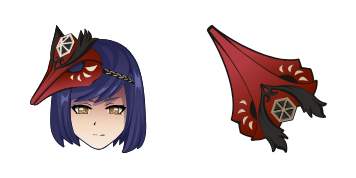
Kujou Sara cute cursor pack - free custom cursor with tengu Electro duty.

Mona cute cursor set - free custom cursor with Hydromancy star charts.

Raiden Shogun cute cursor pack - free custom cursor with Electro eternity.

Rosaria cute cursor set - free custom cursor with midnight Cryo edge.

Shenhe cute cursor - free custom cursor with cloud-retainer Cryo poise.

Genshin Impact Hu Tao cursor with Ghost pointer - free dark outline custom cursor.
Hit the 'Add to Browser' button to get the 'Genshin Impact Hu Tao' pack.
On the Chrome Web Store, smash that ‘Add to Chrome’ button and confirm.
Pro-tip: Pin the 'Cute Cursors' extension to your toolbar for quick access.
Open the extension, find the 'Genshin Impact Hu Tao' pack, and click to activate. Easy peasy!
Our universe of cursors is huge. Dive into hundreds of unique collections and find the one that truly represents you.
Explore All Collections
قم بتثبيته الآن مجانًا من متجر Chrome الإلكتروني الرسمي
Idle
{
  "status": "idle"
}