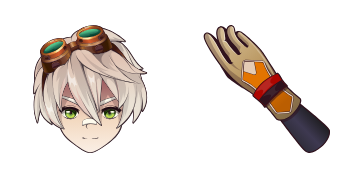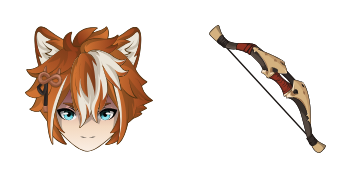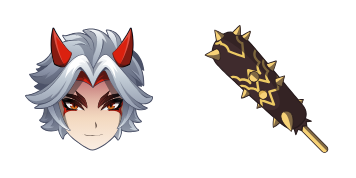
Download Chrome extension

Клеє cursor

Милий курсор Клеє освіжить кліки - free custom cursor для ПК.

Try this cursor

Move across the preview to feel both cursor styles.

Клеє cute cursor pack preview
Hover these
Auto · default + hover
156
Klee Cursor - це стильний і унікальний курсор з колекції Cursors, який можна використовувати з вашим інтернет-браузером. Його дизайн надихнувся на мистецтво швейцарсько-німецького художника Paul Klee і має барвистий, абстрактний зразок. Цей курсор є чудовим способом додати деяку особистість до вашого досвіду перегляду і зробити ваш комп'ютер відчувати більш персоналізованим. Klee Cursor легко встановити і сумісний з усіма великими інтернет-браузерами.Більше крутих курсорів чекає в колекції Genshin Impact, в яку входить Клеє.

You may also like

Explore other cursor packs from our collection

Пакет курсорів Genshin Impact Anemo Element on Teal

Genshin Impact Anemo Element on Teal курсор пак

Genshin Impact Anemo Element on Teal cursor - free custom cursor with a themed Anemo Swirl pointer hand.

Пакет курсорів Genshin Impact Anemo on Turquoise

Genshin Impact Anemo on Turquoise курсор пак

Genshin Impact Anemo on Turquoise cursor - a teal wind crystal custom cursor with an anemo-swirl pointer.

Пакет курсорів Genshin Slime

Genshin Slime курсор пак

Genshin Slime cursor - free custom cursor with a matching anemo swirl pointer.

Пакет курсорів Genshin Mouse

Genshin Mouse курсор пак

Genshin Mouse cursor - cute custom cursor with a Element Orb pointer.

Пакет курсорів Genshin Anemo Slime

Genshin Anemo Slime курсор пак

Genshin Anemo Slime cursor - cute custom cursor with a Leaf Wind pointer.

Пакет курсорів Genshin Fairy Guide

Genshin Fairy Guide курсор пак

Genshin Fairy Guide cursor - cute custom cursor with a Emergency Food pointer.

Пакет курсорів Genshin Vision

Genshin Vision курсор пак

Genshin Vision cursor - cute custom cursor with a Mora Coin pointer.

Пакет курсорів Genshin Sword

Genshin Sword курсор пак

Genshin Sword cursor - cute custom cursor with a Wishing Star pointer.

How to Install Клеє

How to Install cursor Клеє for Chrome

Клеє preview

Клеє

Милий курсор Клеє освіжить кліки - free custom cursor для ПК.

  1. 1
    Go to Chrome Web Store

    Hit the 'Add to Browser' button to get the 'Клеє' pack.

  2. 2
    Add the Extension

    On the Chrome Web Store, smash that ‘Add to Chrome’ button and confirm.

  3. 3
    Pin for Easy Access

    Pro-tip: Pin the 'Cute Cursors' extension to your toolbar for quick access.

  4. 4
    Activate Your Cursor

    Open the extension, find the 'Клеє' pack, and click to activate. Easy peasy!

Piece of cake, right? Go on and have fun!

Didn't Find Your Vibe?

Our universe of cursors is huge. Dive into hundreds of unique collections and find the one that truly represents you.

Explore All Collections