Download Chrome extension

Ділюк cursor

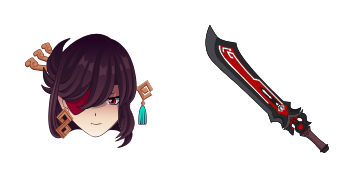
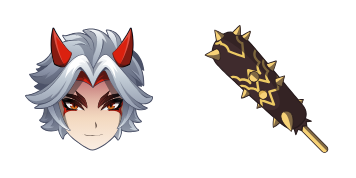
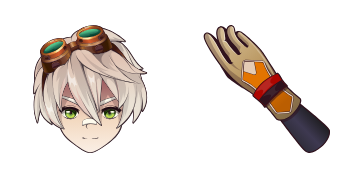
Ділюк курсори: милий курсор і кастомний курсор в одному сеті.

Try this cursor

Move across the preview to feel both cursor styles.

Ділюк cute cursor pack preview
Hover these
Auto · default + hover
83
Шукаєте спосіб додати певний шарм до вашого досвіду перегляду? Подивіться на курсор Diluc з колекції Cursors! Цей стильний курсор має улюбленого персонажа з Genshin Impact, повний з його підписом червоним волоссям і гострими особливостями. Незалежно від того, чи є ви вболівальним фанатом Diluc або просто хочете додати деяку особистість до вашого перегляду, цей курсор обов'язково вразить. Так чому чекати? Завантажте курсор Diluc сьогодні і візьміть ваше перегляд на наступний рівень!Більше крутих курсорів чекає в колекції Genshin Impact, в яку входить Ділюк.

You may also like

Explore other cursor packs from our collection

Пакет курсорів Genshin Mouse

Genshin Mouse курсор пак

Genshin Mouse cursor - cute custom cursor with a Element Orb pointer.

Пакет курсорів Genshin Anemo Slime

Genshin Anemo Slime курсор пак

Genshin Anemo Slime cursor - cute custom cursor with a Leaf Wind pointer.

Пакет курсорів Genshin Fairy Guide

Genshin Fairy Guide курсор пак

Genshin Fairy Guide cursor - cute custom cursor with a Emergency Food pointer.

Пакет курсорів Genshin Vision

Genshin Vision курсор пак

Genshin Vision cursor - cute custom cursor with a Mora Coin pointer.

Пакет курсорів Genshin Sword

Genshin Sword курсор пак

Genshin Sword cursor - cute custom cursor with a Wishing Star pointer.

Пакет курсорів Genshin Adeptus

Genshin Adeptus курсор пак

Genshin Adeptus cursor - cute custom cursor with a Cloud Sigil pointer.

Пакет курсорів Genshin Pyro Slime

Genshin Pyro Slime курсор пак

Genshin Pyro Slime cursor - cute custom cursor with a Flame Spark pointer.

Пакет курсорів Genshin Geo Slime

Genshin Geo Slime курсор пак

Genshin Geo Slime cursor - cute custom cursor with a Geo Crystal pointer.

How to Install Ділюк

How to Install cursor Ділюк for Chrome

Ділюк preview

Ділюк

Ділюк курсори: милий курсор і кастомний курсор в одному сеті.

  1. 1
    Go to Chrome Web Store

    Hit the 'Add to Browser' button to get the 'Ділюк' pack.

  2. 2
    Add the Extension

    On the Chrome Web Store, smash that ‘Add to Chrome’ button and confirm.

  3. 3
    Pin for Easy Access

    Pro-tip: Pin the 'Cute Cursors' extension to your toolbar for quick access.

  4. 4
    Activate Your Cursor

    Open the extension, find the 'Ділюк' pack, and click to activate. Easy peasy!

Piece of cake, right? Go on and have fun!

Didn't Find Your Vibe?

Our universe of cursors is huge. Dive into hundreds of unique collections and find the one that truly represents you.

Explore All Collections