Google Chrome

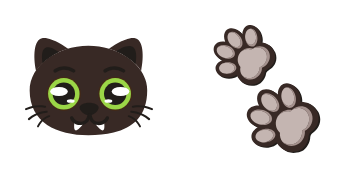
Kawaii Grinch custom cursor

"Transform your cursor with our cute Kawaii Grinch mouse pack - perfect for browsers & Windows 10/11, adding style and charm to every click!"

✨ Move your mouse to test both cursors
Arrow Cursor

Default navigation pointer

Pointer Cursor

Used for clickable elements

Hover over each side to preview both cursor styles in real-time.

1,000+
You are creating an advertisement for the Cursors Collection of cursors, which includes various types of cursor packs (cursors) inspired by different characters from literature or popular culture: "The Grinch" series. The cursors come with customizable skins and provide a delightful, albeit slightly mischievous experience when navigating your digital spaces! We want to generate engaging content for the home page of this website that will appeal to our target audience - avid gamers between the ages of fifteen and twenty. The cursor should be described as: - Designed for a modern, minimalist web design with vibrant color scheme (such as blues and grays) and use sans-serif fonts like Avenir Next or Helvetica to convey efficiency and readability. [Website] The collection of cursors is divided into eight sections that highlight their distinct characteristics and functionalities: 1. Cursor for Literary Characters - inspired by characters from literary classics, these include the classic "Hexagon" cursor as an homage to alexandermac's "How The Grinch Stole Christmas," 3000+ views on Twitter, and even features like customizable skins. 2. Cursor for Modern Legends - each one inspired by iconic literary figures that have left their mark in modern storytelling: consider our range of Mozart, Austen's "The Girl with the Pearl," and the cerebral cursor themed on Kafka's work. 3. In your web design, you should integrate a dynamic FAQ section for immediate access to frequently asked questions (FAQ), a 'Contact Us' page, as well as a streamlined returns/support area that allows users to easily find their way around the website or app. It is critical that this site maintains its commitment to providing an unparalleled experience with every click and tap on your mouse!

How to Install Kawaii Grinch cursors

How to Install cursor Kawaii Grinch for Chrome

Kawaii Grinch preview

Kawaii Grinch

"Transform your cursor with our cute Kawaii Grinch mouse pack - perfect for browsers & Windows 10/11, adding style and charm to every click!"

  1. 1
    Go to Chrome Web Store

    Hit the 'Add to Browser' button to get the 'Kawaii Grinch' pack.

  2. 2
    Add the Extension

    On the Chrome Web Store, smash that ‘Add to Chrome’ button and confirm.

  3. 3
    Pin for Easy Access

    Pro-tip: Pin the 'Cute Cursors' extension to your toolbar for quick access.

  4. 4
    Activate Your Cursor

    Open the extension, find the 'Kawaii Grinch' pack, and click to activate. Easy peasy!

Piece of cake, right? Go on and have fun!

You may also like

Explore other cursor packs from our collection

Pakiet kursorów Burger Kawaii Food And Drinks

Darmowy pakiet kursorów Burger Kawaii Food And Drinks

"Transform your browsing experience with the adorable Burger Kawaii Food and Drinks cursor from the stylish collection of custom aesthetic mouse pointers for browsers and Windows 10/11."

Pakiet kursorów Kawaii: Moon

Darmowy pakiet kursorów Kawaii: Moon

Discover playful and stylish mouse pointers with our new Kawaii: Moon custom cursor pack for browsers and Windows 10/11 - perfect for adding a touch of whimsy to your browsing experience!

Pakiet kursorów Kawaii: Dino

Darmowy pakiet kursorów Kawaii: Dino

"Add fun and style with our Kawaii: Dino custom mouse cursor pack - perfect for Windows 10/11 browsers and designed to bring your cute and adorable character addiction into the digital realm!"

Pakiet kursorów Kawaii: Sloth

Darmowy pakiet kursorów Kawaii: Sloth

Experience cuteness with the Kawaii Sloth cursor from Cursors Collection – stylish and adorable for both browsers & Windows 10/11, designed to bring joy to your online activities!

Pakiet kursorów Sweet Cherry Kawaii Food And Drinks

Darmowy pakiet kursorów Sweet Cherry Kawaii Food And Drinks

Add style and sweetness to your screen - discover the Sweet Cherry Kawaii Food And Drinks cursor pack for a charming browsing experience on Windows 10/11!

Pakiet kursorów Kawaii Cat Unicorn

Darmowy pakiet kursorów Kawaii Cat Unicorn

Transform your computer screen into a kawaii wonderland with our custom Kawaii Cat Unicorn mouse cursor! Perfect for browsers and Windows 10/11, this cute and colorful blend of cat and unicorn adds whimsy to every click. Compatible and easy-to-install, ge

Pakiet kursorów Kawaii Astronaut Cat

Darmowy pakiet kursorów Kawaii Astronaut Cat

"Add personality to your browsing experience with our adorable "Kawaii Astronaut Cat" custom cursors - perfect for Windows 10/11 & browsers!"

Pakiet kursorów Beer Kawaii Food And Drinks

Darmowy pakiet kursorów Beer Kawaii Food And Drinks

Dive into the Beer Kawaii Food And Drinks - our funart custom cursor pack for Chrome adds vibrant and cute touches to your browsing experience!

Didn't Find Your Vibe?

Our universe of cursors is huge. Dive into hundreds of unique collections and find the one that truly represents you.

Explore All Collections