


Kolekcja kursorów Piggy
Free Piggy cursors - Roblox Piggy game vibes, cute pig characters, banks, and matching pointer hands.

Brand-new custom cursor packs freshly uploaded - try the latest looks first.

Free Mousecape cursor - silver Mac disk tip with a crimson cape flutter and matching glove.

Free Mouse Cursor pack - pixel gray rodent tip with big eyes and a pink-ear pointing hand.

Free Wii Cursors pack - glowing sky-blue targeting ring with a soft Wii-glove hand.

Free DeviantArt cursor - fluffy cream llama tip with a soft teal scarf accent.

Free Roblox Cursors pack - blocky yellow smile avatar arrow with a matching tip hand.

Free Custom Cursor Download cursor - fluffy cloud tip with a soft pink download chevron.

Free Custom Cursor Download cursor - fluffy cloud tip with a soft pink download chevron.

Free Minecraft Cursors pack - blocky diamond sword tip with a matching pixel-cuffed hand.

Free Custom Mouse Cursors cursor - cute mouse mascot holding a tiny dark-rim tip.

Free Kawaii Cursors cursor - ultra-cute pastel arrow buddy with big sparkle eyes.
The most viewed free cursor packs right now - ranked by today's popularity.
1st today
Free DeviantArt cursor - fluffy cream llama tip with a soft teal scarf accent.
2nd today
Free Mouse Cursor pack - pixel gray rodent tip with big eyes and a pink-ear pointing hand.
3rd today
Free Wii Cursors pack - glowing sky-blue targeting ring with a soft Wii-glove hand.

Free Custom Cursors cursor - pastel candy diagonal tip with a matching soft pointer hand.
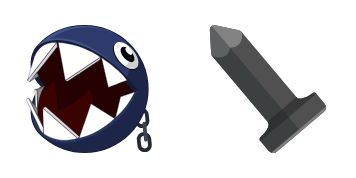
Unleash the Chain Chomp cute cursor - a free custom cursor pack ready to bite into clicks.

Free Dodge Charger Super Bee cursor - cute neon-yellow chibi coupe with a racing-glove hand.
Free Roblox Cursors pack - blocky yellow smile avatar arrow with a matching tip hand.

Free Mousecape Download cursor - silver Mac arrow with a flowing cape for the Mac app vibe.

Free SpongeBob Football Run cursor - joyful helmet run meme with dark-rim tip.

Street Fighter 6 Chun-Li cursor with Spiked Bracelet pointer - free dark outline custom cursor.

Kliknij tutaj, aby odwiedzić oficjalny Chrome Web Store i przeglądać darmowe rozszerzenia kursorów.
Chrome Web Store

W Chrome Web Store kliknij przycisk „Dodaj do Chrome”, aby zainstalować „Custom Cursor” w swojej przeglądarce.

Potwierdź, klikając „Dodaj rozszerzenie” w oknie podręcznym.

Chrome wyświetli powiadomienie o instalacji, a następnie otworzy się przewodnik korzystania z rozszerzenia „Custom Cursor”.

Zainstaluj go teraz za darmo ze sklepu Chrome Web Store
Idle
{
  "status": "idle"
}


