

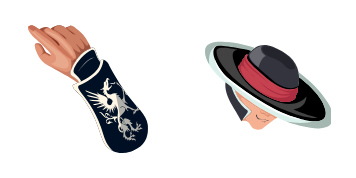
Kung Lao cursor
Razor hat style in the Kung Lao cute cursor, a free custom cursor pack for Shaolin fans.
Hellfire specter style in the Scorpion cute cursor, a free custom cursor pack for ninja fans.
Try this cursor
Move across the preview to feel both cursor styles.

Yellow mask and burning grudge: the Scorpion cute cursor brings the vengeful specter to your pointer. The Scorpion cute cursor works as a free custom cursor in Chrome and Edge, plus Windows 10/11 via the Custom Cursor app.
Bright yellow with black trim keeps the ninja readable on any background. It is fan-made cursor art with no official NetherRealm Studios or Warner Bros. Games affiliation.
Face the old rival with the Mortal Kombat Scorpion and Kunai Spear Cursor Pack, the Sub-Zero Cursor Pack, and the Mortal Kombat Fatality Cursor Pack.
Download the Scorpion cursor pack and let a hellfire ninja chase your mouse.
Customize your embed code and preview it in real time below.
Live preview
<style type="text/css">
body {
  cursor: url(https://cdn.cutecursors.com/db/scorpion_cursor/arrow.png) 4 4, auto;
}
a, button, .clickable {
  cursor: url(https://cdn.cutecursors.com/db/scorpion_cursor/hand.png) 4 4, pointer;
}
</style>
<a href="https://cutecursors.com//category/mortal-kombat/scorpion-cursor" title="Get free Scorpion cursors for your website.">
  Scorpion Cursors
</a>/* components/CuteCursor.jsx */
"use client";
import { useEffect } from "react";
const CURSOR = "https://cdn.cutecursors.com/db/scorpion_cursor/arrow.png";
const POINTER = "https://cdn.cutecursors.com/db/scorpion_cursor/hand.png";
export default function CuteCursor() {
useEffect(() => {
const style = document.createElement("style");
style.innerHTML = `
body { cursor: url(${CURSOR}) 4 4, auto; }
a, button, .clickable { cursor: url(${POINTER}) 4 4, pointer; }
`;
document.head.appendChild(style);
return () => style.remove();
}, []);
return null;
}
/* Usage: render <CuteCursor /> once, e.g. in your root layout or App:
<CuteCursor />
Scorpion cursors by https://cutecursors.com//category/mortal-kombat/scorpion-cursor */-- Scorpion custom cursor for Roblox
-- LocalScript (place it in StarterPlayer > StarterPlayerScripts)
--
-- 1) Download the cursor images (buttons above) or grab them here:
-- Cursor: https://cdn.cutecursors.com/db/scorpion_cursor/arrow.png
-- Pointer: https://cdn.cutecursors.com/db/scorpion_cursor/hand.png
-- 2) Upload them in Roblox Creator Hub as Decals (Create > Decals).
-- 3) Replace the IDs below with your uploaded Image asset IDs.
local UserInputService = game:GetService("UserInputService")
local Players = game:GetService("Players")
local CURSOR_ICON = "rbxassetid://CURSOR_ASSET_ID"
local POINTER_ICON = "rbxassetid://POINTER_ASSET_ID"
-- Set the default cursor
UserInputService.MouseIcon = CURSOR_ICON
-- Optional: switch to the pointer icon while hovering GUI buttons
local function hookButton(button)
button.MouseEnter:Connect(function()
UserInputService.MouseIcon = POINTER_ICON
end)
button.MouseLeave:Connect(function()
UserInputService.MouseIcon = CURSOR_ICON
end)
end
local playerGui = Players.LocalPlayer:WaitForChild("PlayerGui")
for _, gui in ipairs(playerGui:GetDescendants()) do
if gui:IsA("GuiButton") then
hookButton(gui)
end
end
playerGui.DescendantAdded:Connect(function(gui)
if gui:IsA("GuiButton") then
hookButton(gui)
end
end)
-- Scorpion cursors: https://cutecursors.com//category/mortal-kombat/scorpion-cursor
Hellfire specter style in the Scorpion cute cursor, a free custom cursor pack for ninja fans.
Hit the 'Add to Browser' button to get the 'Scorpion' pack.
On the Chrome Web Store, smash that ‘Add to Chrome’ button and confirm.
Pro-tip: Pin the 'Cute Cursors' extension to your toolbar for quick access.
Open the extension, find the 'Scorpion' pack, and click to activate. Easy peasy!
Explore other cursor packs from our collection
Razor hat style in the Kung Lao cute cursor, a free custom cursor pack for Shaolin fans.
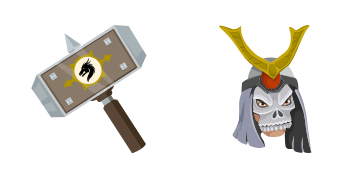
Outworld emperor bulk in the Shao Kahn cute cursor, a free custom cursor pack for villain fans.

Bionic arm power in the Jax cute cursor, a free custom cursor pack for Special Forces fans.
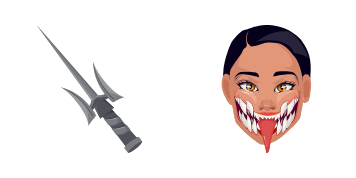
Unmasked Tarkatan grin in the Mileena cute cursor, a free custom cursor pack for Outworld fans.
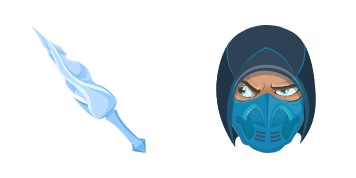
Lin Kuei frost in the Sub-Zero cute cursor, a free custom cursor pack for ice ninja fans.

Black Dragon menace in the Kano cute cursor, a free custom cursor pack for mercenary fans.
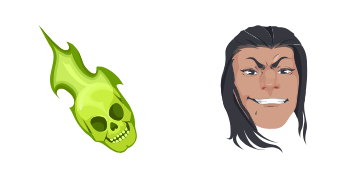
Soul-stealing sorcery in the Shang Tsung cute cursor, a free custom cursor pack for villain fans.
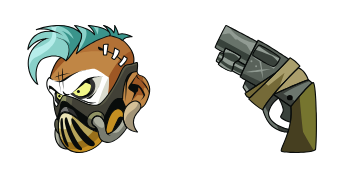
Gritty enforcer style in the Barraza cute cursor, a free custom cursor pack for deep-roster fans.
Our universe of cursors is huge. Dive into hundreds of unique collections and find the one that truly represents you.
Explore All Collections
Install it now for free from the official Chrome Web Store
Idle
{
  "status": "idle"
}