


Sonya Blade cursor
Special Forces grit in the Sonya Blade cute cursor, a free custom cursor pack for Earthrealm fans.
Whole-series flavor in this Mortal Kombat cute cursor, a free custom cursor pack for longtime players.
Try this cursor
Move across the preview to feel both cursor styles.

A nod across every entry: this Mortal Kombat games cute cursor puts the franchise on your pointer. This Mortal Kombat Games cute cursor installs free in Chrome and Edge, and the Custom Cursor app brings it to Windows 10/11 as well.
Dark tones with gold accents match the series art while staying trackable. This is fan-made cursor art, not an official NetherRealm Studios or Warner Bros. Games release.
Dig into the roster via the Mortal Kombat Classic Cursor Pack, the Mortal Kombat 11 Logo Cursor Pack, and the Jax Cursor Pack.
Grab this Mortal Kombat games cursor pack and bring the whole series to your desktop.
Explore other cursor packs from our collection
Special Forces grit in the Sonya Blade cute cursor, a free custom cursor pack for Earthrealm fans.

Thunder god presence in the Raiden cute cursor, a free custom cursor pack for Earthrealm fans.

Shaolin champion focus in the Liu Kang cute cursor, a free custom cursor pack for tournament fans.

Hooked speed in the Kabal cute cursor, a free custom cursor pack for Black Dragon fans.
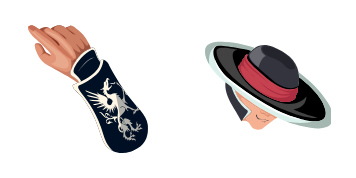
Razor hat style in the Kung Lao cute cursor, a free custom cursor pack for Shaolin fans.
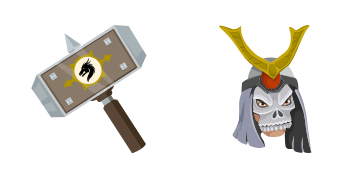
Outworld emperor bulk in the Shao Kahn cute cursor, a free custom cursor pack for villain fans.

Bionic arm power in the Jax cute cursor, a free custom cursor pack for Special Forces fans.
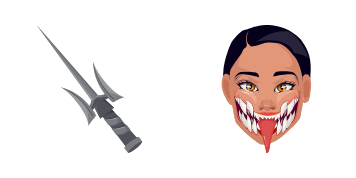
Unmasked Tarkatan grin in the Mileena cute cursor, a free custom cursor pack for Outworld fans.

Whole-series flavor in this Mortal Kombat cute cursor, a free custom cursor pack for longtime players.
Hit the 'Add to Browser' button to get the 'Mortal Kombat Games' pack.
On the Chrome Web Store, smash that ‘Add to Chrome’ button and confirm.
Pro-tip: Pin the 'Cute Cursors' extension to your toolbar for quick access.
Open the extension, find the 'Mortal Kombat Games' pack, and click to activate. Easy peasy!
Our universe of cursors is huge. Dive into hundreds of unique collections and find the one that truly represents you.
Explore All Collections
Install it now for free from the official Chrome Web Store
Idle
{
  "status": "idle"
}