


Pack de curseurs personnalisés gratuit Smoke
Vanishing gray haze in the Smoke cute cursor, a free custom cursor pack for cyber ninja fans.
Outworld emperor bulk in the Shao Kahn cute cursor, a free custom cursor pack for villain fans.
Try this cursor
Move across the preview to feel both cursor styles.

Skull helmet and a booming taunt: the Shao Kahn cute cursor plants the emperor on your pointer. This Shao Kahn cute cursor installs free in Chrome and Edge, and the Custom Cursor app brings it to Windows 10/11 as well.
Bone helmet against dark armor keeps the ruler bold at pointer scale. This is fan-made cursor art, not an official NetherRealm Studios or Warner Bros. Games release.
Rule Outworld with the Mortal Kombat Shao Kahn and Wrath Hammer Cursor Pack, the Shang Tsung Cursor Pack, and the Mileena Cursor Pack.
Install the Shao Kahn cursor pack and let a conqueror loom over your clicks.
Explore other cursor packs from our collection
Vanishing gray haze in the Smoke cute cursor, a free custom cursor pack for cyber ninja fans.

Special Forces grit in the Sonya Blade cute cursor, a free custom cursor pack for Earthrealm fans.

Thunder god presence in the Raiden cute cursor, a free custom cursor pack for Earthrealm fans.

Shaolin champion focus in the Liu Kang cute cursor, a free custom cursor pack for tournament fans.

Hooked speed in the Kabal cute cursor, a free custom cursor pack for Black Dragon fans.
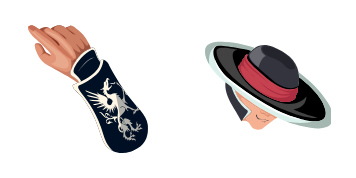
Razor hat style in the Kung Lao cute cursor, a free custom cursor pack for Shaolin fans.

Bionic arm power in the Jax cute cursor, a free custom cursor pack for Special Forces fans.
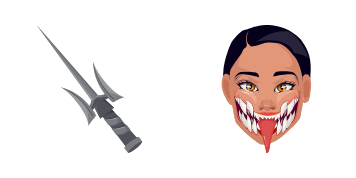
Unmasked Tarkatan grin in the Mileena cute cursor, a free custom cursor pack for Outworld fans.

Outworld emperor bulk in the Shao Kahn cute cursor, a free custom cursor pack for villain fans.
Hit the 'Add to Browser' button to get the 'Shao Kahn' pack.
On the Chrome Web Store, smash that ‘Add to Chrome’ button and confirm.
Pro-tip: Pin the 'Cute Cursors' extension to your toolbar for quick access.
Open the extension, find the 'Shao Kahn' pack, and click to activate. Easy peasy!
Our universe of cursors is huge. Dive into hundreds of unique collections and find the one that truly represents you.
Explore All Collections
Installez-le gratuitement dès maintenant depuis le Chrome Web Store officiel
Idle
{
  "status": "idle"
}