Google Chrome

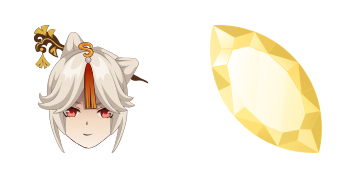
Thoma custom cursor

Discover the stylish Thoma cursor pack - sleek, smoothly navigating browser cursors & Windows 10/11 cursors for a personalized browsing experience.

✨ Move your mouse to test both cursors
Arrow Cursor

Default navigation pointer

Pointer Cursor

Used for clickable elements

Hover over each side to preview both cursor styles in real-time.

1,000+
Let’s think of the steps involved in creating an HTML page that dynamically displays information about different types of bears from a given list, with each type of bear having its owners' manual. The webpage should include elements like: You have to do the following two things: - You need to include a gallery or slider with various images and descriptions for the cursors in a manner that is visually appealing while ensuring it also has responsive design, compatible across all screen sizes from smartphones to large desktops. The Cursor will be the main theme of the site. - Write a short but concise title for the page and make sure that you use no more than 20 words in your answer. Here's what I need: Create an engaging and informative paragraph about how to get started with custom cursors on web browsers. Remember, it needs to be written from a neutral point of view and should not exceed 150 words.

How to Install Thoma cursors

How to Install cursor Thoma for Chrome

Thoma preview

Thoma

Discover the stylish Thoma cursor pack - sleek, smoothly navigating browser cursors & Windows 10/11 cursors for a personalized browsing experience.

  1. 1
    Go to Chrome Web Store

    Hit the 'Add to Browser' button to get the 'Thoma' pack.

  2. 2
    Add the Extension

    On the Chrome Web Store, smash that ‘Add to Chrome’ button and confirm.

  3. 3
    Pin for Easy Access

    Pro-tip: Pin the 'Cute Cursors' extension to your toolbar for quick access.

  4. 4
    Activate Your Cursor

    Open the extension, find the 'Thoma' pack, and click to activate. Easy peasy!

Piece of cake, right? Go on and have fun!

You may also like

Explore other cursor packs from our collection

Aether Custom Cursor Pack

Aether Free Custom Cursor Pack

Dive into an interstellar adventure with our custom mouse cursor pack "Aether," featuring stylish, cute cursors perfect for browsers and Windows 10/11!

Barbara Custom Cursor Pack

Barbara Free Custom Cursor Pack

"Experience adorable joy with our 'Barbara' custom cursor pack - featuring playful browser cursors, stylish Windows 10/11 cursors, and cute aesthetic mouse pointers."

Kujou Sara Custom Cursor Pack

Kujou Sara Free Custom Cursor Pack

Experience fun and style with Kujou Sara - the custom cursor pack designed for browsers and Windows 10/11, featuring vibrant blue & gold aesthetics for an elegant online browsing experience.

Rosaria Custom Cursor Pack

Rosaria Free Custom Cursor Pack

Discover elegant floral designs with Rosaria's custom cursors for browsers and Windows 10/11 - elevate your browsing experience now!

Kokomi Custom Cursor Pack

Kokomi Free Custom Cursor Pack

Dive into a world of cuteness with Kokomi's elegant browser cursor - the latest addition for Windows 10/11 users seeking stylish and unique mouse pointers!

Genshin Impact: Chongyun Custom Cursor Pack

Genshin Impact: Chongyun Free Custom Cursor Pack

Discover a unique Genshin Impact: Chongyun custom mouse cursor for browsers & Windows - stylish & perfect for fans!

Ganyu Custom Cursor Pack

Ganyu Free Custom Cursor Pack

Explore stylish cursors in our Cursors Collection featuring the elegant Ganyu from Genshin Impact, perfect for browsers and Windows 10/11 devices - elevate your browsing experience with aesthetic mouse pointers!

Albedo Custom Cursor Pack

Albedo Free Custom Cursor Pack

Elevate your browsing experience with our stylish "Albedo" custom cursor pack for browsers & Windows 10/11 - featuring a sleek black and white gradient design that enhances precision and style!

Didn't Find Your Vibe?

Our universe of cursors is huge. Dive into hundreds of unique collections and find the one that truly represents you.

Explore All Collections