


Genshin Impact: Hu Tao cursor
Hu Tao cute cursor set - free custom cursor with Wangsheng mischief spark.
Rosaria cute cursor set - free custom cursor with midnight Cryo edge.
Try this cursor
Move across the preview to feel both cursor styles.

Midnight churchyard edge on your pointer: Rosaria brings a cool cute cursor with quiet bite. Install this free custom cursor in Chrome and Edge, or on Windows 10/11 with Custom Cursor when you want the same look on the full desktop.
Icy reds stay readable without cluttering the tip. Fan-made artwork only - not an official studio release.
Night patrol partners include the Kaeya Cursor Pack, the Eula Cursor Pack, and the Diluc Cursor Pack.
Get Rosaria and tuck midnight chill into every click.
Explore other cursor packs from our collection
Hu Tao cute cursor set - free custom cursor with Wangsheng mischief spark.

Chongyun cute cursor - free custom cursor with cool Cryo exorcist calm.

Lisa Minci cute cursor - free custom cursor with lazy Electro librarian charm.
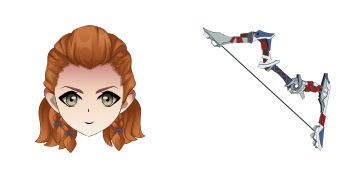
Aloy cute cursor pack - free custom cursor with hunter focus from afar.

Ningguang cute cursor pack - free custom cursor with Jade Chamber glow.

Qiqi cute cursor pack - free custom cursor with soft Cryo zombie calm.

Barbara cute cursor pack - free custom cursor with sparkling idol cheer.
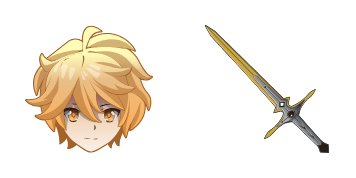
Aether cute cursor pack - free custom cursor with golden Traveler energy.

Rosaria cute cursor set - free custom cursor with midnight Cryo edge.
Hit the 'Add to Browser' button to get the 'Rosaria' pack.
On the Chrome Web Store, smash that ‘Add to Chrome’ button and confirm.
Pro-tip: Pin the 'Cute Cursors' extension to your toolbar for quick access.
Open the extension, find the 'Rosaria' pack, and click to activate. Easy peasy!
Our universe of cursors is huge. Dive into hundreds of unique collections and find the one that truly represents you.
Explore All Collections
Install it now for free from the official Chrome Web Store
Idle
{
  "status": "idle"
}