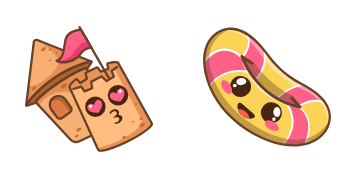
Kawaii Soconut und Flip-Flops cursor

Probier Kawaii Soconut und Flip-Flops: süßes Cursor Pack und fertige Custom Cursors.

Try this cursor

Move across the preview to feel both cursor styles.

Kawaii Soconut und Flip-Flops cute cursor pack preview
Hover these
Auto · default + hover
67
Suchen Sie nach einer süßen und sommerlichen Ergänzung zu Ihrem Browser? Schauen Sie sich den Kawaii Coconut und Flip-Flops Cursor aus der Cursors Collection an. Dieser bezaubernde Cursor verfügt über einen lächelnden Kokosnuss, der Flip-Flops trägt, ideal für das Hinzufügen einer Falle von Spannung zu Ihrem Internet-Browser-Erlebnis. Es ist einfach zu installieren und ist sicher, ein Lächeln auf Ihr Gesicht zu bringen, jedes Mal, wenn Sie Ihren Computer verwenden. Also, warum nicht Ihrem Browser ein wenig zusätzliche Persönlichkeit mit diesem lustigen und spielerischen Cursor geben?Die Kollektion Kawaii bietet verschiedene Cursor-Pakete, sodass jeder etwas für sich finden kann.

You may also like

Explore other cursor packs from our collection

Baby Penguin Cursor-Paket

Baby Penguin Cursor-Paket

Baby Penguin cursor - bright Terraria-style buddy with a themed Tiny Fish pointer.

Ansehen
Cute Character World Cursor-Paket

Cute Character World Cursor-Paket

Cute Character World cursor - bright Terraria-style buddy with a themed Tiny Globe pointer.

Ansehen
von Kawaii Carl Fredricksen Cursor-Paket

von Kawaii Carl Fredricksen Cursor-Paket

von Kawaii Carl Fredricksen Custom Cursor Pack mit süßem Cursor für Fans des Themas.

Ansehen
Kawaii: Enamored Bee Cursor-Paket

Kawaii: Enamored Bee Cursor-Paket

Süßer Cursor Kawaii: Enamored Bee frischt Klicks auf - free Custom Cursor für den PC.
Ansehen
Kawaii Strawberry Cursor-Paket

Kawaii Strawberry Cursor-Paket

Free Kawaii Strawberry custom cursor - cute berry character arrow with matching pointer.

Ansehen
Sanrio My Sweet Piano Cursor-Paket

Sanrio My Sweet Piano Cursor-Paket

Sanrio My Sweet Piano character cursor - free custom cursor with dark outline.

Ansehen
Kawaii Tayberry Cursor-Paket

Kawaii Tayberry Cursor-Paket

Kawaii Tayberry custom cursor for Chrome and Edge - bright berry buddy pack.

Ansehen
Pink Piggy Cursor-Paket

Pink Piggy Cursor-Paket

Pink Piggy cursor - bright buddy with a themed Heart Balloon pointer.

Ansehen

How to Install Kawaii Soconut und Flip-Flops

How to Install cursor Kawaii Soconut und Flip-Flops for Chrome

Kawaii Soconut und Flip-Flops preview

Kawaii Soconut und Flip-Flops

Probier Kawaii Soconut und Flip-Flops: süßes Cursor Pack und fertige Custom Cursors.

  1. 1
    Go to Chrome Web Store

    Hit the 'Add to Browser' button to get the 'Kawaii Soconut und Flip-Flops' pack.

  2. 2
    Add the Extension

    On the Chrome Web Store, smash that ‘Add to Chrome’ button and confirm.

  3. 3
    Pin for Easy Access

    Pro-tip: Pin the 'Cute Cursors' extension to your toolbar for quick access.

  4. 4
    Activate Your Cursor

    Open the extension, find the 'Kawaii Soconut und Flip-Flops' pack, and click to activate. Easy peasy!

Piece of cake, right? Go on and have fun!

Didn't Find Your Vibe?

Our universe of cursors is huge. Dive into hundreds of unique collections and find the one that truly represents you.

Explore All Collections