Google Chrome

Paarthurnax custom cursor

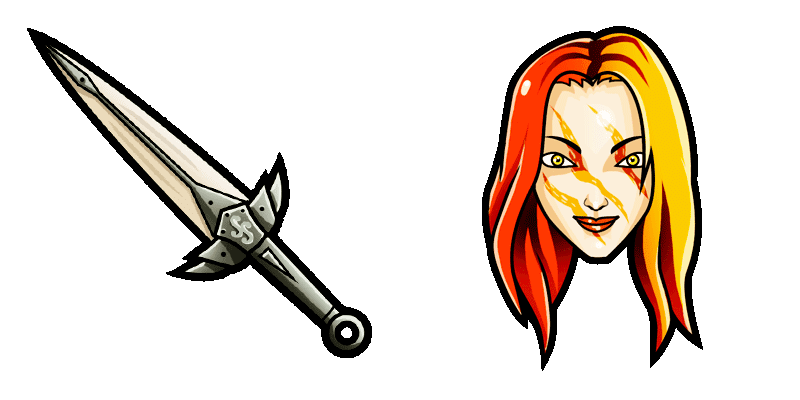
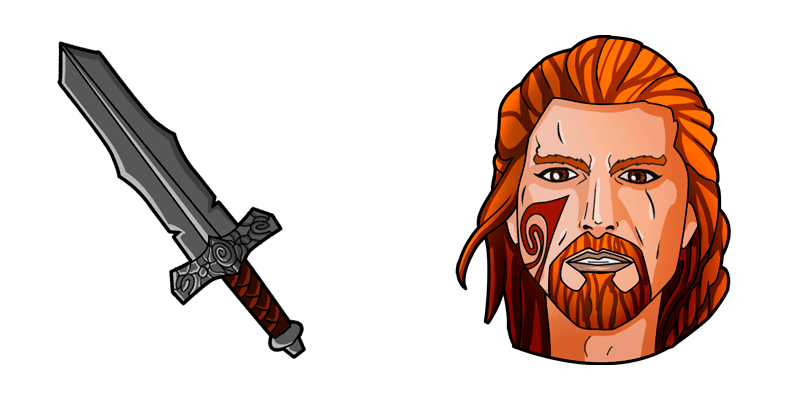
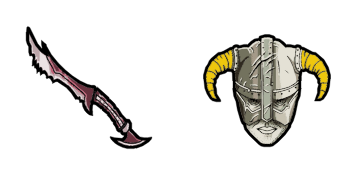
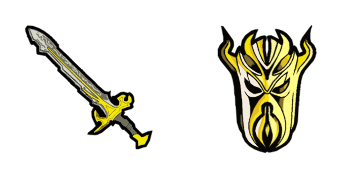
Der Paarthurnax Cursor aus der Cursors Collection ist ein schöner Cursor für Ihren Browser. Es bietet ein detailliertes Bild des Drachen Paarthurnax aus dem Spiel Skyrim und wird eine großartige Ergänzung zu Ihrer Cursor-Sammlung sein. Dieser Cursor ist perfekt für Fans von Skyrim oder diejenigen, die Drachen lieben. Es ist einfach zu installieren und kompatibel mit allen großen Browsern. Geben Sie Ihrem Browser eine einzigartige Note mit dem Paarthurnax Cursor aus der Cursors Collection.

✨ Move your mouse to test both cursors
Arrow Cursor

Default navigation pointer

Pointer Cursor

Used for clickable elements

Hover over each side to preview both cursor styles in real-time.

1,000+
Der Paarthurnax Cursor aus der Cursors Collection ist ein schöner Cursor für Ihren Browser. Es bietet ein detailliertes Bild des Drachen Paarthurnax aus dem Spiel Skyrim und wird eine großartige Ergänzung zu Ihrer Cursor-Sammlung sein. Dieser Cursor ist perfekt für Fans von Skyrim oder diejenigen, die Drachen lieben. Es ist einfach zu installieren und kompatibel mit allen großen Browsern. Geben Sie Ihrem Browser eine einzigartige Note mit dem Paarthurnax Cursor aus der Cursors Collection.Dieses Cursor-Paket ist nur ein Teil der Kollektion Games, die noch viele weitere Optionen bietet.

How to Install Paarthurnax cursors

How to Install cursor Paarthurnax for Chrome

Paarthurnax preview

Paarthurnax

Der Paarthurnax Cursor aus der Cursors Collection ist ein schöner Cursor für Ihren Browser. Es bietet ein detailliertes Bild des Drachen Paarthurnax aus dem Spiel Skyrim und wird eine großartige Ergänzung zu Ihrer Cursor-Sammlung sein. Dieser Cursor ist perfekt für Fans von Skyrim oder diejenigen, die Drachen lieben. Es ist einfach zu installieren und kompatibel mit allen großen Browsern. Geben Sie Ihrem Browser eine einzigartige Note mit dem Paarthurnax Cursor aus der Cursors Collection.

  1. 1
    Go to Chrome Web Store

    Hit the 'Add to Browser' button to get the 'Paarthurnax' pack.

  2. 2
    Add the Extension

    On the Chrome Web Store, smash that ‘Add to Chrome’ button and confirm.

  3. 3
    Pin for Easy Access

    Pro-tip: Pin the 'Cute Cursors' extension to your toolbar for quick access.

  4. 4
    Activate Your Cursor

    Open the extension, find the 'Paarthurnax' pack, and click to activate. Easy peasy!

Piece of cake, right? Go on and have fun!

You may also like

Explore other cursor packs from our collection

League of Legends Urf & Golden Spatula Cursor-Paket

League of Legends Urf & Golden Spatula Cursor-Paket

Step into the realm of "League of Legends" with our custom Urf & Golden Spatula cursors from the Games Cursor Collection - perfect for both browsers and Windows 10/11! Join epic battles, choose your favorite character, and conquer bases.

Das Assassin Creed Cursor-Paket

Das Assassin Creed Cursor-Paket

Möchten Sie Ihrem Browser etwas Persönlichkeit hinzufügen? Schauen Sie sich den Assassin's Creed Cursor aus der Cursors Collection an! Dieser Cursor verfügt über die ikonische versteckte Blade, die von Assassins in der beliebten Videospielreihe betrieben wird, was ihn zu einer idealen Wahl für Fans der Franchise macht. Mit glatten und schlanken Animationen fügt der Assassin's Creed Cursor Ihrem Browser-Erlebnis ein Element der Aufregung und Abenteuer hinzu.

The Sims Plumbob & Simoleon Cursor-Paket

The Sims Plumbob & Simoleon Cursor-Paket

Elevate your gaming and browsing experience with the stylish "The Sims Plumbob & Simoleon" cursor pack for Windows 10/11 and browsers - a must-have collection of cute, custom cursors!

KleptoDogs Gemdog Cursor-Paket

KleptoDogs Gemdog Cursor-Paket

"Experience cuteness and style with KleptoDogs Gemdog cursor pack - a stylish, free collection for browsers and Windows 10/11."

8 Ball Pool Cursor-Paket

8 Ball Pool Cursor-Paket

Dive into browsing like a pro with the stylish and engaging "8 Ball Pool" custom cursor from our Games Cursor Collection - now available for Windows 10/11!

Ziel von CS:GO Cursor-Paket

Ziel von CS:GO Cursor-Paket

Der Cursor von Aim CS:GO aus der Cursors Collection ist eine ausgezeichnete Ergänzung für Spieler, die ihrem Browser-Erlebnis etwas Stil hinzufügen möchten. Dieser Cursor verfügt über ein einfaches Design mit einem Crosshair-Symbol, das häufig in Shooting-Spielen zu sehen ist. Es ist perfekt für FPS-Enthusiasten, die sich gerne in die Welt von CS:GO eintauchen. Der Cursor ist einfach herunterzuladen und zu installieren, was ihn zu einer ausgezeichneten Wahl für alle macht, die das Aussehen ihres Computers anpassen möchten. Mit seinem eleganten Design und seinem ikonischen Symbol ist der Cursor von Aim CS:GO ein Muss für jeden Spieler.

Undertale Napstablook in Headphones Cursor-Paket

Undertale Napstablook in Headphones Cursor-Paket

Discover "Undertale Napstablook in Headphones", cute cursors from Games Cursor Collection that add a whimsical touch to your Windows 10/11 browsing experience!

Mortal Kombat Games Cursor-Paket

Mortal Kombat Games Cursor-Paket

Discover our stylish "Mortal Kombat Games" custom cursors from the collection - perfect for both browsers and Windows 10/11!

Didn't Find Your Vibe?

Our universe of cursors is huge. Dive into hundreds of unique collections and find the one that truly represents you.

Explore All Collections