


Раїко курсор пак
Раїко - кастомний курсор і cute cursor для браузера.
Обери Pokemon: Mewtwo - cute cursor і кастомний курсор без зайвого шуму.
Try this cursor
Move across the preview to feel both cursor styles.

Customize your embed code and preview it in real time below.
Live preview
<style type="text/css">
body {
  cursor: url(https://cdn.cutecursors.com/db/mewtwo_cursor/arrow.png) 4 4, auto;
}
a, button, .clickable {
  cursor: url(https://cdn.cutecursors.com/db/mewtwo_cursor/hand.png) 4 4, pointer;
}
</style>
<a href="https://cutecursors.com//category/pokemon-legendaries/mewtwo-cursor" title="Get free Pokemon: Mewtwo cursors for your website.">
  Pokemon: Mewtwo Cursors
</a>/* components/CuteCursor.jsx */
"use client";
import { useEffect } from "react";
const CURSOR = "https://cdn.cutecursors.com/db/mewtwo_cursor/arrow.png";
const POINTER = "https://cdn.cutecursors.com/db/mewtwo_cursor/hand.png";
export default function CuteCursor() {
useEffect(() => {
const style = document.createElement("style");
style.innerHTML = `
body { cursor: url(${CURSOR}) 4 4, auto; }
a, button, .clickable { cursor: url(${POINTER}) 4 4, pointer; }
`;
document.head.appendChild(style);
return () => style.remove();
}, []);
return null;
}
/* Usage: render <CuteCursor /> once, e.g. in your root layout or App:
<CuteCursor />
Pokemon: Mewtwo cursors by https://cutecursors.com//category/pokemon-legendaries/mewtwo-cursor */-- Pokemon: Mewtwo custom cursor for Roblox
-- LocalScript (place it in StarterPlayer > StarterPlayerScripts)
--
-- 1) Download the cursor images (buttons above) or grab them here:
-- Cursor: https://cdn.cutecursors.com/db/mewtwo_cursor/arrow.png
-- Pointer: https://cdn.cutecursors.com/db/mewtwo_cursor/hand.png
-- 2) Upload them in Roblox Creator Hub as Decals (Create > Decals).
-- 3) Replace the IDs below with your uploaded Image asset IDs.
local UserInputService = game:GetService("UserInputService")
local Players = game:GetService("Players")
local CURSOR_ICON = "rbxassetid://CURSOR_ASSET_ID"
local POINTER_ICON = "rbxassetid://POINTER_ASSET_ID"
-- Set the default cursor
UserInputService.MouseIcon = CURSOR_ICON
-- Optional: switch to the pointer icon while hovering GUI buttons
local function hookButton(button)
button.MouseEnter:Connect(function()
UserInputService.MouseIcon = POINTER_ICON
end)
button.MouseLeave:Connect(function()
UserInputService.MouseIcon = CURSOR_ICON
end)
end
local playerGui = Players.LocalPlayer:WaitForChild("PlayerGui")
for _, gui in ipairs(playerGui:GetDescendants()) do
if gui:IsA("GuiButton") then
hookButton(gui)
end
end
playerGui.DescendantAdded:Connect(function(gui)
if gui:IsA("GuiButton") then
hookButton(gui)
end
end)
-- Pokemon: Mewtwo cursors: https://cutecursors.com//category/pokemon-legendaries/mewtwo-cursor
Обери Pokemon: Mewtwo - cute cursor і кастомний курсор без зайвого шуму.
Hit the 'Add to Browser' button to get the 'Pokemon: Mewtwo' pack.
On the Chrome Web Store, smash that ‘Add to Chrome’ button and confirm.
Pro-tip: Pin the 'Cute Cursors' extension to your toolbar for quick access.
Open the extension, find the 'Pokemon: Mewtwo' pack, and click to activate. Easy peasy!
Explore other cursor packs from our collection
Раїко - кастомний курсор і cute cursor для браузера.
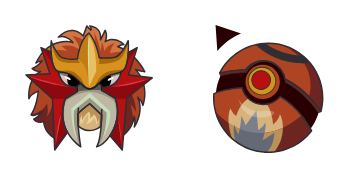
Зрозуміла - милий курсор пак і кастомний курсор для браузера та Windows.

Милий курсор ГРУДОН - безкоштовний кастомний курсор для робочого столу.

Київ: soft cute cursor у зручному кастомному курсор-паку.
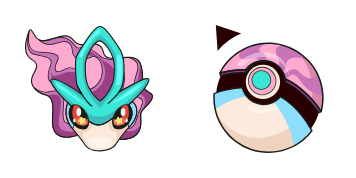
Самогубство - милий курсор пак і кастомний курсор для браузера та Windows.

Милий курсор Pokemon: Mew - безкоштовний кастомний курсор для робочого столу.
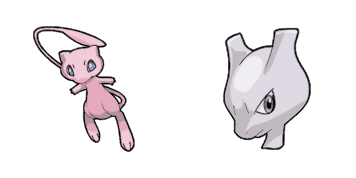
Pokemon: Mew i Mewtwo: soft cute cursor у зручному кастомному курсор-паку.
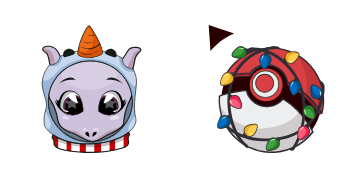
New Year: Pokemon Mewtwo: soft cute cursor у зручному кастомному курсор-паку.
Our universe of cursors is huge. Dive into hundreds of unique collections and find the one that truly represents you.
Explore All Collections
Встановіть його безкоштовно прямо зараз з офіційного Chrome Web Store
Idle
{
  "status": "idle"
}