


Bergamo курсор пак
Завантаж Bergamo: cute cursor і кастомний курсор для щоденних кліків.
Додай Dragon Ball Piccolo анімація до миші - cute cursor і кастомний курсор безкоштовно.
Try this cursor
Move across the preview to feel both cursor styles.

Customize your embed code and preview it in real time below.
Live preview
<style type="text/css">
body {
  cursor: url(https://cdn.cutecursors.com/cdn-sweezy/packs/dragon-ball-piccolo-animated-cursor/arrow.png) 4 4, auto;
}
a, button, .clickable {
  cursor: url(https://cdn.cutecursors.com/cdn-sweezy/packs/dragon-ball-piccolo-animated-cursor/hand.png) 4 4, pointer;
}
</style>
<a href="https://cutecursors.com//category/dragon-ball/dragon-ball-piccolo-animated-cursor" title="Get free Dragon Ball Piccolo анімація cursors for your website.">
  Dragon Ball Piccolo анімація Cursors
</a>/* components/CuteCursor.jsx */
"use client";
import { useEffect } from "react";
const CURSOR = "https://cdn.cutecursors.com/cdn-sweezy/packs/dragon-ball-piccolo-animated-cursor/arrow.png";
const POINTER = "https://cdn.cutecursors.com/cdn-sweezy/packs/dragon-ball-piccolo-animated-cursor/hand.png";
export default function CuteCursor() {
useEffect(() => {
const style = document.createElement("style");
style.innerHTML = `
body { cursor: url(${CURSOR}) 4 4, auto; }
a, button, .clickable { cursor: url(${POINTER}) 4 4, pointer; }
`;
document.head.appendChild(style);
return () => style.remove();
}, []);
return null;
}
/* Usage: render <CuteCursor /> once, e.g. in your root layout or App:
<CuteCursor />
Dragon Ball Piccolo анімація cursors by https://cutecursors.com//category/dragon-ball/dragon-ball-piccolo-animated-cursor */-- Dragon Ball Piccolo анімація custom cursor for Roblox
-- LocalScript (place it in StarterPlayer > StarterPlayerScripts)
--
-- 1) Download the cursor images (buttons above) or grab them here:
-- Cursor: https://cdn.cutecursors.com/cdn-sweezy/packs/dragon-ball-piccolo-animated-cursor/arrow.png
-- Pointer: https://cdn.cutecursors.com/cdn-sweezy/packs/dragon-ball-piccolo-animated-cursor/hand.png
-- 2) Upload them in Roblox Creator Hub as Decals (Create > Decals).
-- 3) Replace the IDs below with your uploaded Image asset IDs.
local UserInputService = game:GetService("UserInputService")
local Players = game:GetService("Players")
local CURSOR_ICON = "rbxassetid://CURSOR_ASSET_ID"
local POINTER_ICON = "rbxassetid://POINTER_ASSET_ID"
-- Set the default cursor
UserInputService.MouseIcon = CURSOR_ICON
-- Optional: switch to the pointer icon while hovering GUI buttons
local function hookButton(button)
button.MouseEnter:Connect(function()
UserInputService.MouseIcon = POINTER_ICON
end)
button.MouseLeave:Connect(function()
UserInputService.MouseIcon = CURSOR_ICON
end)
end
local playerGui = Players.LocalPlayer:WaitForChild("PlayerGui")
for _, gui in ipairs(playerGui:GetDescendants()) do
if gui:IsA("GuiButton") then
hookButton(gui)
end
end
playerGui.DescendantAdded:Connect(function(gui)
if gui:IsA("GuiButton") then
hookButton(gui)
end
end)
-- Dragon Ball Piccolo анімація cursors: https://cutecursors.com//category/dragon-ball/dragon-ball-piccolo-animated-cursor
Додай Dragon Ball Piccolo анімація до миші - cute cursor і кастомний курсор безкоштовно.
Hit the 'Add to Browser' button to get the 'Dragon Ball Piccolo анімація' pack.
On the Chrome Web Store, smash that ‘Add to Chrome’ button and confirm.
Pro-tip: Pin the 'Cute Cursors' extension to your toolbar for quick access.
Open the extension, find the 'Dragon Ball Piccolo анімація' pack, and click to activate. Easy peasy!
Explore other cursor packs from our collection
Завантаж Bergamo: cute cursor і кастомний курсор для щоденних кліків.

Among Us: Son Goku персонаж курсор пак з милим курсором для Chrome, Edge і Windows.
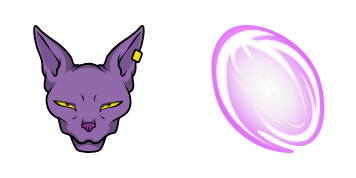
Милий курсор пиво - безкоштовний кастомний курсор для робочого столу.
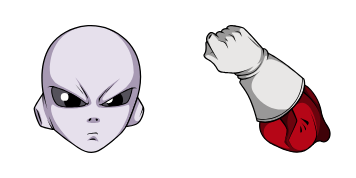
Милий курсор Джирен освіжить кліки - free custom cursor для ПК.
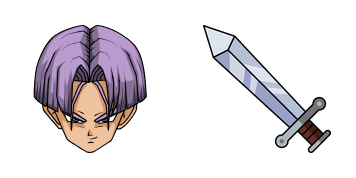
Трунки - кастомний курсор і cute cursor для браузера.
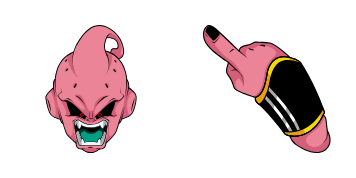
Милий курсор Дитина Бу освіжить кліки - free custom cursor для ПК.
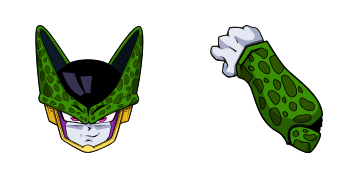
клітини курсори: милий курсор і кастомний курсор в одному сеті.
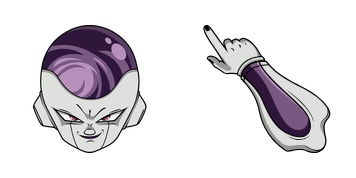
Завантаж Фреза: cute cursor і кастомний курсор для щоденних кліків.
Our universe of cursors is huge. Dive into hundreds of unique collections and find the one that truly represents you.
Explore All Collections
Встановіть його безкоштовно прямо зараз з офіційного Chrome Web Store
Idle
{
  "status": "idle"
}