Download Chrome extension

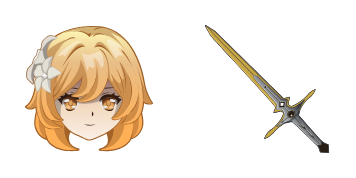
Ліза Мень cursor

Завантаж Ліза Мень: cute cursor і кастомний курсор для щоденних кліків.

Try this cursor

Move across the preview to feel both cursor styles.

Ліза Мень cute cursor pack preview
Hover these
Auto · default + hover
77
Курсор Lisa Minci є приємним доповненням до колекції курсорів. Цей курсор названий на честь персонажа з популярного аніме серіалу Black Clover. Він має голову Lisa Minci, повний з її коротким волоссям і окулярами. Дизайн курсора шикарний і професійний, що робить його ідеальним для використання в робочому середовищі. Він також дуже простий в установці та налаштуванні. Якщо ви шанувальник Black Clover, то курсор Lisa Minci є обов'язковим!Цей курсор пак Ліза Мень входить до колекції Genshin Impact. Знайдіть ще більше чудових курсорів у цій колекції.

You may also like

Explore other cursor packs from our collection

Пакет курсорів Нінгуанг

Нінгуанг курсор пак

Нінгуанг - милий курсор пак і кастомний курсор для браузера та Windows.

Пакет курсорів Барбара

Барбара курсор пак

Спробуй Барбара: милий курсор пак і готові custom cursors.

Пакет курсорів Клеє

Клеє курсор пак

Милий курсор Клеє освіжить кліки - free custom cursor для ПК.

Пакет курсорів Беннетт

Беннетт курсор пак

Завантаж Беннетт: cute cursor і кастомний курсор для щоденних кліків.

Пакет курсорів Genshin Impact Raiden Shogun

Genshin Impact Raiden Shogun курсор пак

Genshin Impact Raiden Shogun cursor with Electro Emblem pointer - free dark outline custom cursor.

Пакет курсорів Genshin Fairy Guide

Genshin Fairy Guide курсор пак

Genshin Fairy Guide cursor - cute custom cursor with a Emergency Food pointer.

Пакет курсорів Genshin Impact Pyro on Orange

Genshin Impact Pyro on Orange курсор пак

Genshin Impact Pyro on Orange cursor pack with a kawaii mascot look and themed pointer hand.

Пакет курсорів Genshin Impact Dendro on Green

Genshin Impact Dendro on Green курсор пак

Genshin Impact Dendro on Green cursor - cute themed mascot with darkened rim and matching pointing-hand hover.

How to Install Ліза Мень

How to Install cursor Ліза Мень for Chrome

Ліза Мень preview

Ліза Мень

Завантаж Ліза Мень: cute cursor і кастомний курсор для щоденних кліків.

  1. 1
    Go to Chrome Web Store

    Hit the 'Add to Browser' button to get the 'Ліза Мень' pack.

  2. 2
    Add the Extension

    On the Chrome Web Store, smash that ‘Add to Chrome’ button and confirm.

  3. 3
    Pin for Easy Access

    Pro-tip: Pin the 'Cute Cursors' extension to your toolbar for quick access.

  4. 4
    Activate Your Cursor

    Open the extension, find the 'Ліза Мень' pack, and click to activate. Easy peasy!

Piece of cake, right? Go on and have fun!

Didn't Find Your Vibe?

Our universe of cursors is huge. Dive into hundreds of unique collections and find the one that truly represents you.

Explore All Collections