

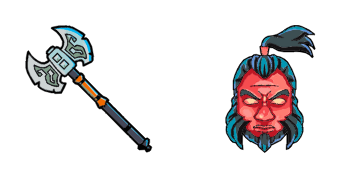
Аксе курсор пак
Аксе - кастомний курсор і cute cursor для браузера.
Lycan cursor - bright cute buddy with a Wolf Claw pointing hand.
Try this cursor
Move across the preview to feel both cursor styles.

Bright candy-colored energy on the Lycan cursor: a cute soft hero buddy with a themed Wolf Claw pointing hand. The Lycan cute cursor is a free custom cursor for Chrome and Edge, and it also works on Windows 10/11 through the Custom Cursor app.
Cute unofficial chibi-style art - not affiliated with Valve or Dota 2. Soft charcoal rim only, no white halo. It is fan-made cursor art with no official affiliation.
Grab the Lycan cursor pack free for Chrome, Edge, and Windows via the Custom Cursor app.
Explore other cursor packs from our collection
Аксе - кастомний курсор і cute cursor для браузера.
Кровопролиття - милий курсор пак і кастомний курсор для браузера та Windows.

Кристал Майдан custom cursor пак із милим курсором для фанатів теми.

Спробуй Дота 2: милий курсор пак і готові custom cursors.
Милий курсор Дроу рейнджер освіжить кліки - free custom cursor для ПК.
Бездоганна пустота курсор пак з милим курсором для Chrome, Edge і Windows.
Завантаж Гірокоптер: cute cursor і кастомний курсор для щоденних кліків.
Пам’ятати курсори: милий курсор і кастомний курсор в одному сеті.

Lycan cursor - bright cute buddy with a Wolf Claw pointing hand.
Hit the 'Add to Browser' button to get the 'Lycan' pack.
On the Chrome Web Store, smash that ‘Add to Chrome’ button and confirm.
Pro-tip: Pin the 'Cute Cursors' extension to your toolbar for quick access.
Open the extension, find the 'Lycan' pack, and click to activate. Easy peasy!
Our universe of cursors is huge. Dive into hundreds of unique collections and find the one that truly represents you.
Explore All Collections
Встановіть його безкоштовно прямо зараз з офіційного Chrome Web Store
Idle
{
  "status": "idle"
}