Download Chrome extension

Нагато cursor

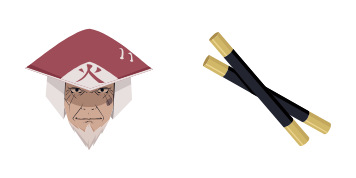
Нагато custom cursor пак із милим курсором для фанатів теми.

Try this cursor

Move across the preview to feel both cursor styles.

Нагато cute cursor pack preview
Hover these
Auto · default + hover
61
Cursors Collection пропонує Nagato курсор для браузерів, натхненний популярним аніме і манга серії, Naruto. Курсор має персонаж Nagato, також відомий як Pain, з його Rinnegan очима. Дизайн дуже детальний і є ідеальним доповненням для тих, хто є шанувальниками франшизи Naruto. Cursors Collection пропонує широкий спектр індивідуальних курсорів для операційних систем Windows, Mac і Linux, що робить легко для користувачів персоналізувати свої пристрої.Пориньте у глибини колекції Cursor Collection, де серед перлин вас зачарує курсор пак Нагато.

You may also like

Explore other cursor packs from our collection

Пакет курсорів Ітачі Учіха

Ітачі Учіха курсор пак

Ітачі Учіха курсори: милий курсор і кастомний курсор в одному сеті.

Пакет курсорів Кісаме Хошигакі

Кісаме Хошигакі курсор пак

Милий курсор Кісаме Хошигакі - безкоштовний кастомний курсор для робочого столу.

Пакет курсорів Akatsuki Straw Hat

Akatsuki Straw Hat курсор пак

Fan-made conical straw hat arrow cursor with red rope and ofuda strips, plus a woven-straw pointing hand.

Пакет курсорів Akatsuki Origami Crane

Akatsuki Origami Crane курсор пак

Fan-made origami crane arrow cursor with red sun and cherry blossoms, plus a paper-texture pointing hand.

Пакет курсорів Болі Naruto

Болі Naruto курсор пак

Додай Болі Naruto до миші - cute cursor і кастомний курсор безкоштовно.

Пакет курсорів Akatsuki Cloak

Akatsuki Cloak курсор пак

Fan-made black cloak arrow cursor with red cloud motifs and a red tassel, plus a matching cloak-fabric pointer.

Пакет курсорів Конан Наруто

Конан Наруто курсор пак

Конан Наруто курсор пак з милим курсором для Chrome, Edge і Windows.

Пакет курсорів Akatsuki Ring

Akatsuki Ring курсор пак

Fan-made dark metal ring arrow cursor with a red kanji face, plus a gunmetal pointing hand accent.

How to Install Нагато

How to Install cursor Нагато for Chrome

Нагато preview

Нагато

Нагато custom cursor пак із милим курсором для фанатів теми.

  1. 1
    Go to Chrome Web Store

    Hit the 'Add to Browser' button to get the 'Нагато' pack.

  2. 2
    Add the Extension

    On the Chrome Web Store, smash that ‘Add to Chrome’ button and confirm.

  3. 3
    Pin for Easy Access

    Pro-tip: Pin the 'Cute Cursors' extension to your toolbar for quick access.

  4. 4
    Activate Your Cursor

    Open the extension, find the 'Нагато' pack, and click to activate. Easy peasy!

Piece of cake, right? Go on and have fun!

Didn't Find Your Vibe?

Our universe of cursors is huge. Dive into hundreds of unique collections and find the one that truly represents you.

Explore All Collections