Download Chrome extension

стрілка cursor

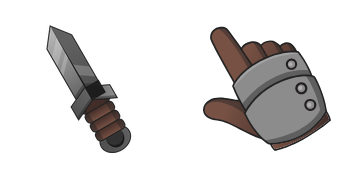
Обери стрілка - cute cursor і кастомний курсор без зайвого шуму.

Try this cursor

Move across the preview to feel both cursor styles.

стрілка cute cursor pack preview
Hover these
Auto · default + hover
61
Cursors Collection пропонує крутий курсор Arrow для браузерів, який ідеально підходить для тих, хто хоче додати якийсь стиль до свого досвіду перегляду. Курсор виконаний з шикарної чорної стріли з білим обрисом, що дає йому сучасний і професійний вигляд. Він простий в установці й використанні, і він сумісний з усіма великими браузерами. З цим курсором стріл, ви можете переміщатися в Інтернеті з легкістю і стилем. Так навіщо розраховувати на нудний курсор за замовчуванням, коли ви можете перейти на крутий курсор Arrow з Cursorsors Collection? Відкрийте для себе нові курсори в колекції Colored, включаючи цей пак Arrow.

You may also like

Explore other cursor packs from our collection

Пакет курсорів Статуя Свободи і м'яч

Статуя Свободи і м'яч курсор пак

Статуя Свободи і м'яч - милий курсор пак і кастомний курсор для браузера та Windows.

Пакет курсорів Стівен Кінг

Стівен Кінг курсор пак

Стівен Кінг курсор пак з милим курсором для Chrome, Edge і Windows.

Пакет курсорів Глупий

Глупий курсор пак

Глупий: soft cute cursor у зручному кастомному курсор-паку.

Пакет курсорів Seashore Color

Seashore Color курсор пак

Seashore Color cursor with a Seashore Shell pointer - free dark outline character custom cursor.

Пакет курсорів Rosy Finch Pink

Rosy Finch Pink курсор пак

Rosy Finch Pink cursor with a Pink Feather pointer - free dark outline character custom cursor.

Пакет курсорів Negative Rainbow

Negative Rainbow курсор пак

Negative Rainbow cursor - inverted dark rainbow character with a matching color pointer.

Пакет курсорів Rainbow

Rainbow курсор пак

Rainbow cursor - bright arc character with a matching rainbow pointer for colorful browsing.

Пакет курсорів Seashore Color Cursor

Seashore Color Cursor курсор пак

Seashore Color Cursor cursor - free custom cursor with a themed Seashell pointer hand.

How to Install стрілка

How to Install cursor стрілка for Chrome

стрілка preview

стрілка

Обери стрілка - cute cursor і кастомний курсор без зайвого шуму.

  1. 1
    Go to Chrome Web Store

    Hit the 'Add to Browser' button to get the 'стрілка' pack.

  2. 2
    Add the Extension

    On the Chrome Web Store, smash that ‘Add to Chrome’ button and confirm.

  3. 3
    Pin for Easy Access

    Pro-tip: Pin the 'Cute Cursors' extension to your toolbar for quick access.

  4. 4
    Activate Your Cursor

    Open the extension, find the 'стрілка' pack, and click to activate. Easy peasy!

Piece of cake, right? Go on and have fun!

Didn't Find Your Vibe?

Our universe of cursors is huge. Dive into hundreds of unique collections and find the one that truly represents you.

Explore All Collections