Download Chrome extension

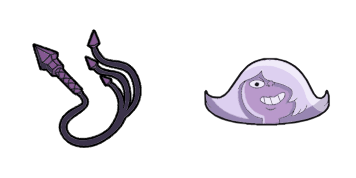
Bismuth cursor

Bismuth курсор пак с милым курсором для Chrome, Edge и Windows.

Try this cursor

Move across the preview to feel both cursor styles.

Bismuth cute cursor pack preview
Hover these
Auto · default + hover
15
Курсор на заказ Bismuth является обязательным для любого энтузиаста Steven Universe. Его яркие цвета и бесшовная анимация делают его выдающимся дополнением к вашей коллекции. Не уступайте обычным курсорам, когда вы можете иметь этот необычный. Будь то для работы или игры, этот курсор добавит ощущение хитрости и стиля к вашему компьютерному опыту. Обновите свою игру курсоров с этим удивительным курсором на заказ Bismuth сегодня!Этот пакет курсоров является частью коллекции Steven Universe, которая предоставляет большой выбор для персонализации.

You may also like

Explore other cursor packs from our collection

Пакет курсоров Rose Quartz & Shield

Курсор пак Rose Quartz & Shield

Rose Quartz & Shield: soft cute cursor в удобном кастомном курсор-паке.

Открыть
Пакет курсоров Rainbow Quartz 2.0 & ParasolA

Курсор пак Rainbow Quartz 2.0 & Parasol

Выбери Rainbow Quartz 2.0 & Parasol - cute cursor и кастомный курсор без лишнего шума.

Открыть
Пакет курсоров Spinel & GemstoneA

Курсор пак Spinel & Gemstone

Spinel & Gemstone custom cursor пак с милым курсором для фанатов темы.

Открыть
Пакет курсоров Stevonnie & Pink Diamond

Курсор пак Stevonnie & Pink Diamond

Милый курсор Stevonnie & Pink Diamond освежит клики - free custom cursor для ПК.

Открыть
Пакет курсоров Lion

Курсор пак Lion

Lion - кастомный курсор и cute cursor для браузера.

Открыть
Пакет курсоров Lars Barriga

Курсор пак Lars Barriga

Попробуй Lars Barriga: милый курсор пак и готовые custom cursors.

Открыть
Пакет курсоров Pearl & Spear

Курсор пак Pearl & Spear

Pearl & Spear курсоры: милый курсор и кастомный курсор в одном сете.

Открыть
Пакет курсоров Lapis Lazuli & Water Wings

Курсор пак Lapis Lazuli & Water Wings

Добавь Lapis Lazuli & Water Wings к мыши - cute cursor и кастомный курсор бесплатно.

Открыть

How to Install Bismuth

How to Install cursor Bismuth for Chrome

Bismuth preview

Bismuth

Bismuth курсор пак с милым курсором для Chrome, Edge и Windows.

  1. 1
    Go to Chrome Web Store

    Hit the 'Add to Browser' button to get the 'Bismuth' pack.

  2. 2
    Add the Extension

    On the Chrome Web Store, smash that ‘Add to Chrome’ button and confirm.

  3. 3
    Pin for Easy Access

    Pro-tip: Pin the 'Cute Cursors' extension to your toolbar for quick access.

  4. 4
    Activate Your Cursor

    Open the extension, find the 'Bismuth' pack, and click to activate. Easy peasy!

Piece of cake, right? Go on and have fun!

Didn't Find Your Vibe?

Our universe of cursors is huge. Dive into hundreds of unique collections and find the one that truly represents you.

Explore All Collections