Download Chrome extension

Ноэль cursor

Ноэль - кастомный курсор и cute cursor для браузера.

Try this cursor

Move across the preview to feel both cursor styles.

Ноэль cute cursor pack preview
Hover these
Auto · default + hover
78
Курсор Noelle из коллекции Cursors добавляет элегантность вашему опыту просмотра. С его элегантным и стильным дизайном он идеально подходит для тех, кто хочет добавить уникальный вкус к своему просмотру. Курсор имеет светло-голубую и белую цветовую схему, и предназначен для того, чтобы быть легким в использовании и навигации. Это идеальный выбор для всех, кто хочет настроить свой опыт просмотра и сделать его своим. Курсор Noelle доступен для загрузки сейчас.Коллекция Genshin Impact предлагает множество курсор паков, включая этот, для создания уникального вида вашего интерфейса.

You may also like

Explore other cursor packs from our collection

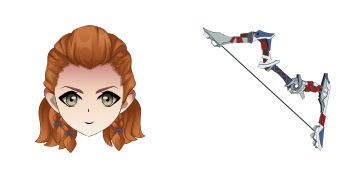
Пакет курсоров Барбара

Курсор пак Барбара

Попробуй Барбара: милый курсор пак и готовые custom cursors.

Открыть
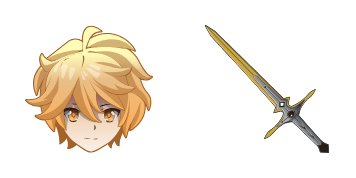
Пакет курсоров Эфир

Курсор пак Эфир

Эфир курсоры: милый курсор и кастомный курсор в одном сете.

Открыть
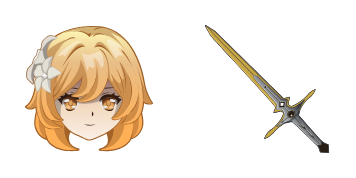
Пакет курсоров Жан

Курсор пак Жан

Попробуй Жан: милый курсор пак и готовые custom cursors.

Открыть
Пакет курсоров Камиато Аяка

Курсор пак Камиато Аяка

Камиато Аяка custom cursor пак с милым курсором для фанатов темы.

Открыть
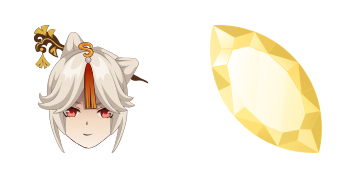
Пакет курсоров Genshin Vision

Курсор пак Genshin Vision

Genshin Vision cursor - cute custom cursor with a Mora Coin pointer.

Открыть
Пакет курсоров Genshin Impact Mavuika and a Thousand Blazing Suns Sword

Курсор пак Genshin Impact Mavuika and a Thousand Blazing Suns Sword

Genshin Impact Mavuika and a Thousand Blazing Suns Sword cursor - free dark outline character custom cursor....

Открыть
Пакет курсоров Genshin Impact Pyro on Orange

Курсор пак Genshin Impact Pyro on Orange

Genshin Impact Pyro on Orange cursor pack with a kawaii mascot look and themed pointer hand.

Открыть
Пакет курсоров Genshin Impact Hu Tao

Курсор пак Genshin Impact Hu Tao

Genshin Impact Hu Tao cursor with Ghost pointer - free dark outline custom cursor.

Открыть

How to Install Ноэль

How to Install cursor Ноэль for Chrome

Ноэль preview

Ноэль

Ноэль - кастомный курсор и cute cursor для браузера.

  1. 1
    Go to Chrome Web Store

    Hit the 'Add to Browser' button to get the 'Ноэль' pack.

  2. 2
    Add the Extension

    On the Chrome Web Store, smash that ‘Add to Chrome’ button and confirm.

  3. 3
    Pin for Easy Access

    Pro-tip: Pin the 'Cute Cursors' extension to your toolbar for quick access.

  4. 4
    Activate Your Cursor

    Open the extension, find the 'Ноэль' pack, and click to activate. Easy peasy!

Piece of cake, right? Go on and have fun!

Didn't Find Your Vibe?

Our universe of cursors is huge. Dive into hundreds of unique collections and find the one that truly represents you.

Explore All Collections
Ноэль cursor - cutecursors.com