Download Chrome extension

ЭУЛА cursor

Милый курсор ЭУЛА освежит клики - free custom cursor для ПК.

Try this cursor

Move across the preview to feel both cursor styles.

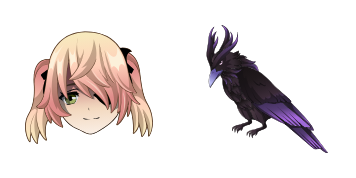
ЭУЛА cute cursor pack preview
Hover these
Auto · default + hover
85
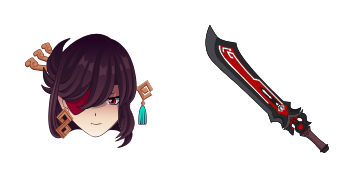
Курсор Eula, доступный из коллекции Cursors, является уникальным и стильным дополнением к любому браузеру. Он имеет элегантный черный дизайн с белой границей и выдающимся текстом «EULA». Курсор прост в установке и использовании, и добавляет ощущение профессионализма любому опыту просмотра. Если вы используете его для работы или отдыха, курсор Eula обязательно впечатлит. Добавьте его в свою коллекцию сегодня и наслаждайтесь преимуществами этого привлекательного курсора.Коллекция курсоров Genshin Impact включает этот и многие другие паки курсоров для вашего удовольствия.

You may also like

Explore other cursor packs from our collection

Пакет курсоров Альбедо

Курсор пак Альбедо

Альбедо курсор пак с милым курсором для Chrome, Edge и Windows.

Открыть
Пакет курсоров Беннетт

Курсор пак Беннетт

Скачай Беннетт: cute cursor и кастомный курсор для ежедневных кликов.

Открыть
Пакет курсоров Genshin Impact: Чонгюн

Курсор пак Genshin Impact: Чонгюн

Genshin Impact: Чонгюн: soft cute cursor в удобном кастомном курсор-паке.

Открыть
Пакет курсоров Рыбалка

Курсор пак Рыбалка

Скачай Рыбалка: cute cursor и кастомный курсор для ежедневных кликов.

Открыть
Пакет курсоров Genshin Impact Hu Tao

Курсор пак Genshin Impact Hu Tao

Genshin Impact Hu Tao cursor with Ghost pointer - free dark outline custom cursor.

Открыть
Пакет курсоров Игры Genshin Impact

Курсор пак Игры Genshin Impact

Игры Genshin Impact - кастомный курсор и cute cursor для браузера.
Открыть
Пакет курсоров Genshin Impact Anemo Element on Teal

Курсор пак Genshin Impact Anemo Element on Teal

Genshin Impact Anemo Element on Teal cursor - free custom cursor with a themed Anemo Swirl pointer hand.

Открыть
Пакет курсоров Genshin Impact Geo on Light Brown

Курсор пак Genshin Impact Geo on Light Brown

Free Genshin Impact Geo on Light Brown custom cursor: bright symbol arrow plus character pointing hand.

Открыть

How to Install ЭУЛА

How to Install cursor ЭУЛА for Chrome

ЭУЛА preview

ЭУЛА

Милый курсор ЭУЛА освежит клики - free custom cursor для ПК.

  1. 1
    Go to Chrome Web Store

    Hit the 'Add to Browser' button to get the 'ЭУЛА' pack.

  2. 2
    Add the Extension

    On the Chrome Web Store, smash that ‘Add to Chrome’ button and confirm.

  3. 3
    Pin for Easy Access

    Pro-tip: Pin the 'Cute Cursors' extension to your toolbar for quick access.

  4. 4
    Activate Your Cursor

    Open the extension, find the 'ЭУЛА' pack, and click to activate. Easy peasy!

Piece of cake, right? Go on and have fun!

Didn't Find Your Vibe?

Our universe of cursors is huge. Dive into hundreds of unique collections and find the one that truly represents you.

Explore All Collections