

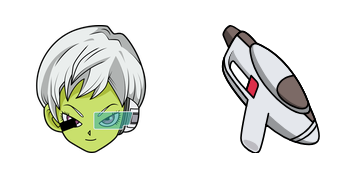
Darmowy pakiet kursorów Cheelai
Download the Cheelai cute cursor - a custom cursor with a playful tournament vibe.
Download the Goku and 4-Stars Ball cute cursor - a custom cursor with a playful tournament vibe.
Try this cursor
Move across the preview to feel both cursor styles.

Turn an ordinary pointer into a tiny power-up moment with the Goku and 4-Stars Ball cute cursor. Clean shapes and readable contrast make Goku and 4-Stars Ball easy to track on busy pages.
Use this free custom cursor in Chrome and Edge, or on Windows 10/11 through Custom Cursor. This is fan-made cursor art for Dragon Ball fans and is not an official Toei Animation or Bandai Namco product.
Keep exploring Dragon Ball styles through the Nappa Cursor Pack, the Zeno and Tablet Cursor Pack, and the Kid Buu Cursor Pack.
Try Goku and 4-Stars Ball today and carry a playful power-up across your tabs.
Customize your embed code and preview it in real time below.
Live preview
<style type="text/css">
body {
  cursor: url(https://cdn.cutecursors.com/cdn-sweezy/packs/dragon-ball-goku-4-stars-ball-cursor/arrow.png) 4 4, auto;
}
a, button, .clickable {
  cursor: url(https://cdn.cutecursors.com/cdn-sweezy/packs/dragon-ball-goku-4-stars-ball-cursor/hand.png) 4 4, pointer;
}
</style>
<a href="https://cutecursors.com//category/dragon-ball/dragon-ball-goku-4-stars-ball-cursor" title="Get free Dragon Ball Goku & 4-Stars Ball cursors for your website.">
  Dragon Ball Goku & 4-Stars Ball Cursors
</a>/* components/CuteCursor.jsx */
"use client";
import { useEffect } from "react";
const CURSOR = "https://cdn.cutecursors.com/cdn-sweezy/packs/dragon-ball-goku-4-stars-ball-cursor/arrow.png";
const POINTER = "https://cdn.cutecursors.com/cdn-sweezy/packs/dragon-ball-goku-4-stars-ball-cursor/hand.png";
export default function CuteCursor() {
useEffect(() => {
const style = document.createElement("style");
style.innerHTML = `
body { cursor: url(${CURSOR}) 4 4, auto; }
a, button, .clickable { cursor: url(${POINTER}) 4 4, pointer; }
`;
document.head.appendChild(style);
return () => style.remove();
}, []);
return null;
}
/* Usage: render <CuteCursor /> once, e.g. in your root layout or App:
<CuteCursor />
Dragon Ball Goku & 4-Stars Ball cursors by https://cutecursors.com//category/dragon-ball/dragon-ball-goku-4-stars-ball-cursor */-- Dragon Ball Goku & 4-Stars Ball custom cursor for Roblox
-- LocalScript (place it in StarterPlayer > StarterPlayerScripts)
--
-- 1) Download the cursor images (buttons above) or grab them here:
-- Cursor: https://cdn.cutecursors.com/cdn-sweezy/packs/dragon-ball-goku-4-stars-ball-cursor/arrow.png
-- Pointer: https://cdn.cutecursors.com/cdn-sweezy/packs/dragon-ball-goku-4-stars-ball-cursor/hand.png
-- 2) Upload them in Roblox Creator Hub as Decals (Create > Decals).
-- 3) Replace the IDs below with your uploaded Image asset IDs.
local UserInputService = game:GetService("UserInputService")
local Players = game:GetService("Players")
local CURSOR_ICON = "rbxassetid://CURSOR_ASSET_ID"
local POINTER_ICON = "rbxassetid://POINTER_ASSET_ID"
-- Set the default cursor
UserInputService.MouseIcon = CURSOR_ICON
-- Optional: switch to the pointer icon while hovering GUI buttons
local function hookButton(button)
button.MouseEnter:Connect(function()
UserInputService.MouseIcon = POINTER_ICON
end)
button.MouseLeave:Connect(function()
UserInputService.MouseIcon = CURSOR_ICON
end)
end
local playerGui = Players.LocalPlayer:WaitForChild("PlayerGui")
for _, gui in ipairs(playerGui:GetDescendants()) do
if gui:IsA("GuiButton") then
hookButton(gui)
end
end
playerGui.DescendantAdded:Connect(function(gui)
if gui:IsA("GuiButton") then
hookButton(gui)
end
end)
-- Dragon Ball Goku & 4-Stars Ball cursors: https://cutecursors.com//category/dragon-ball/dragon-ball-goku-4-stars-ball-cursor
Download the Goku and 4-Stars Ball cute cursor - a custom cursor with a playful tournament vibe.
Hit the 'Add to Browser' button to get the 'Dragon Ball Goku & 4-Stars Ball' pack.
On the Chrome Web Store, smash that ‘Add to Chrome’ button and confirm.
Pro-tip: Pin the 'Cute Cursors' extension to your toolbar for quick access.
Open the extension, find the 'Dragon Ball Goku & 4-Stars Ball' pack, and click to activate. Easy peasy!
Explore other cursor packs from our collection
Download the Cheelai cute cursor - a custom cursor with a playful tournament vibe.
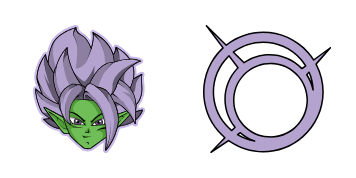
Try the Fusion Zamasu cute cursor - free custom cursor style with a bold Z-fighter look.
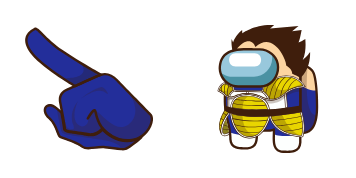
Vegeta Crewmate cute cursor pack - free custom cursor featuring Dragon Ball action charm.
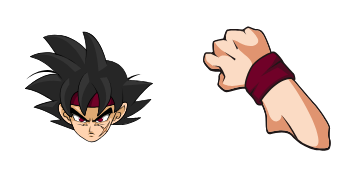
Grab the Bardock Classic cute cursor - a free custom cursor with a sharp power-up silhouette.

Future Krillin cute cursor - a free custom cursor with Saiyan fight energy.

Piccolo Daimao cute cursor pack - free custom cursor featuring Dragon Ball action charm.

Gas and Shield cute cursor - a free custom cursor with Saiyan fight energy.

Download the Zeno and Tablet cute cursor - a custom cursor with a playful tournament vibe.
Our universe of cursors is huge. Dive into hundreds of unique collections and find the one that truly represents you.
Explore All Collections
Zainstaluj go teraz za darmo ze sklepu Chrome Web Store
Idle
{
  "status": "idle"
}