

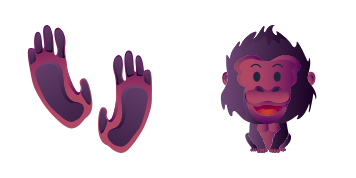
Darmowy pakiet kursorów Happy Gorilla
Give your desktop a friendly jungle vibe with the Happy Gorilla cursor - a cute cursor duo you will love to click.
Turn your mouse into a grinning green alligator with this cute cursor pack built for fans of animal art.
Try this cursor
Move across the preview to feel both cursor styles.

Some cursors are just tools - this one is a tiny companion. The Alligator set puts a grinning green alligator at your fingertips, replacing the plain white arrow with something you will actually enjoy looking at all day.
This is a fan-made design, drawn with love for alligator art rather than pulled from any official source. The lines are clean, the colors are bright, and both the arrow and the pointer states are matched so the set feels consistent wherever your mouse lands.
Getting started is simple: install our extension in Chrome or Edge, choose this set from the gallery, and the alligator pointer takes over right away. Whether you are on Windows 10 or Windows 11, the cursor stays smooth and responsive in every tab.
If this set made you smile, there is plenty more where it came from. Take a look at the Sheep cursor, the Happy Gorilla cursor and the Hamster cursor - each one brings its own personality to your pointer.
Customize your embed code and preview it in real time below.
Live preview
<style type="text/css">
body {
  cursor: url(https://cdn.cutecursors.com/db/alligator_cursor/arrow.png) 4 4, auto;
}
a, button, .clickable {
  cursor: url(https://cdn.cutecursors.com/db/alligator_cursor/hand.png) 4 4, pointer;
}
</style>
<a href="https://cutecursors.com//category/animal-cursors/alligator-cursor" title="Get free Alligator cursors for your website.">
  Alligator Cursors
</a>/* components/CuteCursor.jsx */
"use client";
import { useEffect } from "react";
const CURSOR = "https://cdn.cutecursors.com/db/alligator_cursor/arrow.png";
const POINTER = "https://cdn.cutecursors.com/db/alligator_cursor/hand.png";
export default function CuteCursor() {
useEffect(() => {
const style = document.createElement("style");
style.innerHTML = `
body { cursor: url(${CURSOR}) 4 4, auto; }
a, button, .clickable { cursor: url(${POINTER}) 4 4, pointer; }
`;
document.head.appendChild(style);
return () => style.remove();
}, []);
return null;
}
/* Usage: render <CuteCursor /> once, e.g. in your root layout or App:
<CuteCursor />
Alligator cursors by https://cutecursors.com//category/animal-cursors/alligator-cursor */-- Alligator custom cursor for Roblox
-- LocalScript (place it in StarterPlayer > StarterPlayerScripts)
--
-- 1) Download the cursor images (buttons above) or grab them here:
-- Cursor: https://cdn.cutecursors.com/db/alligator_cursor/arrow.png
-- Pointer: https://cdn.cutecursors.com/db/alligator_cursor/hand.png
-- 2) Upload them in Roblox Creator Hub as Decals (Create > Decals).
-- 3) Replace the IDs below with your uploaded Image asset IDs.
local UserInputService = game:GetService("UserInputService")
local Players = game:GetService("Players")
local CURSOR_ICON = "rbxassetid://CURSOR_ASSET_ID"
local POINTER_ICON = "rbxassetid://POINTER_ASSET_ID"
-- Set the default cursor
UserInputService.MouseIcon = CURSOR_ICON
-- Optional: switch to the pointer icon while hovering GUI buttons
local function hookButton(button)
button.MouseEnter:Connect(function()
UserInputService.MouseIcon = POINTER_ICON
end)
button.MouseLeave:Connect(function()
UserInputService.MouseIcon = CURSOR_ICON
end)
end
local playerGui = Players.LocalPlayer:WaitForChild("PlayerGui")
for _, gui in ipairs(playerGui:GetDescendants()) do
if gui:IsA("GuiButton") then
hookButton(gui)
end
end
playerGui.DescendantAdded:Connect(function(gui)
if gui:IsA("GuiButton") then
hookButton(gui)
end
end)
-- Alligator cursors: https://cutecursors.com//category/animal-cursors/alligator-cursor
Turn your mouse into a grinning green alligator with this cute cursor pack built for fans of animal art.
Hit the 'Add to Browser' button to get the 'Alligator' pack.
On the Chrome Web Store, smash that ‘Add to Chrome’ button and confirm.
Pro-tip: Pin the 'Cute Cursors' extension to your toolbar for quick access.
Open the extension, find the 'Alligator' pack, and click to activate. Easy peasy!
Explore other cursor packs from our collection
Give your desktop a friendly jungle vibe with the Happy Gorilla cursor - a cute cursor duo you will love to click.
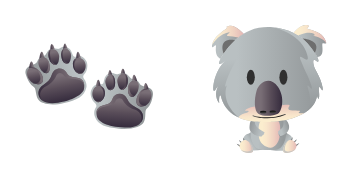
A cute cursor pack inspired by a sleepy eucalyptus-loving amusing koala, ready to replace your everyday pointer.
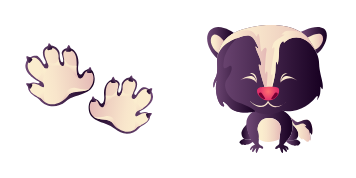
Bring a mischievous striped sly skunk along for every click with this friendly custom cursor set.
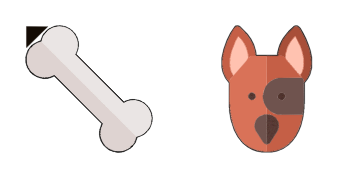
The Dog cursor pack wraps your pointer in loyal floppy-eared style - a cute cursor treat for your screen.

Point, click and smile - this shimmering little goldfish custom cursor makes your mouse the cutest thing on screen.

Meet the Hamster cursor pack - a cute cursor set that brings chubby-cheeked charm to every click of your mouse.

A prickly garden custom cursor set starring a hedgehog, made to give your pointer a playful animal makeover.

Swap your plain pointer for this kitten cursor - a playful whiskered cute cursor pick for animal lovers.
Our universe of cursors is huge. Dive into hundreds of unique collections and find the one that truly represents you.
Explore All Collections
Zainstaluj go teraz za darmo ze sklepu Chrome Web Store
Idle
{
  "status": "idle"
}