Google Chrome

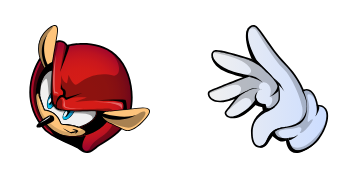
Sonic Sticks the Badger & Boomerang custom cursor

Add a touch of Sonic magic to your browsing with our custom "Sonic Sticks the Badger & Boomerang" cursors, perfect for browsers and Windows 10/11 users seeking unique and stylish cursor designs!

✨ Move your mouse to test both cursors
Arrow Cursor

Default navigation pointer

Pointer Cursor

Used for clickable elements

Hover over each side to preview both cursor styles in real-time.

1,000+
Title: Introducing "Sonic Sticks the Badger & Boomerang" – A Funky Twist on Your Cursor Experience!

You know those moments when you're browsing away, and suddenly something whimsical pops up to catch your eye? That's the moment "Sonic Sticks the Badger & Boomerang" cursor comes into play. Born from the world of Sonic the Hedgehog, this custom cursor is a delightful blend of funkiness, style and speed that you never knew you needed in your digital life. Step right up to our curated list of browser extensions for Google Chrome or Microsoft Edge: - Cursor+ by Profilesoft (Chrome, Firefox) - A versatile extension enabling a vast array of customizable cursors from various genres; it's the Swiss army knife of cursor packs. - "The Animated Sonic Cursor" for Windows 10 and Windows 11: an animated twist to your digital experience, making every click a bouncy adventure! - Ningguang Design Studio (Ningguang) - This elegant collection features "Sonic Sticks the Badger & Boomerang," as well as other vibrant designs that blend functionality with style. - Cursors Pro (Firefox, Safari): A browser extension crafted by the innovative minds at Ningguang to bring a touch of personalization to your browsing routine on Firefox and Safari browsers. Don't just read about it—see it in action! [Ningguang Link](https://www.ningguang.org/cursors/) - For those who prefer the traditional desktop experience, we've got you covered with Ningguang Cursor Packs for Windows 10 and Windows 11: a simple download to infuse your system with a zest of creativity. So, whether it's Google Chrome or Microsoft Edge, let "Sonic Sticks the Badger & Boomerang" cursor make you feel like you're navigating through an exhilarating Sonic adventure at every click! Discover your browser with style and a pinch of Sonic flair. Visit our collection to find these animated, fun-filled cursors that will spice up your digital exploration!

How to Install Sonic Sticks the Badger & Boomerang cursors

How to Install cursor Sonic Sticks the Badger & Boomerang for Chrome

Sonic Sticks the Badger & Boomerang preview

Sonic Sticks the Badger & Boomerang

Add a touch of Sonic magic to your browsing with our custom "Sonic Sticks the Badger & Boomerang" cursors, perfect for browsers and Windows 10/11 users seeking unique and stylish cursor designs!

  1. 1
    Go to Chrome Web Store

    Hit the 'Add to Browser' button to get the 'Sonic Sticks the Badger & Boomerang' pack.

  2. 2
    Add the Extension

    On the Chrome Web Store, smash that ‘Add to Chrome’ button and confirm.

  3. 3
    Pin for Easy Access

    Pro-tip: Pin the 'Cute Cursors' extension to your toolbar for quick access.

  4. 4
    Activate Your Cursor

    Open the extension, find the 'Sonic Sticks the Badger & Boomerang' pack, and click to activate. Easy peasy!

Piece of cake, right? Go on and have fun!

You may also like

Explore other cursor packs from our collection

Pakiet kursorów Sonic Rouge the Bat & Amulet

Darmowy pakiet kursorów Sonic Rouge the Bat & Amulet

Dive into your browser with "Sonic Rouge the Bat & Amulet" cursor pack - a stylish blend of custom cursors and cute aesthetic mouse pointers from Sonic the Hedgehog Collection for Windows 10/11.

Pakiet kursorów Cream the Rabbit

Darmowy pakiet kursorów Cream the Rabbit

Dive into delightful browsing with "Cream the Rabbit," an adorable custom cursor from our stylish pack, designed for both browsers and Windows 10/11.

Pakiet kursorów Mighty the Armadillo

Darmowy pakiet kursorów Mighty the Armadillo

Elevate your gaming sessions with our "Mighty the Armadillo" custom cursors - compatible with browsers & Windows 10/11, now download for a playful and personalized browsing experience!

Pakiet kursorów Amy Rose

Darmowy pakiet kursorów Amy Rose

Discover cute, stylish cursor pack featuring Amy Rose from Sonic series - perfect for browser and Windows 10/11 users seeking an aesthetic mouse pointer experience.

Pakiet kursorów Sonia the Hedgehog

Darmowy pakiet kursorów Sonia the Hedgehog

Sonia the Hedgehog Cursor Pack - A playful cursor for browser & Windows 10/11 lovers! Perfect for Sonic fans seeking a stylish and cute mouse pointer upgrade. Install easily on most browsers, start browsing in style with our custom cursor collection today

Pakiet kursorów Super Sonic

Darmowy pakiet kursorów Super Sonic

Experience a new level of fun with our stylish "Super Sonic" cursor pack - perfect for browsers and Windows 10/11, featuring cute cursors and smooth animations! Elevate your browsing experience today.

Pakiet kursorów Super Sonic

Darmowy pakiet kursorów Super Sonic

Elevate your browsing experience with our "Super Sonic" custom cursor pack - stylish, captivating, and perfect for both Windows 10/11 & browsers!

Pakiet kursorów Shadow the Hedgehog

Darmowy pakiet kursorów Shadow the Hedgehog

Discover adventure in every click! Unveil a dynamic world of stylish mouse pointers from Cursors Collection's Shadow the Hedgehog pack designed for both browsers and Windows 10/11, perfect for gaming enthusiasts seeking an interactive, animated browsing e

Didn't Find Your Vibe?

Our universe of cursors is huge. Dive into hundreds of unique collections and find the one that truly represents you.

Explore All Collections