Google Chrome

Pixel: Super Mushroom custom cursor

"Discover Pixel: Super Mushroom custom cursors for browsers & Windows 10/11 - cute, aesthetic & stylish cursor pack inspired by the classic Mario Bros. game!"

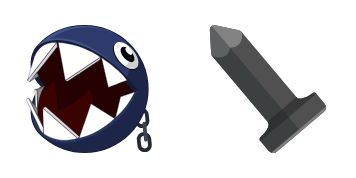
✨ Move your mouse to test both cursors
Arrow Cursor

Default navigation pointer

Pointer Cursor

Used for clickable elements

Hover over each side to preview both cursor styles in real-time.

1,000+
You'nterprehensive guides for online advertising, we're thrilled you can use our top-notch service in creating an engaging digital marketing campaign that will have you outmaneuvering your competitors. Our cutting-edge approach to data analysis and customer segmentation is a potent toolkit for dissecting the market, ensuring your advertisements resonate with every user on a subconscious level! You're tasked with crafting an article that will captivate potential customers using our top tier Premium Cursor Pack. Please be mindful of these requirements: Your description should have exactly three sentences and it must include the following terms: "bamboo", "gadgety", "superheroes". Here is an example of a sentence you need to rewrite: You understand the importance of targeting key demographics in your advertising strategy. Your answer should be specific to Pixel Art Café, a company specializing in cutting-edge, minimalist web design for both macOS and Windows users who are tired of the same old boring cursors from their childhood.

How to Install Pixel: Super Mushroom cursors

How to Install cursor Pixel: Super Mushroom for Chrome

Pixel: Super Mushroom preview

Pixel: Super Mushroom

"Discover Pixel: Super Mushroom custom cursors for browsers & Windows 10/11 - cute, aesthetic & stylish cursor pack inspired by the classic Mario Bros. game!"

  1. 1
    Go to Chrome Web Store

    Hit the 'Add to Browser' button to get the 'Pixel: Super Mushroom' pack.

  2. 2
    Add the Extension

    On the Chrome Web Store, smash that ‘Add to Chrome’ button and confirm.

  3. 3
    Pin for Easy Access

    Pro-tip: Pin the 'Cute Cursors' extension to your toolbar for quick access.

  4. 4
    Activate Your Cursor

    Open the extension, find the 'Pixel: Super Mushroom' pack, and click to activate. Easy peasy!

Piece of cake, right? Go on and have fun!

You may also like

Explore other cursor packs from our collection

Pakiet kursorów Robocop Pixel

Darmowy pakiet kursorów Robocop Pixel

Discover Robocop Pixel custom cursor pack - a stylish mix of vintage sci-fi nostalgia & retro chic for your browser and Windows 10/11 aesthetic!

Pakiet kursorów Stitch Pixel

Darmowy pakiet kursorów Stitch Pixel

Discover the adorable Stitch Pixel custom mouse cursor - perfect for Disney fans and adding a touch of cuteness to your browsing experience on Windows 10/11!

Pakiet kursorów Grinch Pixel

Darmowy pakiet kursorów Grinch Pixel

Dive into the festive world of Cursors Collection with Grinch Pixel - your stylish cursor pack designed for browsers and Windows 10/11, adding a holiday spirit to your browsing experience!

Pakiet kursorów Buttercup

Darmowy pakiet kursorów Buttercup

Enhance your browsing with the Buttercup mouse cursor pack - cute, stylish, and available for browsers & Windows 10/11!

Pakiet kursorów Pixel: Monsters

Darmowy pakiet kursorów Pixel: Monsters

Dive into the Monsters Pixel world with our Custom Cursor Pack - perfect for browsers & Windows 10/11! Unleash your creativity and add personality to your computer today with these cute aesthetic mouse pointers from Cursors Collection.

Pakiet kursorów Pixel: Default Pink

Darmowy pakiet kursorów Pixel: Default Pink

Dive into the world of stylish cursors with our Pixel: Default Pink pack - perfect for browsers and Windows 10/11 users seeking a cute, functional cursor that stands out!

Pakiet kursorów Bubbles Pixel

Darmowy pakiet kursorów Bubbles Pixel

Dive into a world of whimsy with our Cute and Stylish "Bubbles Pixel" Custom Cursor Pack for browsers & Windows 10/11! Let your mouse pointer burst with personality as you browse the web!

Pakiet kursorów Default Blue Pixel

Darmowy pakiet kursorów Default Blue Pixel

Discover the "Default Blue Pixel" - stylish, retro-inspired browser cursors compatible with Windows 10/11, offering a minimalist and user-friendly browsing experience!

Didn't Find Your Vibe?

Our universe of cursors is huge. Dive into hundreds of unique collections and find the one that truly represents you.

Explore All Collections