


Darmowy pakiet kursorów Shanks
Red Hair authority in the Shanks cute cursor, a free custom cursor pack for Yonko fans.
Navigator flair in the Nami cute cursor, a free custom cursor pack for Straw Hat crew fans.
Try this cursor
Move across the preview to feel both cursor styles.

Orange hair and a chart-reading squint: the Nami cute cursor sets the Straw Hat navigator on your pointer. The Nami cute cursor is a free custom cursor for Chrome and Edge, and it also works on Windows 10/11 through the Custom Cursor app.
Warm citrus tones keep the navigator lively against both light and dark themes. It is fan-made cursor art and is not an official Eiichiro Oda, Shueisha, or Toei Animation product.
Plot the next course with the One Piece Nami and Clima-Tact Cursor Pack, the Nico Robin Cursor Pack, and the Monkey D. Luffy Cursor Pack.
Download the Nami cursor pack and let a sharp navigator guide every click.
Explore other cursor packs from our collection
Red Hair authority in the Shanks cute cursor, a free custom cursor pack for Yonko fans.

Mochi power in the Charlotte Katakuri cute cursor, a free custom cursor pack for Whole Cake fans.

Clown chaos with the Buggy cute cursor, a free custom cursor pack full of Chop-Chop energy.

Super shipwright vibes in the Franky cute cursor, a free custom cursor pack for Straw Hat fans.
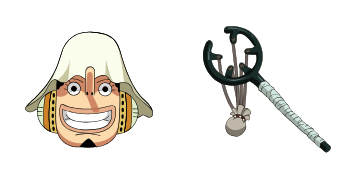
Sniper tall tales in the Usopp cute cursor, a free custom cursor pack for Straw Hat crew fans.

Reindeer doctor cheer in the Tony Tony Chopper cute cursor, a free custom cursor pack for fans.
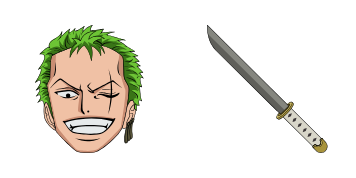
Three-sword resolve in the Roronoa Zoro cute cursor, a free custom cursor pack for swordsman fans.

Classic voyage feel in this One Piece cute cursor, a free custom cursor pack for longtime readers.

Navigator flair in the Nami cute cursor, a free custom cursor pack for Straw Hat crew fans.
Hit the 'Add to Browser' button to get the 'Nami' pack.
On the Chrome Web Store, smash that ‘Add to Chrome’ button and confirm.
Pro-tip: Pin the 'Cute Cursors' extension to your toolbar for quick access.
Open the extension, find the 'Nami' pack, and click to activate. Easy peasy!
Our universe of cursors is huge. Dive into hundreds of unique collections and find the one that truly represents you.
Explore All Collections
Zainstaluj go teraz za darmo ze sklepu Chrome Web Store
Idle
{
  "status": "idle"
}