


Darmowy pakiet kursorów Monkey D. Luffy
Straw hat grin in the Monkey D. Luffy cute cursor, a free custom cursor pack for captain fans.
Retro sprite charm in the Luffy pixel cute cursor, a free custom cursor pack with 8-bit flair.
Try this cursor
Move across the preview to feel both cursor styles.

Chunky pixels and a tiny straw hat: this Monkey D. Luffy pixel cute cursor gives the captain an arcade makeover. The Monkey D. Luffy Pixel cute cursor works as a free custom cursor in Chrome and Edge, plus Windows 10/11 via the Custom Cursor app.
Hard pixel edges stay sharp at small sizes, which suits retro desktop themes. It is fan-made cursor art with no official Eiichiro Oda, Shueisha, or Toei Animation affiliation.
Compare the captain looks with the Monkey D. Luffy Cursor Pack, the One Piece Jolly Roger Cursor Pack, and the Usopp Cursor Pack.
Grab the Luffy pixel cursor pack and let an 8-bit pirate hop across your screen.
Explore other cursor packs from our collection
Straw hat grin in the Monkey D. Luffy cute cursor, a free custom cursor pack for captain fans.

Soul King skeleton style in the Brook cute cursor, a free custom cursor pack for Straw Hat fans.

Fire Fist heat in the Portgas D. Ace cute cursor, a free custom cursor pack for Whitebeard fans.

Diva stage energy in the Uta cute cursor, a free custom cursor pack for Film Red song fans.
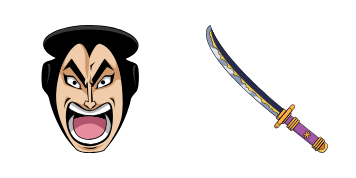
Wano legend in the Kozuki Oden cute cursor, a free custom cursor pack for samurai arc fans.
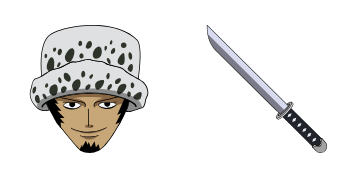
Surgeon of Death cool in the Trafalgar Law cute cursor, a free custom cursor pack for fans.

Red Hair authority in the Shanks cute cursor, a free custom cursor pack for Yonko fans.

Mochi power in the Charlotte Katakuri cute cursor, a free custom cursor pack for Whole Cake fans.

Retro sprite charm in the Luffy pixel cute cursor, a free custom cursor pack with 8-bit flair.
Hit the 'Add to Browser' button to get the 'Monkey D. Luffy Pixel' pack.
On the Chrome Web Store, smash that ‘Add to Chrome’ button and confirm.
Pro-tip: Pin the 'Cute Cursors' extension to your toolbar for quick access.
Open the extension, find the 'Monkey D. Luffy Pixel' pack, and click to activate. Easy peasy!
Our universe of cursors is huge. Dive into hundreds of unique collections and find the one that truly represents you.
Explore All Collections
Zainstaluj go teraz za darmo ze sklepu Chrome Web Store
Idle
{
  "status": "idle"
}