


Darmowy pakiet kursorów Cave Spider
Cave Spider: cute cursor pack and free custom cursor for Minecraft mob fans.
Spawn the Classic Piglin cute cursor - a free custom cursor for your desktop.
Try this cursor
Move across the preview to feel both cursor styles.

Queue up blocky vibes with Classic Piglin: a lively cute cursor ready for tabs and clicks. This free custom cursor drops straight into Chrome and Edge, and reaches Windows 10/11 with the Custom Cursor app for every app you open.
Chunky pixel art gives Classic Piglin a solid silhouette you can spot instantly. Fan-made tribute art for block-world players - not a Mojang official product.
Round out your loadout with the Strider Cursor Pack, the Carrot on a Stick and Pig Cursor Pack, and the Enchanted Diamond Shovel Cursor Pack.
Add Classic Piglin to your setup and start every session with mob style.
Explore other cursor packs from our collection
Cave Spider: cute cursor pack and free custom cursor for Minecraft mob fans.

Try Snow Golem cute cursor - free custom cursor with clean overworld energy.

Blaze free custom cursor - cute cursor flair for Minecraft players.

Pick Creeper cute cursor - a free custom cursor with survival-ready charm.

Free custom cursor: Drowned cute cursor with pixel mob detail.
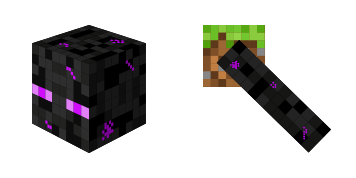
Bold Enderman cute cursor - free custom cursor for Minecraft fans.
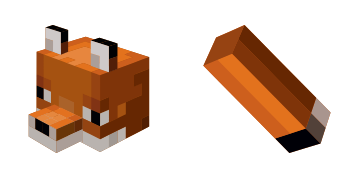
Free custom cursor: Fox cute cursor with a chunky blocky look.

Ghast cute cursor - free custom cursor packed with nether-side attitude.

Spawn the Classic Piglin cute cursor - a free custom cursor for your desktop.
Hit the 'Add to Browser' button to get the 'Piglin' pack.
On the Chrome Web Store, smash that ‘Add to Chrome’ button and confirm.
Pro-tip: Pin the 'Cute Cursors' extension to your toolbar for quick access.
Open the extension, find the 'Piglin' pack, and click to activate. Easy peasy!
Our universe of cursors is huge. Dive into hundreds of unique collections and find the one that truly represents you.
Explore All Collections
Zainstaluj go teraz za darmo ze sklepu Chrome Web Store
Idle
{
  "status": "idle"
}