Google Chrome

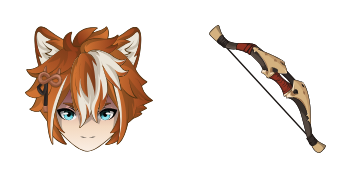
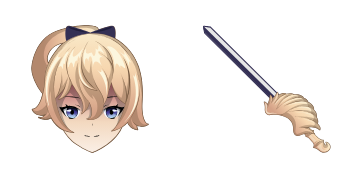
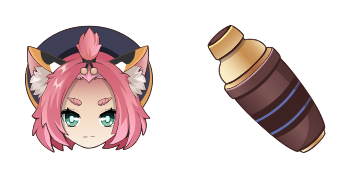
Eula custom cursor

Discover stylish mouse pointers like "Eula" from our custom cursor pack - ideal for browsers & Windows 10/11 with a sleek black design and impressive professionalism! Catchy Meta Description: Elevate your browsing experience with cute cursors like 'Eula'

✨ Move your mouse to test both cursors
Arrow Cursor

Default navigation pointer

Pointer Cursor

Used for clickable elements

Hover over each side to preview both cursor styles in real-time.

1,000+
EUROsia The Cursor Collection offers a wide range of unique designs that will elevate your computer experience. With over 20 different styles, each one designed with attention to detail for both work and play. The Eula cursors come in various sizes and have been optimized for performance on all supported platforms. This means you can enjoy the smoothest transitions possible when working with them. The collection features not only a standard cursor design but also some of our latest technologies, including vector animation support in some versions which will make your computer experience feel more dynamic. 140286

How to Install Eula cursors

How to Install cursor Eula for Chrome

Eula preview

Eula

Discover stylish mouse pointers like "Eula" from our custom cursor pack - ideal for browsers & Windows 10/11 with a sleek black design and impressive professionalism! Catchy Meta Description: Elevate your browsing experience with cute cursors like 'Eula'

  1. 1
    Go to Chrome Web Store

    Hit the 'Add to Browser' button to get the 'Eula' pack.

  2. 2
    Add the Extension

    On the Chrome Web Store, smash that ‘Add to Chrome’ button and confirm.

  3. 3
    Pin for Easy Access

    Pro-tip: Pin the 'Cute Cursors' extension to your toolbar for quick access.

  4. 4
    Activate Your Cursor

    Open the extension, find the 'Eula' pack, and click to activate. Easy peasy!

Piece of cake, right? Go on and have fun!

You may also like

Explore other cursor packs from our collection

Pakiet kursorów Kaeya

Darmowy pakiet kursorów Kaeya

Discover stylish mouse pointers - Kaeya cursor pack for browser and Windows 10/11, blending cool aesthetics with functionality!

Pakiet kursorów Kazuha

Darmowy pakiet kursorów Kazuha

Discover "Kazuha", an exquisitely animated custom cursor pack designed for browsers and Windows 10/11, perfect for adding Genshin Impact flair to your daily browsing experience!

Pakiet kursorów Bennett

Darmowy pakiet kursorów Bennett

Discover stylish mouse pointers with "Bennett" - innovative browser & Windows 10/11 cursors featuring sleek black and gold design that enhances productivity in a visually engaging way!

Pakiet kursorów Genshin Impact: Chongyun

Darmowy pakiet kursorów Genshin Impact: Chongyun

Discover a unique Genshin Impact: Chongyun custom mouse cursor for browsers & Windows - stylish & perfect for fans!

Pakiet kursorów Beidou

Darmowy pakiet kursorów Beidou

Discover the stylish and vibrant Beidou cursor pack from Cursors Collection - perfect for browsers & Windows 10/11 with a sleek design that adds sophistication to your web browsing experience.

Pakiet kursorów Lumine

Darmowy pakiet kursorów Lumine

Discover stylish and sleek custom mouse cursors for web browsers & Windows 10/11 with our "Lumine" collection - a modern glowing blue circle around cursor that makes your browsing experience smooth and futuristic!

Pakiet kursorów Sucrose

Darmowy pakiet kursorów Sucrose

Dive into whimsy with our "Sucrose" custom cursor pack - stylish and functional for both browsers & Windows 10/11 systems! Add a touch of sweetness to your online experience today.

Pakiet kursorów Kokomi

Darmowy pakiet kursorów Kokomi

Dive into a world of cuteness with Kokomi's elegant browser cursor - the latest addition for Windows 10/11 users seeking stylish and unique mouse pointers!

Didn't Find Your Vibe?

Our universe of cursors is huge. Dive into hundreds of unique collections and find the one that truly represents you.

Explore All Collections